
Guides
AI Business Automation: The Complete 2026 Guide for Small Businesses
The Ootto Team · 8 min read · June 12, 2026
How to use this
1Connect Claude to Instagram
Connect Claude to your Instagram account
One click opens Claude with the connector already filled in - sign in, authorize, and it's live. No key to copy, no setup outside your browser.
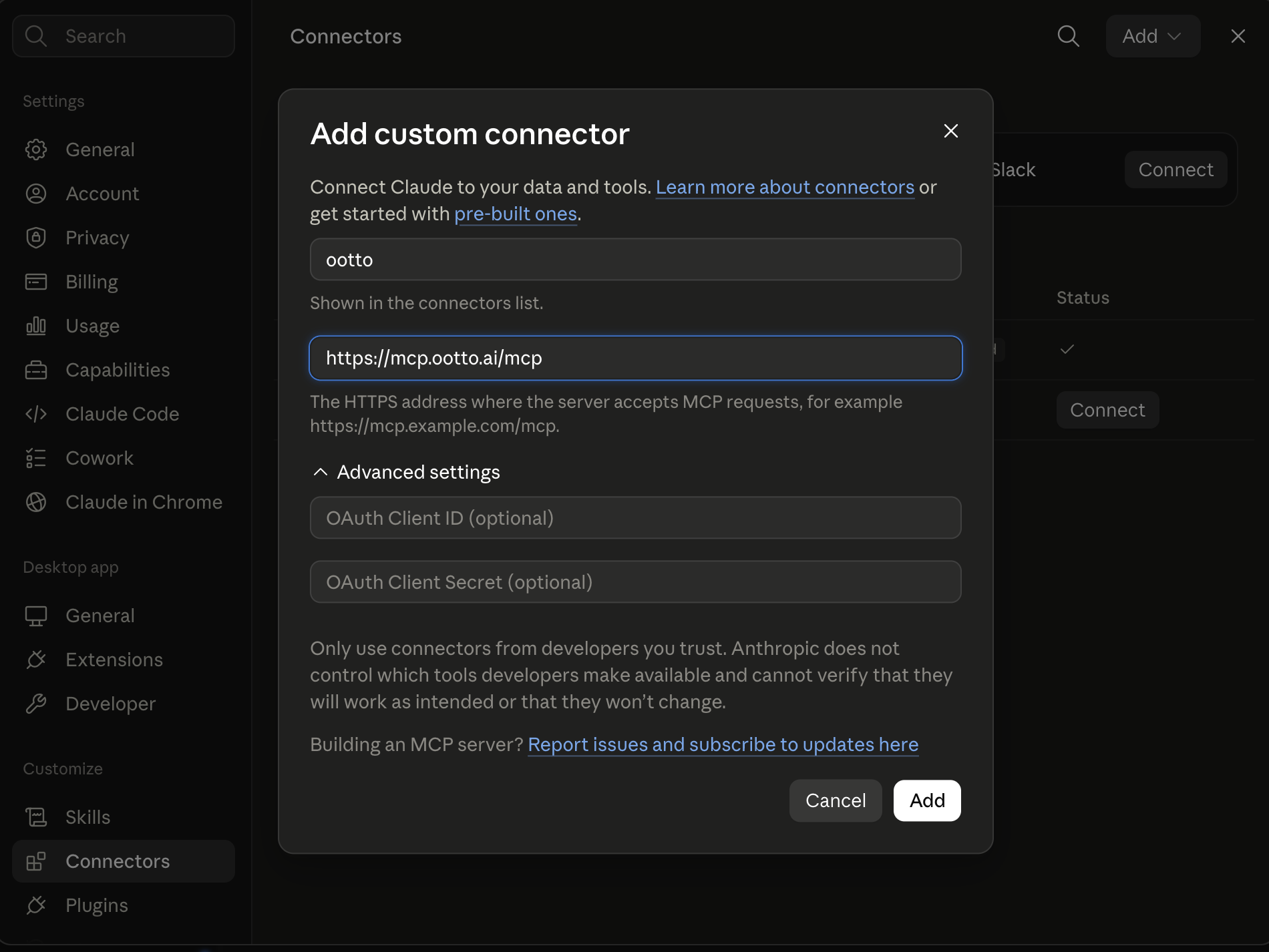
https://mcp.ootto.ai/mcpConnect2Add the skills
Once Claude can reach your account, give it the methods to work with. Clone the free repository and Claude discovers the skills automatically.
git clone --depth 1 https://github.com/Ootto-AI/claude-content-skills.git && bash claude-content-skills/install.shBrowse all 30 skills on GitHubInstructions: how to connect your Instagram account to Claude
Connect above does this for you. If Claude ever opens the dialog empty, here's exactly what goes where:
Ootto
Your 24/7 Instagram Growth Operator
Skip the manual setup
- Posts finished Reels straight to your Instagram
- Real motion-graphic Reels, not slideshows
- Built around your own photos and footage
- Finds winning content opportunities in your niche
- Writes on-brand scripts and captions
- Answers every comment by your own keyword rules
- DMs qualified leads and starts the conversation
- Runs up to 50 Instagram accounts
One AI. Every Post. Every Comment. More Leads. More Sales.
If you run a small business, you already feel it: the inbox never empties, leads cool off while you're on a job, invoices go unpaid because chasing them is nobody's favorite task. AI business automation is how you hand the repetitive parts of all of that to software that actually understands the work — not just a rigid "if this, then that" rule.
This guide is the plain-English version. What it is, what to automate first, how to roll it out in 30 days without breaking anything, what return to actually expect, and how to decide between building it yourself and using a done-for-you system. No hype, no jargon.
What is AI business automation?
Automation isn't new. The new part is what can be automated.
Older "rules-based" automation (think Zapier-style connectors) is a chain of fixed instructions: when a form is submitted, add a row to a spreadsheet and send a templated email. It's powerful, but brittle. It can't read a message and decide what it means. The moment a task needs judgment, it stops.
AI business automation handles the messy middle that rules can't:
- Reading and understanding — summarize a long email thread, pull the order number out of a customer's rambling message, classify whether an inbound is a sales lead or a support issue.
- Drafting — write a reply in your voice, draft a follow-up, generate a weekly summary.
- Deciding — route an urgent message to you, hold a low-priority one, escalate a refund over a threshold.
The practical takeaway: tasks you previously couldn't automate because "it depends" are now on the table. That's the whole shift.
What should you automate first?
Don't try to automate everything. Start where the pain is sharpest and the payoff is clearest. Here's the priority order most small businesses should follow, and why.
1. Lead follow-up (do this first)
Speed to lead is the single highest-leverage thing you can fix. The research here is consistent and old enough to be well-established: responding to a new web lead within a few minutes, rather than an hour or a day, dramatically improves your odds of ever reaching and qualifying that person. Leads go cold fast, and most businesses respond far too slowly to compete.
No human watches the inbox at 9pm on a Saturday. Automation does. An instant, personal-feeling first response, then a structured follow-up sequence, is the closest thing to free revenue there is.
Full playbook: How to automate lead follow-up with AI. For copy-paste prompts you can use today, see Claude skills for following up with leads.
2. Inbox triage
The inbox is where small-business time goes to die. AI can sort incoming mail (sales, support, billing, noise), surface what needs you, draft replies to the routine majority, and let you approve with a glance instead of writing from scratch.
3. Invoice reminders
Chasing payments is awkward, easy to forget, and directly tied to cash flow. A polite, automatic, escalating reminder sequence collects money without you being the bad guy — and without you remembering anything.
4. Appointment scheduling
The back-and-forth to book a call or a job ("does Tuesday work? no? how about Thursday?") is pure friction. Let AI handle the negotiation, check your calendar, and confirm.
5. Weekly reporting
Once the above are running, the last recurring chore is knowing what happened. Automated weekly summaries — leads in, revenue collected, what slipped — replace the report you keep meaning to build.
Notice the logic: revenue-protecting work (leads, cash) comes before time-saving work (triage, reporting). Fix the leaks before you polish the dashboards.
How do you roll it out in 30 days?
The most common mistake is going wide. Owners try to automate five things at once, none of them work reliably, and the whole effort gets abandoned. Go narrow instead.
-
Week 1 — Pick ONE workflow. Choose the one with the clearest, most painful, most frequent problem. For most businesses that's lead follow-up. Connect the one tool it needs (your inbox, your CRM) and turn it on for a small slice of real traffic.
-
Weeks 2–3 — Run it and learn. Watch what it does. Where does it get things right? Where does it need a human check? Tune the prompts, the routing, the tone. This is where you build trust — you're not measuring ROI yet, you're confirming it works on your business.
-
Week 4 — Measure, then add the second. Compare against your baseline (you recorded one — see below). If it's clearly winning, lock it in and only now add the second workflow. Repeat.
One workflow, one tool, made reliable, before you add the next. That single discipline is the difference between automation that sticks and automation that gets switched off in a month.
What ROI should you realistically expect?
Ignore anyone promising "200–500% in year one." Here's the honest version.
Timeline. Plan for roughly 90 days to a clear read: about 30 days to implement and tune, 60 more to measure against your baseline. In practice, most owners see measurable ROI somewhere in the first few months of real use, not in week one.
Magnitude. On the specific tasks you automate, most owners find they can take back a meaningful chunk of the repetitive work — often a third to half of the time that task used to eat. You're not eliminating the function — you're removing the repetitive part of it.
The math. Before you start, write down a baseline. Then the calculation is simple:
(Hours saved per week × your effective hourly rate) − monthly tool cost = monthly gain
If automation saves you 6 hours a week and your time is worth $60/hour, that's about $1,560/month of recovered time. Against a tool in the low hundreds, the payback is obvious — and that's before counting the leads you stop losing, which is usually the bigger number.
You can't calculate any of this without a baseline. Spend an hour writing down current response times, hours spent, and collection rates before you automate. Future-you will need it.
Should you build it or use an autopilot?
There are three honest paths. Pick based on how much time you have and how much maintenance you're willing to own.
1. DIY connectors (Zapier, Make). You wire up the workflows yourself. Maximum control, lowest software cost — but you're now the builder and the maintenance crew. When something changes, you fix it. Good if you enjoy tinkering and have simple, stable workflows. (Honest comparison: best Zapier alternatives for small business and Ootto vs Zapier.)
2. Agent platforms (e.g. Lindy). More AI-native than connectors — you configure agents rather than rigid rules. More capable, but still something you design, test, and babysit. (See Ootto vs Lindy.)
3. Done-for-you autopilot (Ootto). You connect your tools once; the system learns how your business works and runs the workflows for you. Lowest time-to-value and near-zero maintenance burden, in exchange for less low-level control. Best if you want outcomes, not a project. (Note: specific platform features and pricing change — check current details before deciding.)
There's no universally right answer. The real question is whether you want to own a tool or get a result. If your scarcest resource is time — which for most owners it is — the autopilot path wins on total cost, because the hidden cost of DIY isn't the subscription, it's the hours you spend building and the workflows that quietly break.
What should you NOT automate yet?
Trustworthy automation knows its limits. Keep humans firmly in charge of:
- Judgment calls — pricing exceptions, firing a client, anything where the "right" answer depends on context only you have.
- Legally or financially sensitive actions — contracts, disputes, refunds above a meaningful threshold. Let AI prepare these; you approve them.
- Low-frequency tasks — if something happens twice a year, automating it costs more than it saves. Do it by hand.
Curious about what genuinely is safe to delegate? Claude skills for running a small business maps the practical line between "let AI do it" and "keep it human."
What are the common pitfalls?
Three mistakes cause most failures:
- Automating a broken process. Automation makes a bad process faster, not better. Fix the workflow first, then automate it.
- No human in the loop. Especially early, keep an approval step on anything customer-facing. Trust is earned by watching it work, not assumed on day one.
- No baseline. If you didn't measure "before," you can't prove "after." You'll feel busy either way and never know if it worked.
Where to start
AI business automation isn't a moonshot anymore — it's a sequence of small, sensible decisions. Pick your sharpest pain (probably lead follow-up). Automate that one thing. Make it reliable. Measure it. Then add the next.
Adoption is already widespread, and small-business interest keeps climbing year over year. But the owners who win aren't the ones who automate the most — they're the ones who automate the right things, in the right order, and keep a human on the judgment calls.
Ootto is built for the done-for-you path: connect Gmail, Slack, Stripe, WhatsApp, HubSpot, and Notion once, and it learns your business and handles email, lead follow-up, invoice chasing, and weekly reports automatically. See where it fits on the pricing page — Self-serve ($48/mo) or Done-for-you ($499/mo) if you'd rather Ootto run it end to end.
Route A: do it yourself
Start with the exact free skill for this outcome
MIT, no account, no email. Install first, then run the command for your account.
For this outcome: Content Factory
git clone --depth 1 https://github.com/Ootto-AI/claude-content-skills.git && bash claude-content-skills/install.sh
Installs the free MIT Content Skills bundle into ~/.claude/skills in one shot.
/content-factory - my niche is [niche], model this reel: [reel URL], my handle @..., CTA keyword GUIDE
Runs the full pipeline order for the post: research, hook, script, build, caption, and comment-to-DM lead setup.
Route B: let Ootto run it
Ootto replicates this on autopilot
Open the dashboard, connect once, then let the pipeline handle research, production, and lead replies.
Open the connector dashboard
Go to /content/login, sign in, and open your Ootto content dashboard.
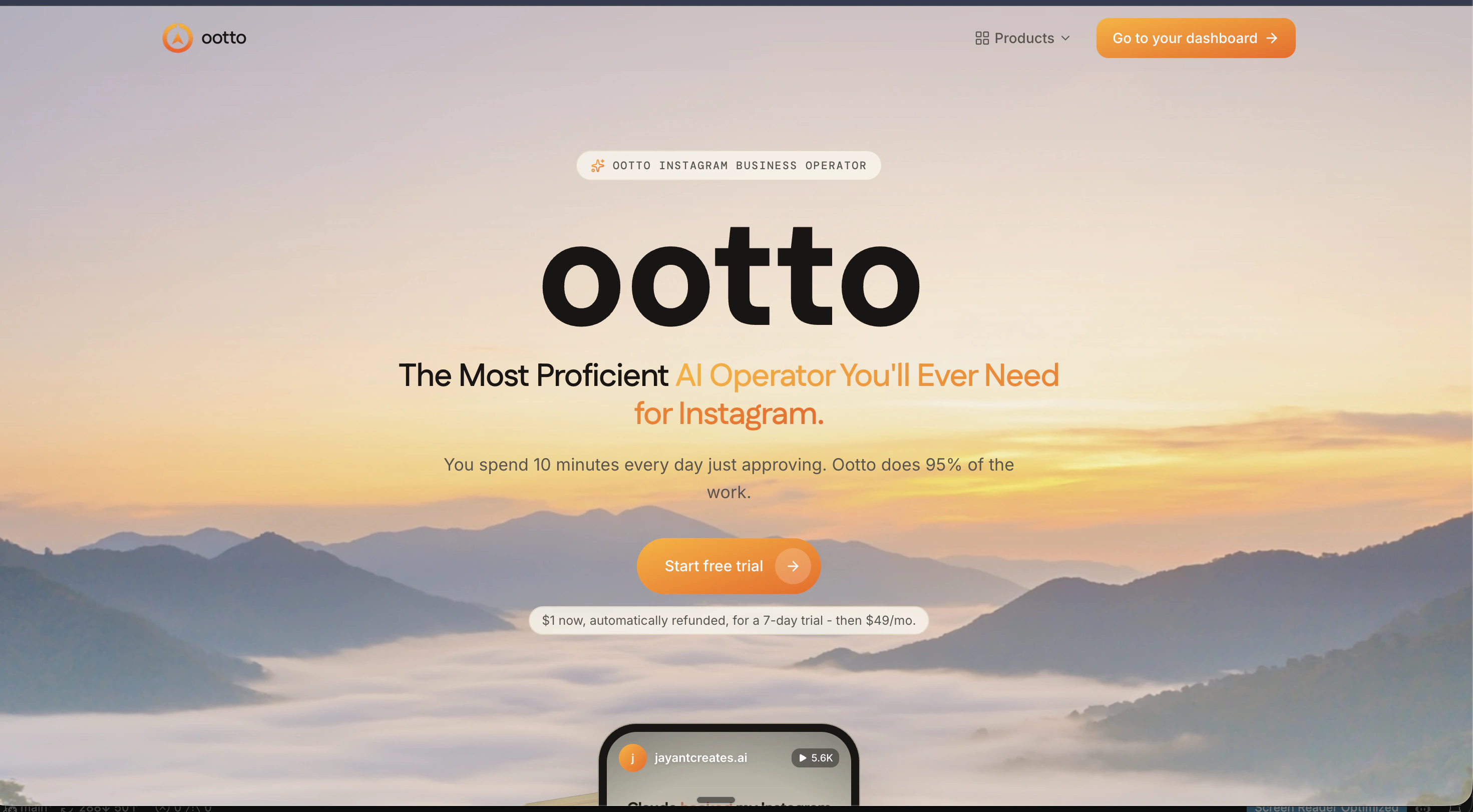
Add Ootto to Claude
Use the one-button Add flow so Ootto appears in Claude's Connectors panel.
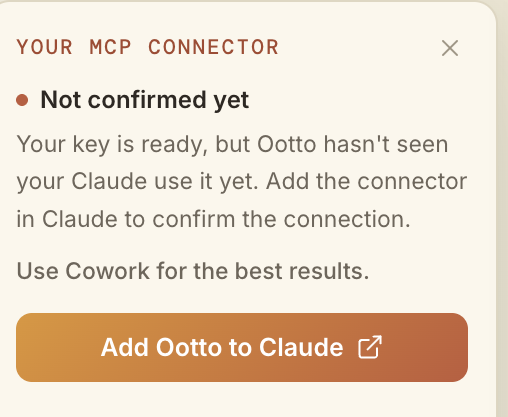
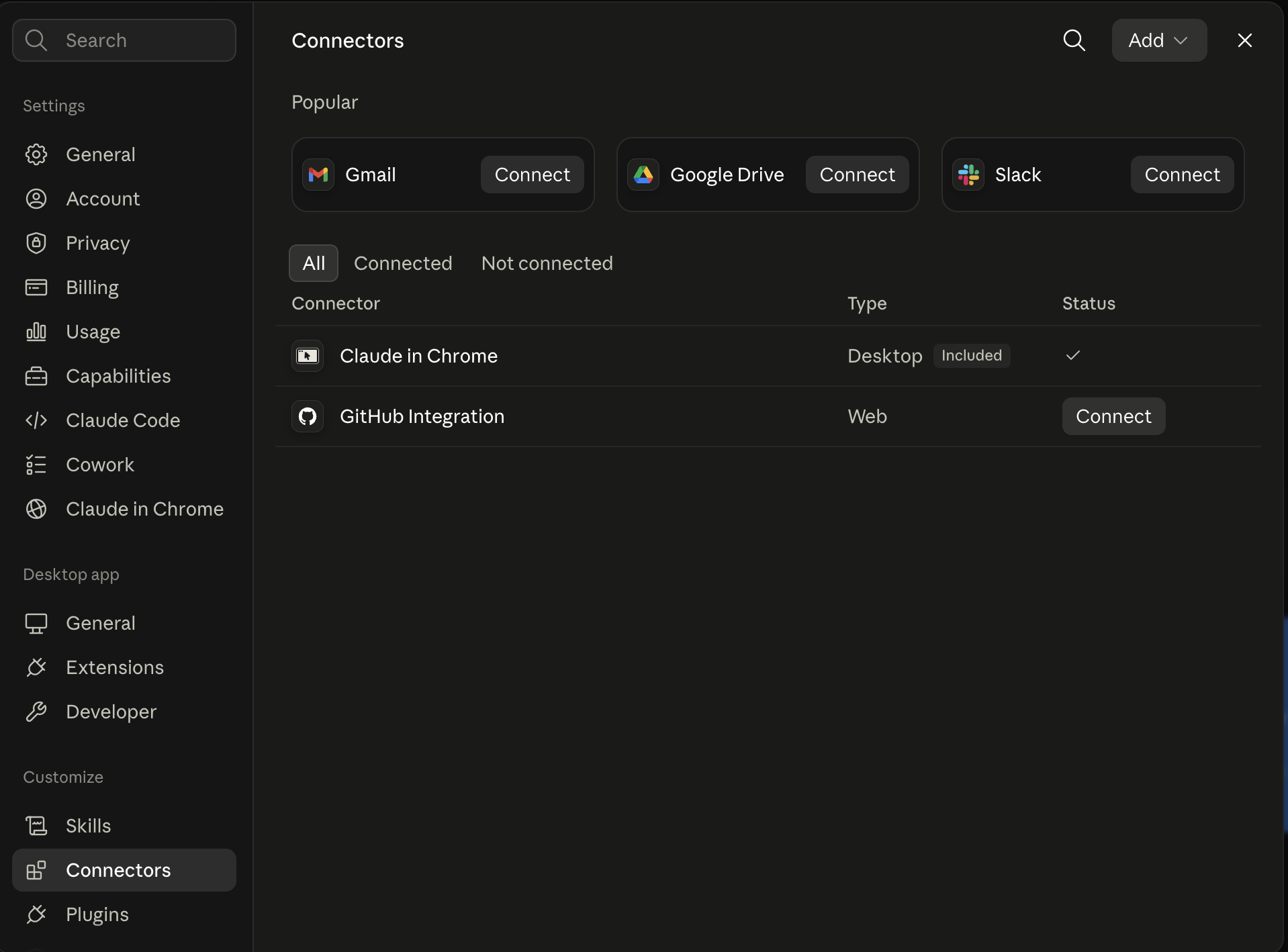
Claude shows the connector
The connector lands in Claude's Connectors settings, confirming Ootto is wired.
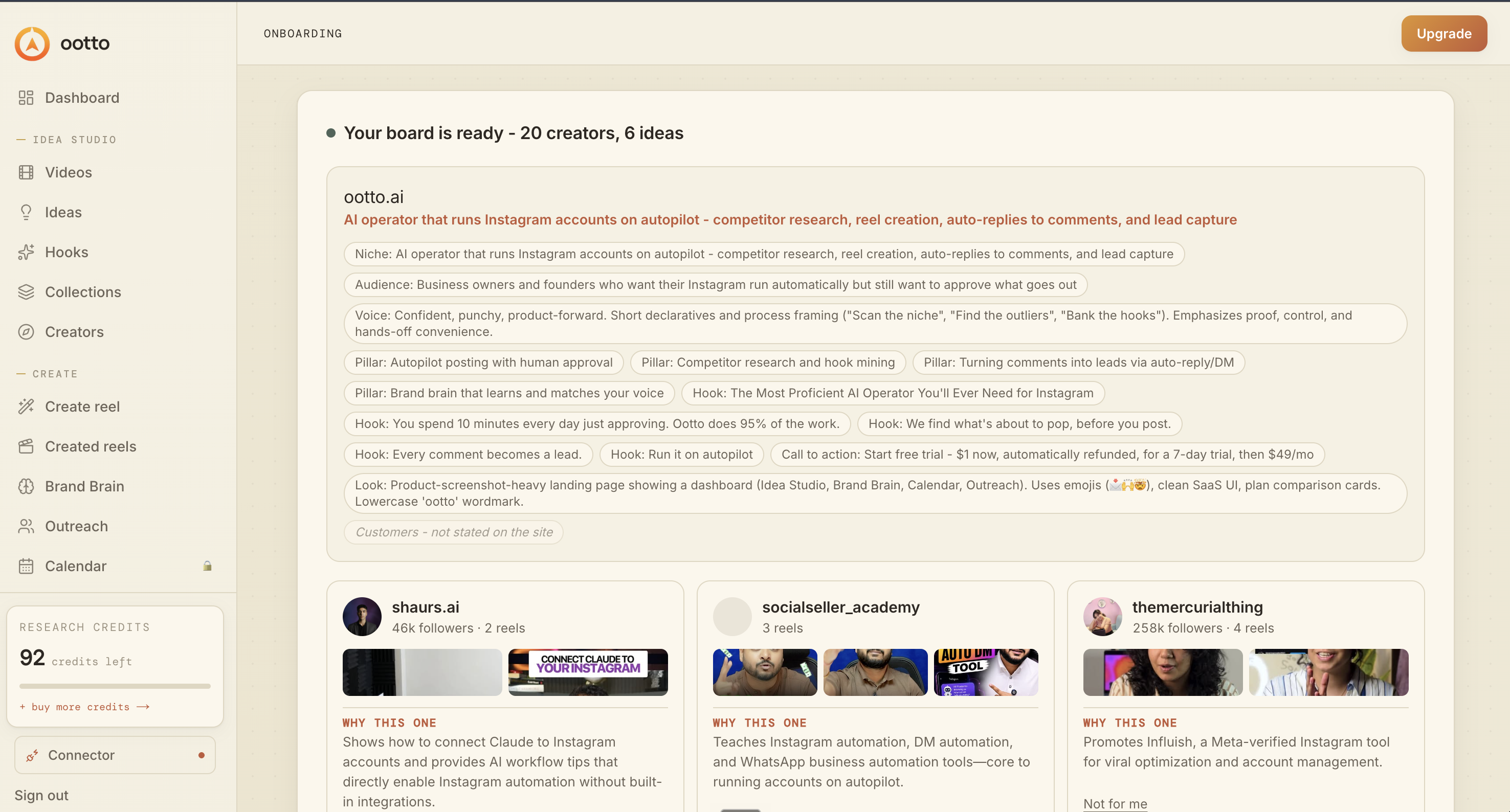
Board reads back your context
Your audience, pillars, voice, and creator signals are filled from account context.
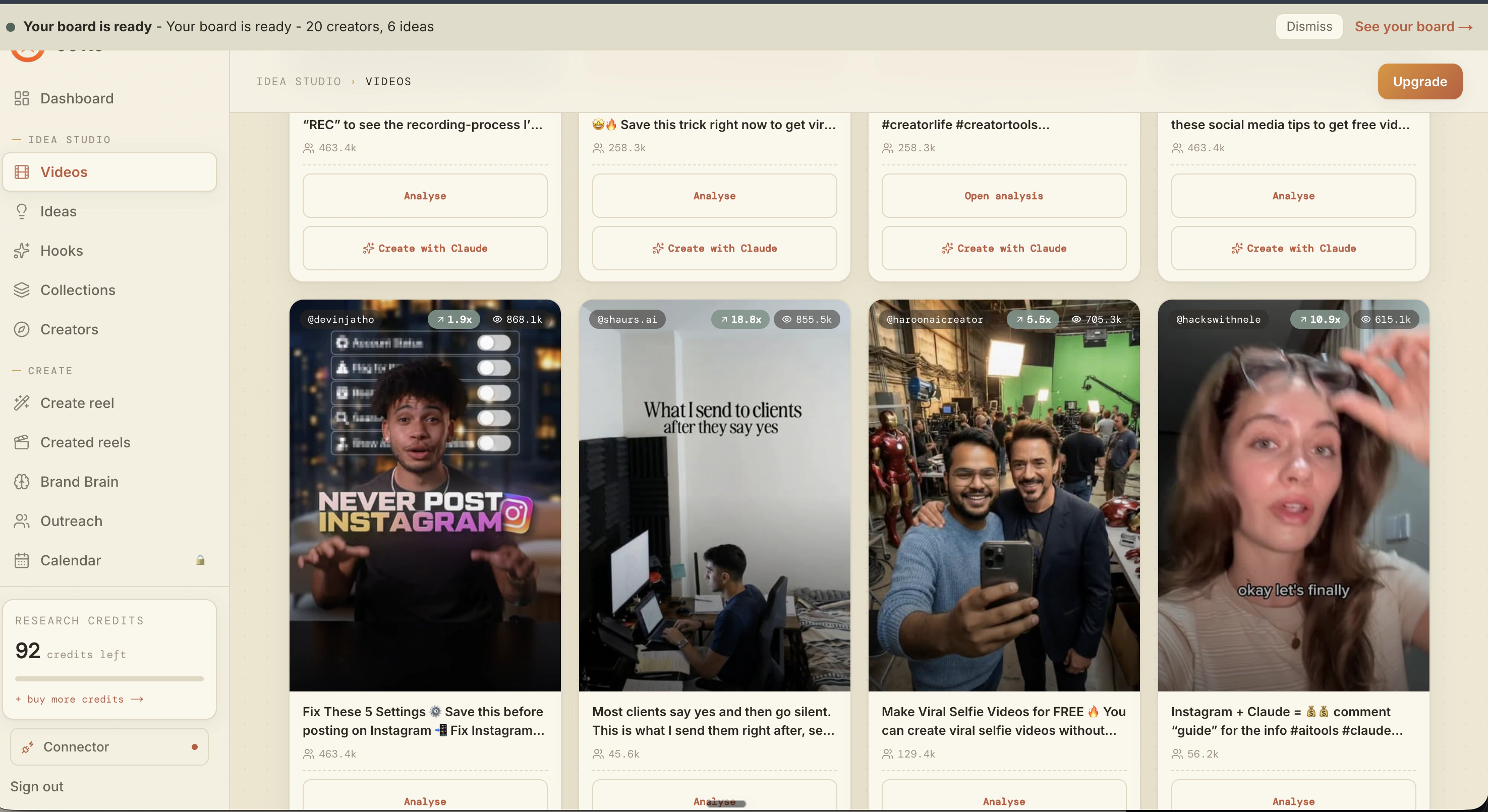
What is actually working now
Ootto pulls what is moving in your niche and loads ranked examples in board.
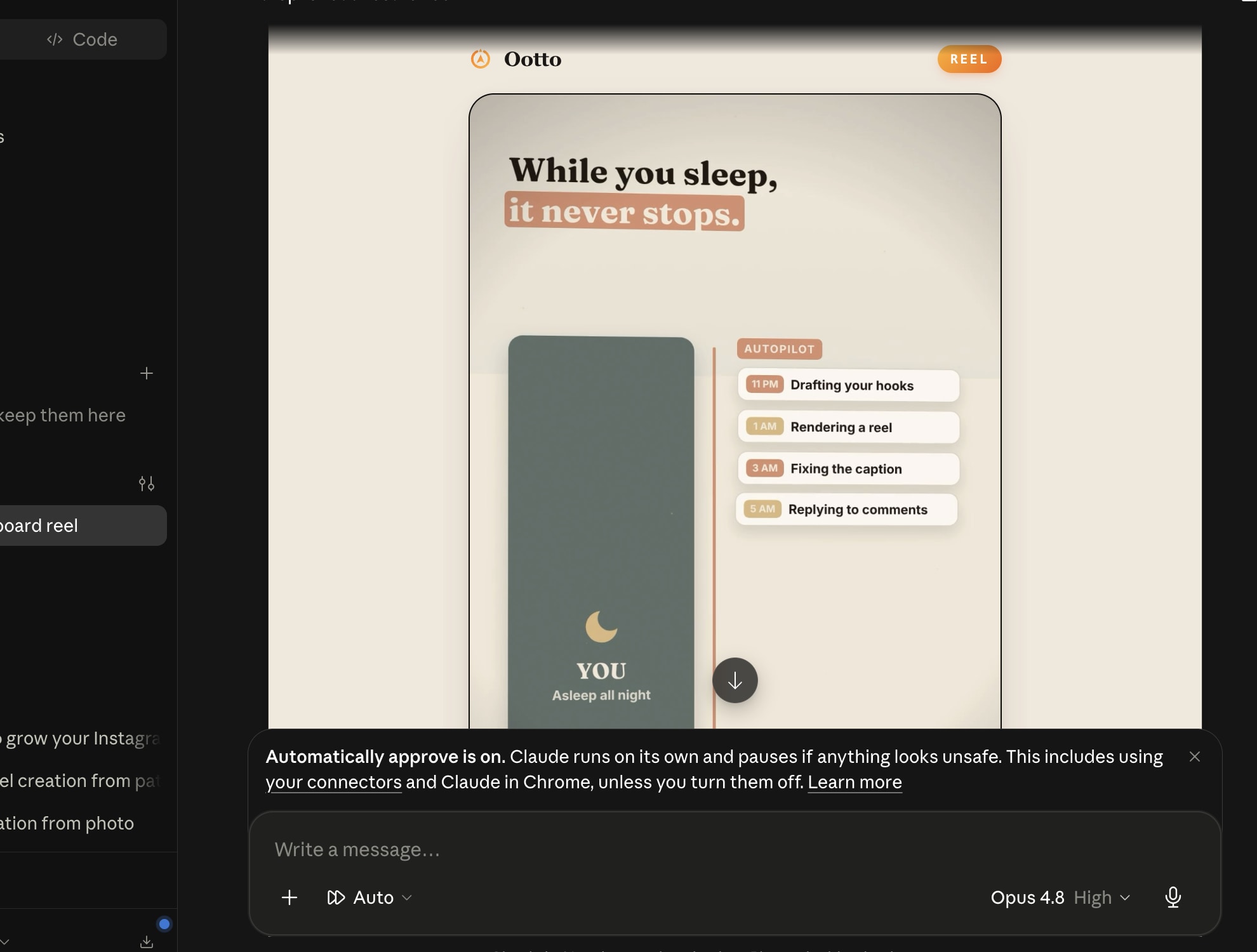
Reels post, comments get answered
Finished reels publish to Instagram and comments are answered with public replies plus DM follow-ups.
Ootto
Run Ootto in your Claude
Skip the manual setup
- Finds winning content opportunities
- Creates on-brand Reels and captions
- Replies to comments instantly
- Starts personalized DM conversations
- Qualifies leads automatically
- Helps book calls and drive sales
- Learns and improves with every interaction
One AI. Every Post. Every Comment. More Leads. More Sales.
Get started$1 today, non-refundable. Starts your 7-day trial, then $48/mo. Cancel anytime.
Get started