
Invoicing
How to Automate Invoice Reminders With AI (and Actually Get Paid)
The Ootto Team · 3 min read · June 10, 2026
How to use this
1Connect Claude to Instagram
Connect Claude to your Instagram account
One click opens Claude with the connector already filled in - sign in, authorize, and it's live. No key to copy, no setup outside your browser.
https://mcp.ootto.ai/mcpConnect2Add the skills
Once Claude can reach your account, give it the methods to work with. Clone the free repository and Claude discovers the skills automatically.
git clone --depth 1 https://github.com/Ootto-AI/claude-content-skills.git && bash claude-content-skills/install.shBrowse all 30 skills on GitHubInstructions: how to connect your Instagram account to Claude
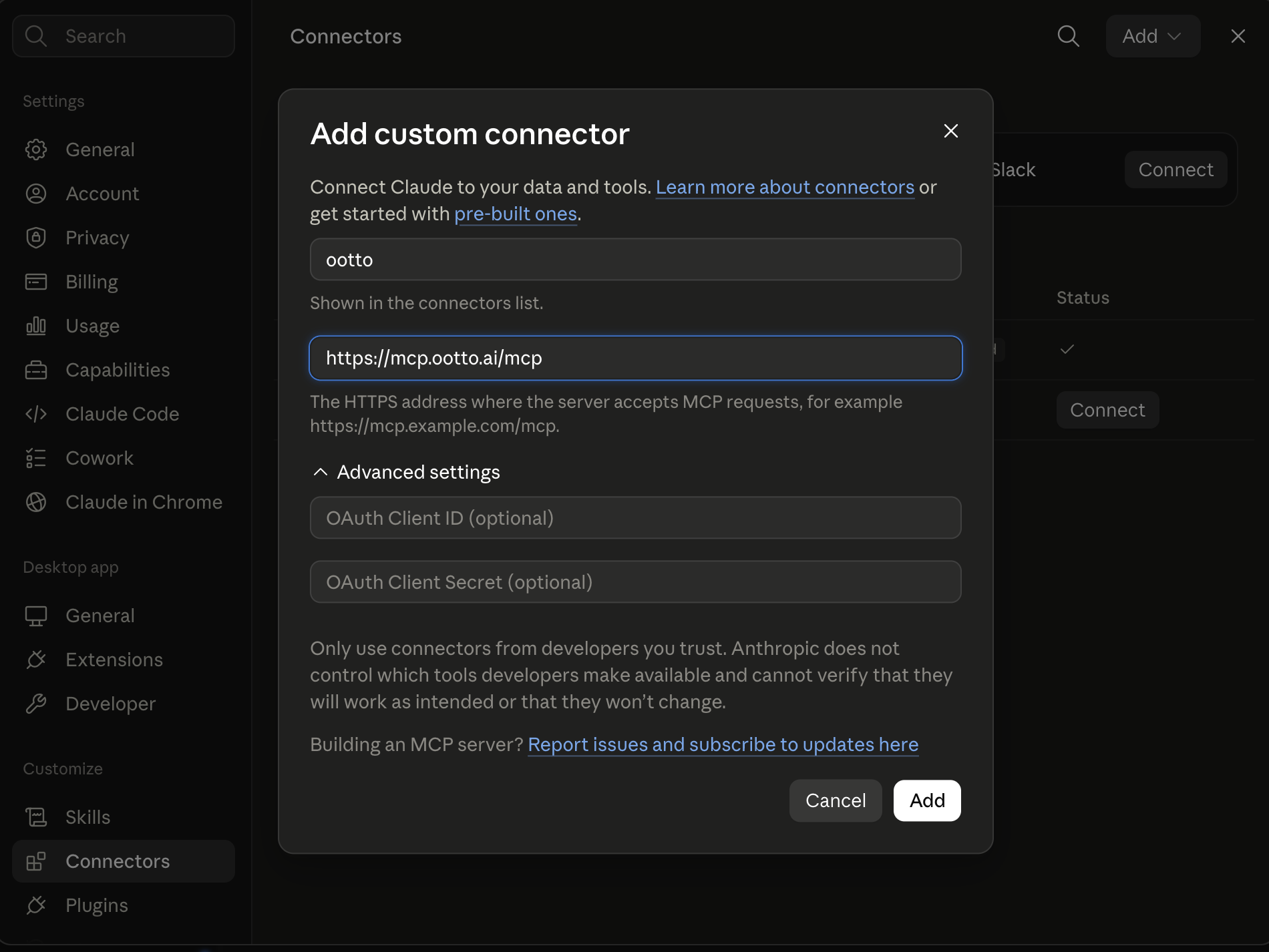
Connect above does this for you. If Claude ever opens the dialog empty, here's exactly what goes where:
Ootto
Your 24/7 Instagram Growth Operator
Skip the manual setup
- Posts finished Reels straight to your Instagram
- Real motion-graphic Reels, not slideshows
- Built around your own photos and footage
- Finds winning content opportunities in your niche
- Writes on-brand scripts and captions
- Answers every comment by your own keyword rules
- DMs qualified leads and starts the conversation
- Runs up to 50 Instagram accounts
One AI. Every Post. Every Comment. More Leads. More Sales.
Chasing unpaid invoices is the work nobody starts a business to do. It's awkward, it's easy to forget, and the longer you wait, the harder it gets to collect. The fix isn't working harder on follow-ups — it's removing yourself from them. Here's a simple cadence that works, and how to put it on autopilot with AI.
Why invoices go unpaid (it's usually not the money)
Most late payments aren't refusals — they're drift. The invoice lands in a busy inbox, gets mentally filed under "later," and nothing reminds the client until you do. The businesses that get paid fastest aren't more aggressive; they're more consistent. They follow up on a schedule, every time, without it depending on someone remembering.
That consistency is exactly what's hard to do by hand and easy to automate.
The reminder cadence that works
You don't need a complicated dunning system. A three-touch cadence, anchored to the due date, covers the vast majority of cases:
1. The polite nudge (0–7 days after due)
Friendly, assumes good faith. People miss dates; this is a gentle reminder, not an accusation.
Hi [Name] — just a quick note that invoice [#] for [amount] was due on [date]. If it's already on its way, thank you! If not, here's the link to pay: [link].
2. The firm reminder (8–21 days)
Direct, still professional. State the overdue amount and make paying effortless.
Hi [Name] — invoice [#] for [amount] is now [X] days overdue. Could you let me know when we can expect payment? You can pay here: [link].
3. The final notice (22+ days)
Clear about next steps, without burning the relationship.
Hi [Name] — invoice [#] remains unpaid [X] days past due. Please arrange payment by [date] to avoid [late fee / pause in work]. Pay now: [link].
Three templates, triggered at roughly +7, +14, and +21 days past due, will resolve most late invoices before they become real problems.
Where AI changes the game
A cadence is only useful if it actually runs. This is where doing it manually breaks down — and where AI earns its place:
- It triggers on time, every time. Reminders fire on the due-date schedule without you tracking who owes what.
- It writes in your voice. Instead of robotic templates, AI drafts each reminder to match how you talk to clients — warmer for long-standing customers, firmer for chronic late payers.
- It reads the replies. When a client responds, AI can classify it — "paid," "will pay on [date]," "disputing" — and route the ones that actually need you, while handling the routine acknowledgements itself.
- It stops when paid. Connected to your payment tool, it knows when an invoice clears and cancels the remaining reminders automatically — no awkward "please pay" after they already did.
The result is the consistency of a collections process without the cost or the discomfort of running one.
Build it, or make it gone entirely
You've got two broad options:
- Build it yourself with a workflow tool (Zapier, Make, n8n) — connect your invoicing app, write the templates, set the delays, and maintain it. Workable if you like building. See our Zapier alternatives guide for the options.
- Let an autopilot handle it. Ootto connects to your email and payment tools, learns your tone, and runs invoice follow-up as one of its built-in jobs — drafting reminders, reading replies, and stopping when an invoice is paid. Nothing to build.
If you already enjoy maintaining automations, option 1 is fine. If invoice-chasing is exactly the kind of work you want gone, option 2 removes you from it entirely.
The bottom line
Late payments are rarely a pricing or product problem — they're a follow-up problem. A consistent three-touch cadence fixes most of it, and AI makes that cadence run without your attention. Set it up once, and "chasing invoices" stops being a thing you do.
Route A: do it yourself
Start with the exact free skill for this outcome
MIT, no account, no email. Install first, then run the command for your account.
For chasing overdue invoices: Invoice Chaser
git clone --depth 1 https://github.com/Ootto-AI/claude-invoice-skills.git && bash claude-invoice-skills/install.sh
Installs the free MIT Invoice Skills bundle into ~/.claude/skills in one shot.
/invoice-chaser [invoice number, amount, due date, days overdue]
Drafts the right payment reminder, tone matched to how late the invoice is.
Route B: let Ootto run it
Ootto replicates this on autopilot
Open the dashboard, connect once, then let the pipeline handle research, production, and lead replies.
Open the connector dashboard
Go to /content/login, sign in, and open your Ootto content dashboard.
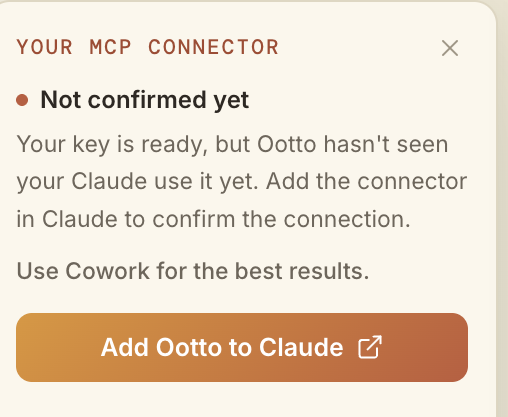
Add Ootto to Claude
Use the one-button Add flow so Ootto appears in Claude's Connectors panel.
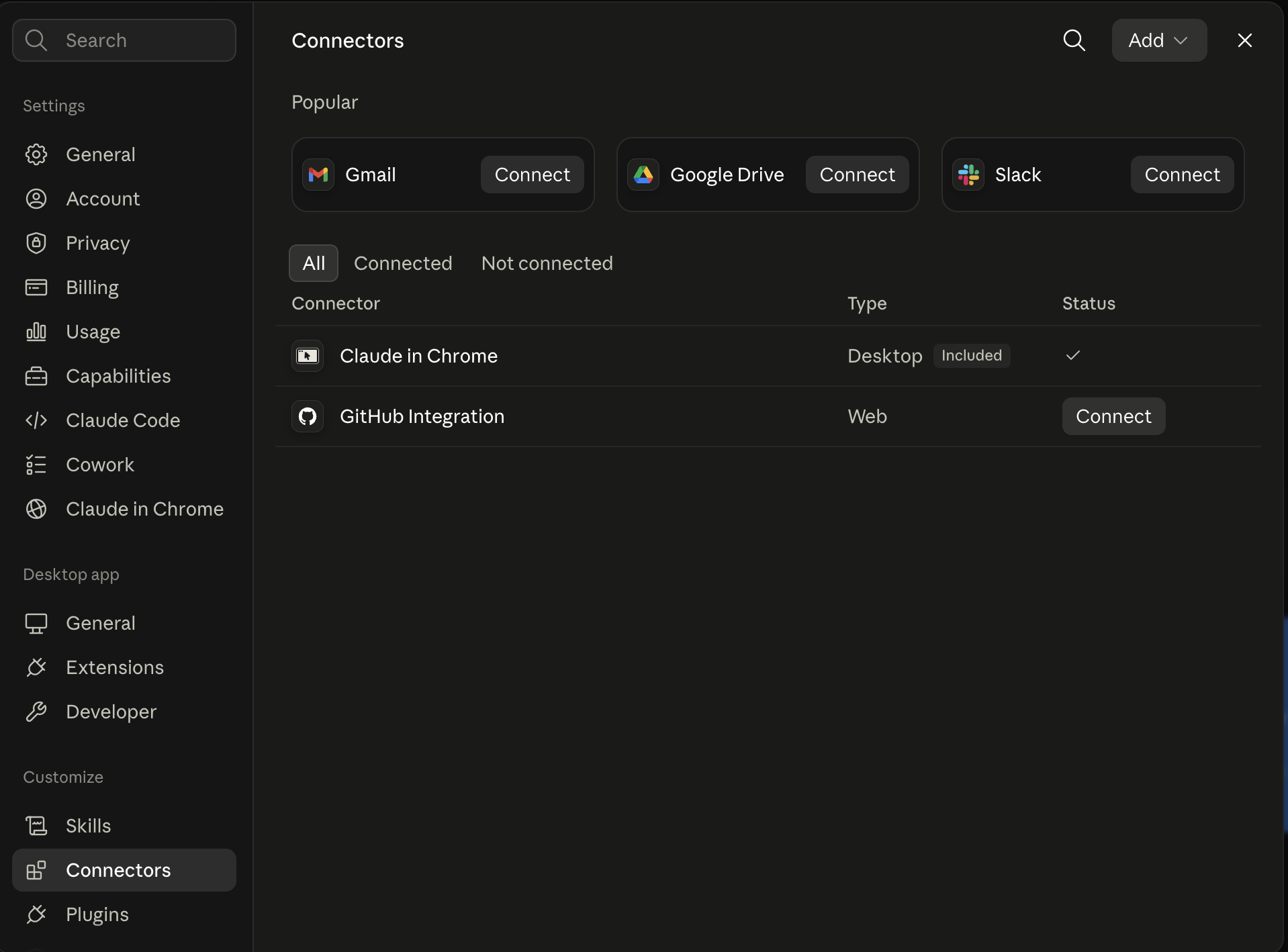
Claude shows the connector
The connector lands in Claude's Connectors settings, confirming Ootto is wired.
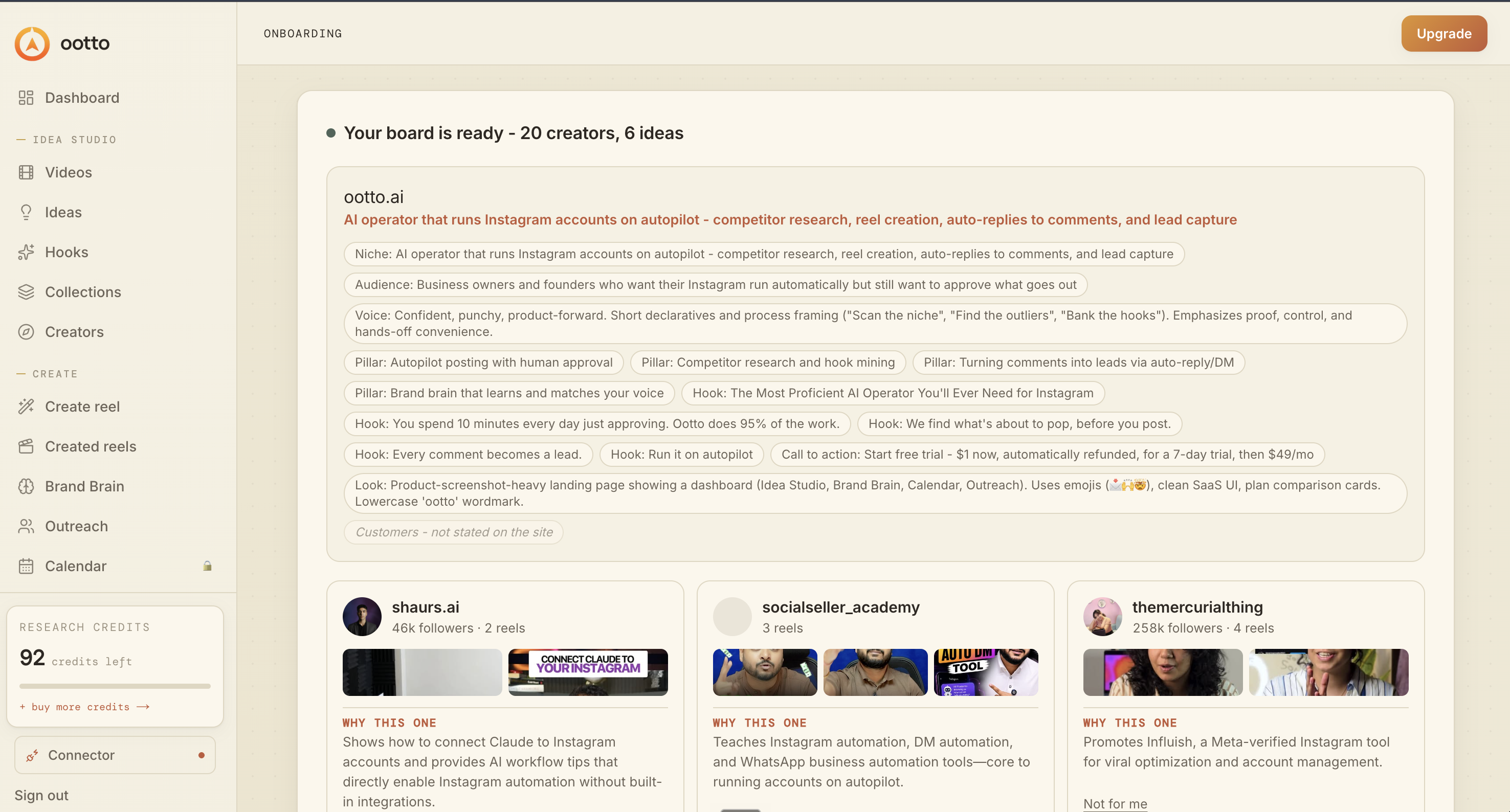
Board reads back your context
Your audience, pillars, voice, and creator signals are filled from account context.
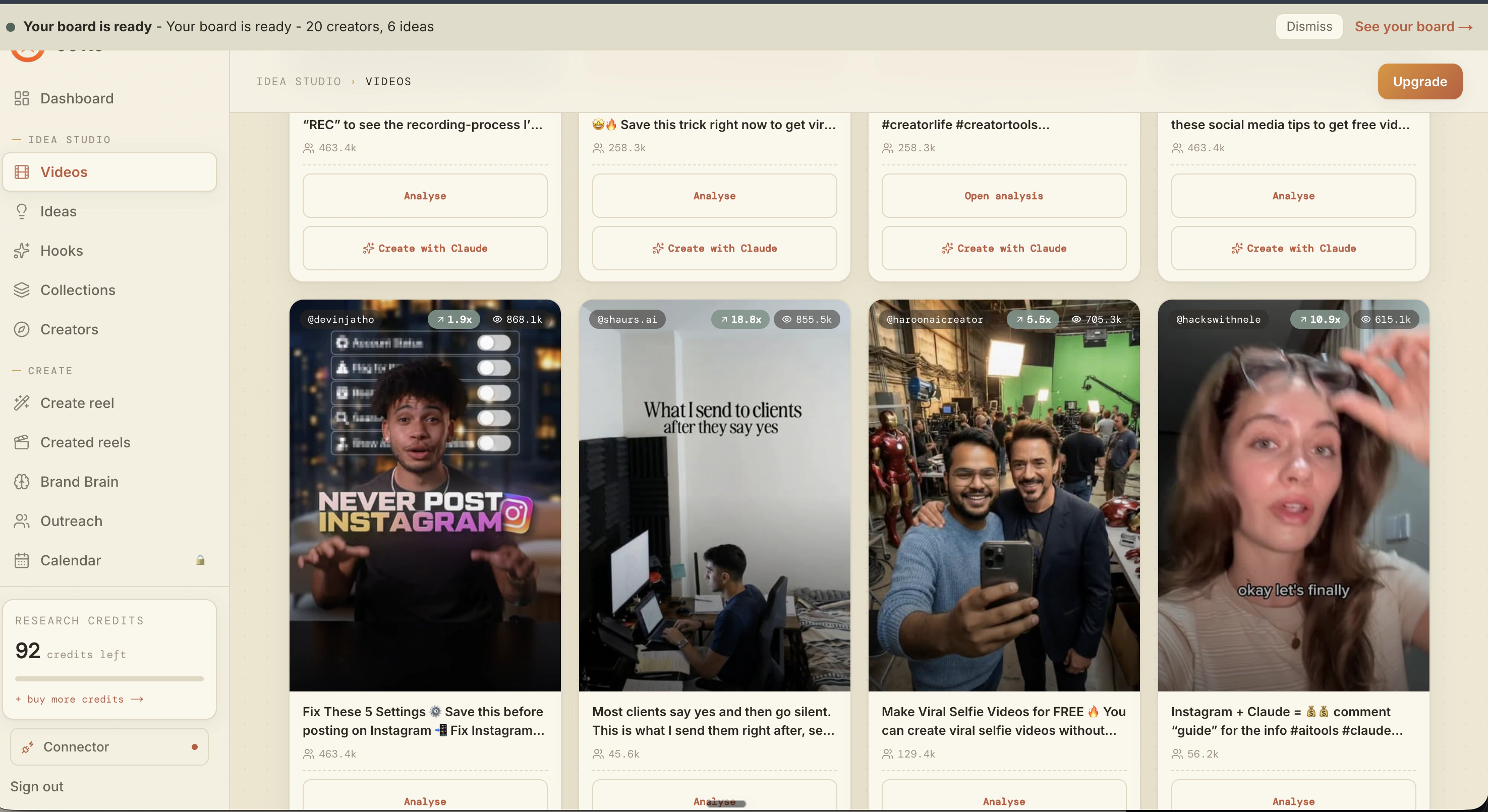
What is actually working now
Ootto pulls what is moving in your niche and loads ranked examples in board.
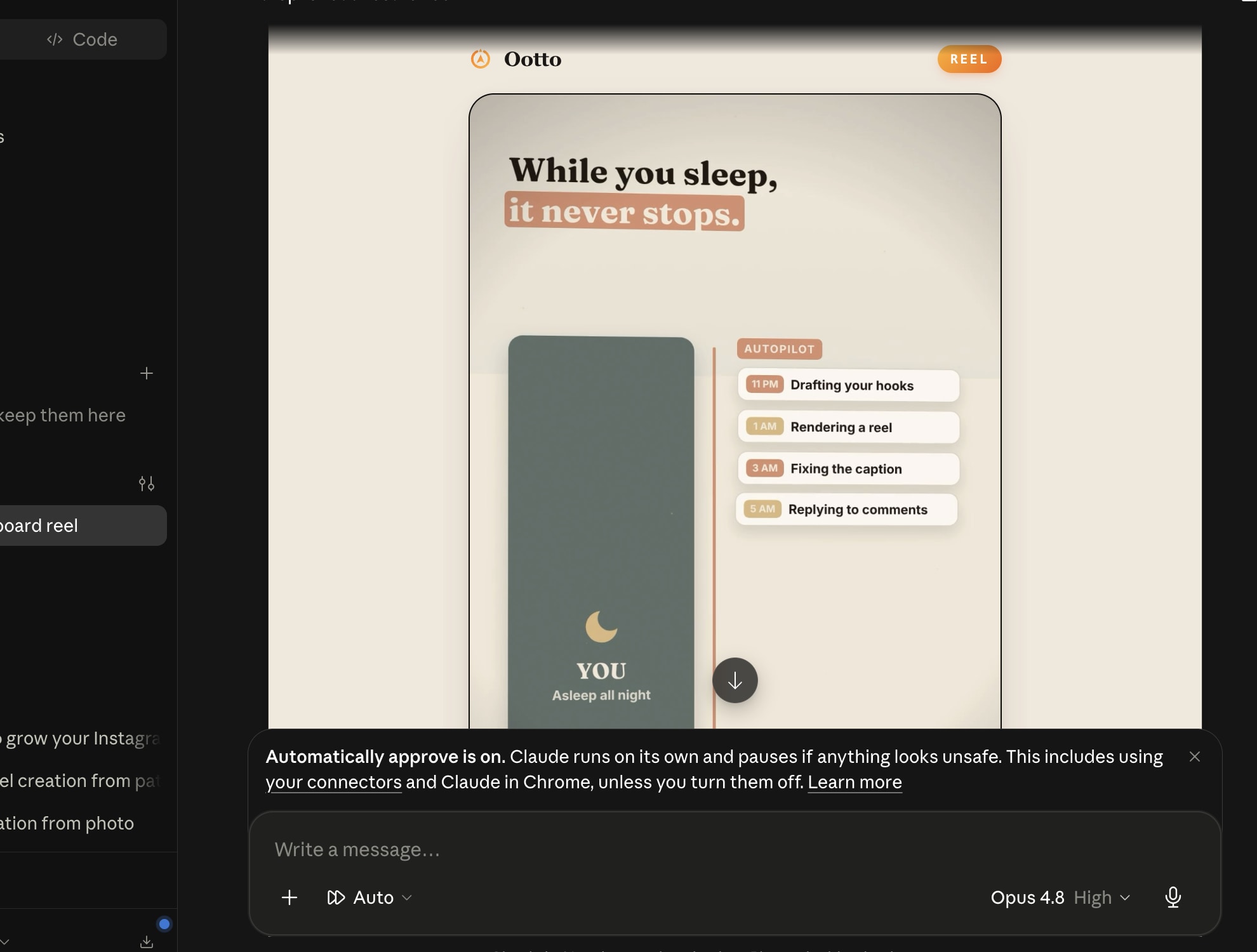
Reels post, comments get answered
Finished reels publish to Instagram and comments are answered with public replies plus DM follow-ups.
Ootto
Run Ootto in your Claude
Skip the manual setup
- Finds winning content opportunities
- Creates on-brand Reels and captions
- Replies to comments instantly
- Starts personalized DM conversations
- Qualifies leads automatically
- Helps book calls and drive sales
- Learns and improves with every interaction
One AI. Every Post. Every Comment. More Leads. More Sales.
Get started$1 today, non-refundable. Starts your 7-day trial, then $48/mo. Cancel anytime.
Get started