Skills
30 Claude Skills to Automate Your Small Business
The Ootto Team · 6 min read · June 12, 2026
How to use this
1Connect Claude to Instagram
Connect Claude to your Instagram account
One click opens Claude with the connector already filled in - sign in, authorize, and it's live. No key to copy, no setup outside your browser.
https://mcp.ootto.ai/mcpConnect2Add the skills
Once Claude can reach your account, give it the methods to work with. Clone the free repository and Claude discovers the skills automatically.
git clone --depth 1 https://github.com/Ootto-AI/claude-content-skills.git && bash claude-content-skills/install.shBrowse all 30 skills on GitHubInstructions: how to connect your Instagram account to Claude
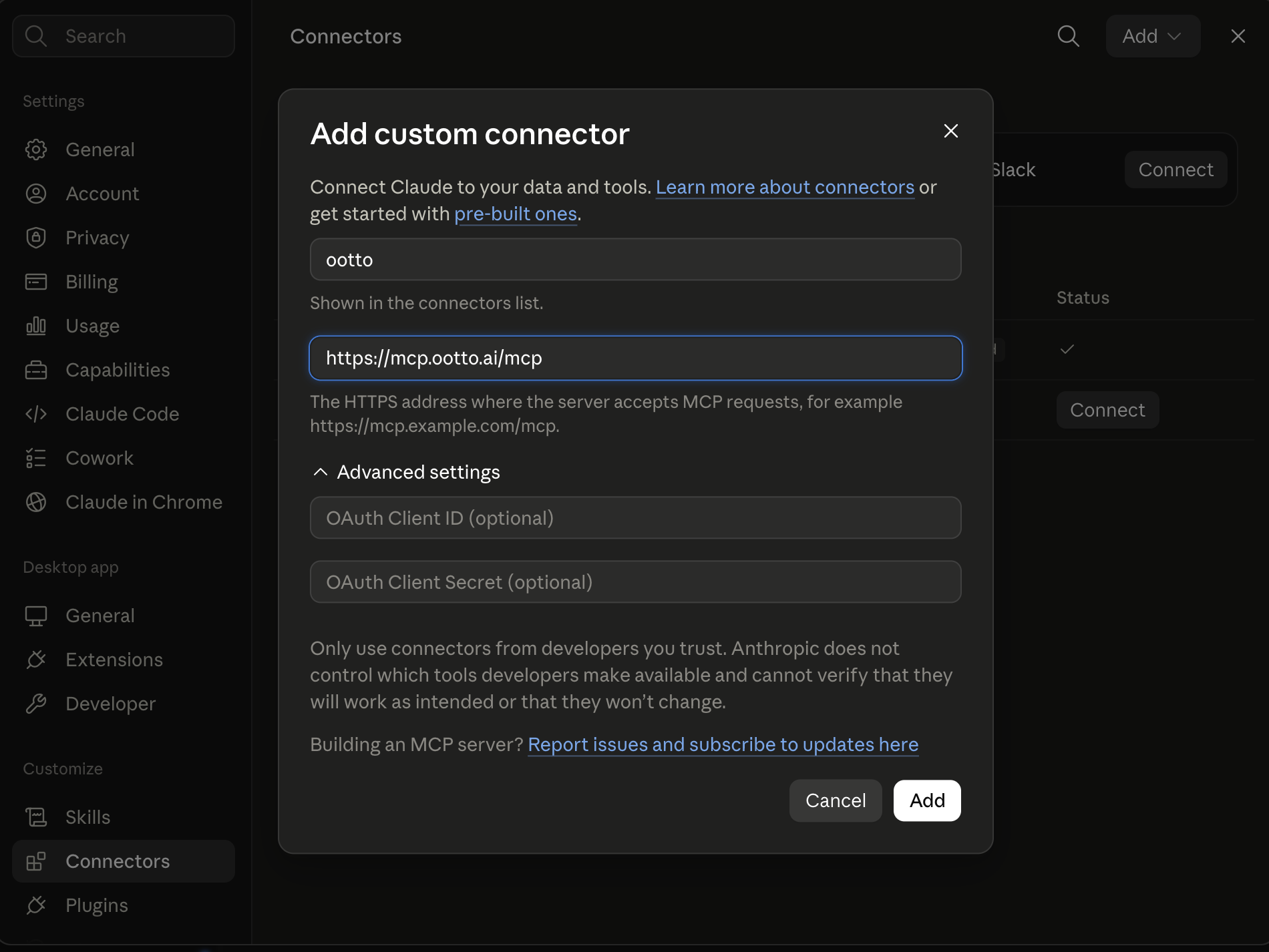
Connect above does this for you. If Claude ever opens the dialog empty, here's exactly what goes where:
Ootto
Your 24/7 Instagram Growth Operator
Skip the manual setup
- Posts finished Reels straight to your Instagram
- Real motion-graphic Reels, not slideshows
- Built around your own photos and footage
- Finds winning content opportunities in your niche
- Writes on-brand scripts and captions
- Answers every comment by your own keyword rules
- DMs qualified leads and starts the conversation
- Runs up to 50 Instagram accounts
One AI. Every Post. Every Comment. More Leads. More Sales.
Prompt-based workflows that replace the repetitive work of running a business. Each one is a "skill" — a structured prompt you hand to Claude with your data, and it does the job: triaging your inbox, following up a lead, chasing an invoice, drafting the weekly report.
They're just markdown. Add them to Claude as a Project, or paste them as prompts. Below are 30, grouped by the job they do — and at the end, the faster path if you'd rather not paste prompts at all.
Get these as files: every skill is free on GitHub, packaged by function (invoicing, inbox, leads, scheduling and more) → Ootto on GitHub. Install any as a Claude Code plugin, or copy the prompts below.
What these are
A skill is a reusable prompt that does one job well. No code, no setup. You either paste it into Claude with your data, or save it inside a Claude Project so Claude keeps your business context and you reuse it in one click.
Setup: adding skills to Claude Projects
- Open Claude (claude.ai or the desktop app) and create a Project.
- Add your business context as project knowledge — who you are, your tone, your services.
- Paste any skill below into the chat, add your data (an email thread, a list of overdue invoices, last week's numbers), and run it.
- Reuse it whenever the job comes up. The Project remembers the context so you don't repeat yourself.
Setup: connecting live data (MCP)
For skills that need live account data, an MCP connector lets Claude read directly from your tools instead of you exporting and pasting. It's optional and more technical to set up.
No MCP? Still works. Every skill below runs fine if you just paste the raw data — an email, a CRM export, a screenshot of your numbers.
The 6 most used
1. Inbox triage
Turns a full inbox into a prioritized action list with replies drafted.
Here are my unread emails from the last 24 hours: [paste]. Sort them into (1) needs my reply today, (2) can wait, (3) no reply needed. For each in group 1, draft a short reply in my voice — friendly, direct, no filler.
2. Lead follow-up
Stops a warm lead from going cold by drafting the next touch.
Here's a lead and our last conversation: [paste]. Write a short, natural follow-up that moves things forward without being pushy. Reference what we discussed, suggest one clear next step, keep it under 90 words.
3. Invoice chaser
Drafts the right reminder for how late the payment is.
This invoice is [X] days overdue: [details]. Write a reminder. Under a week late: light and friendly. 2+ weeks: firm but professional. Include the amount, due date, and a clear request to pay.
4. Meeting scheduler reply
Ends the back-and-forth in one message.
Someone wants to meet: [paste their message]. My availability is [paste]. Write a reply that proposes two or three specific time slots and asks them to pick one.
5. Review responder
Replies to a customer review in your brand voice.
Here's a [star] review a customer left: [paste]. Write a warm, professional response — thank them, address anything specific, and keep it short. If it's negative, acknowledge it and offer to make it right without being defensive.
6. Weekly business summary
Turns raw numbers into a plain-English read on the week.
Here are this week's numbers: [paste revenue, leads, open invoices, etc.]. Write a short summary: what changed vs last week, what's going well, what needs attention, and the one thing I should do about it.
All 30 skills
Inbox & email
- Inbox triage — sort unread mail into reply-now / later / ignore, with drafts.
- Reply in your voice — paste a message, get a draft that sounds like you.
- Thread summarizer — long email chain → key points and the decision needed.
- Meeting notes to action items — notes → owners, deadlines, follow-up emails.
- FAQ responder — draft answers to your most common inbound questions.
Leads & sales
- Lead qualifier — score an enquiry and suggest the next action.
- First-touch follow-up — the opening reply to a new lead.
- Multi-touch sequence — a short follow-up series for a quiet lead.
- Objection handler — a reply to move a stalled deal forward.
- Dormant-client reactivation — a warm "let's reconnect" note from past context.
Invoices & cash flow
- Invoice chaser — the right reminder for how overdue a payment is. More in our invoice-reminder guide.
- Expense categorizer — paste a statement, get clean categories and flags.
- Quote / proposal drafter — a few bullets → a client-ready quote.
- Payment-plan drafter — a fair installment offer for a struggling client.
- Cash-flow snapshot — paste your numbers → what's owed, overdue, and the next move.
Scheduling & admin
- Meeting scheduler reply — propose and confirm times without the back-and-forth.
- Reminder + no-show reducer — a confirmation/reminder that cuts no-shows.
- Onboarding checklist — a new-client or new-hire onboarding sequence.
- SOP writer — turn a process you describe into a documented standard procedure.
- Calendar cleanup — paste your week → what to keep, move, or decline.
Customers & support
- Support reply drafter — answer a support question in your brand voice.
- Review responder — reply to a Google/Yelp review (see above).
- Complaint de-escalation — a calm, fair response to an unhappy customer.
- Customer health check — flag accounts that look at-risk and why.
Marketing & content
- Social post batch — one idea → a week of posts.
- Newsletter drafter — recent updates → a short customer newsletter.
- Testimonial to case study — a happy quote → a short case study.
- Content from a question — a real customer question → a blog outline.
Reporting & decisions
- Weekly business summary — your numbers → a plain-English read (see above).
- Decision brief — paste a problem → clear options and a recommendation.
Every one of these is genuinely useful on its own. The catch is the same for all 30: you still have to remember to run them, paste the data, and send the output. Fine once a week — less fine every day across every job.
The faster path: let Ootto run them for you
The 30 skills above are free and they work. But they're still manual — you open Claude, paste the data, send the result.
Ootto is the done-for-you version. Connect your tools once (Gmail, Slack, Stripe and more), Ootto learns how your business works, and it runs these same jobs automatically — drafting and sending inbox replies, chasing invoices, following up leads, scheduling, and delivering your weekly report — without you opening anything. It gets sharper every week.
The skills are manual mode. Ootto is autopilot.
New to this? Start with our complete guide to AI business automation, or see where the tools differ in best Zapier alternatives for small business.
Route A: do it yourself
Start with the exact free skill for this outcome
MIT, no account, no email. Install first, then run the command for your account.
For this outcome: Content Factory
git clone --depth 1 https://github.com/Ootto-AI/claude-content-skills.git && bash claude-content-skills/install.sh
Installs the free MIT Content Skills bundle into ~/.claude/skills in one shot.
/content-factory - my niche is [niche], model this reel: [reel URL], my handle @..., CTA keyword GUIDE
Runs the full pipeline order for the post: research, hook, script, build, caption, and comment-to-DM lead setup.
Route B: let Ootto run it
Ootto replicates this on autopilot
Open the dashboard, connect once, then let the pipeline handle research, production, and lead replies.
Open the connector dashboard
Go to /content/login, sign in, and open your Ootto content dashboard.
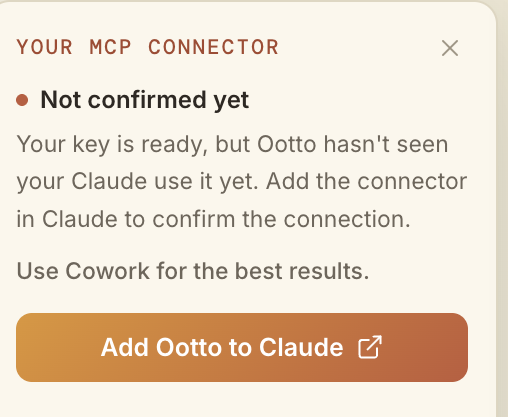
Add Ootto to Claude
Use the one-button Add flow so Ootto appears in Claude's Connectors panel.
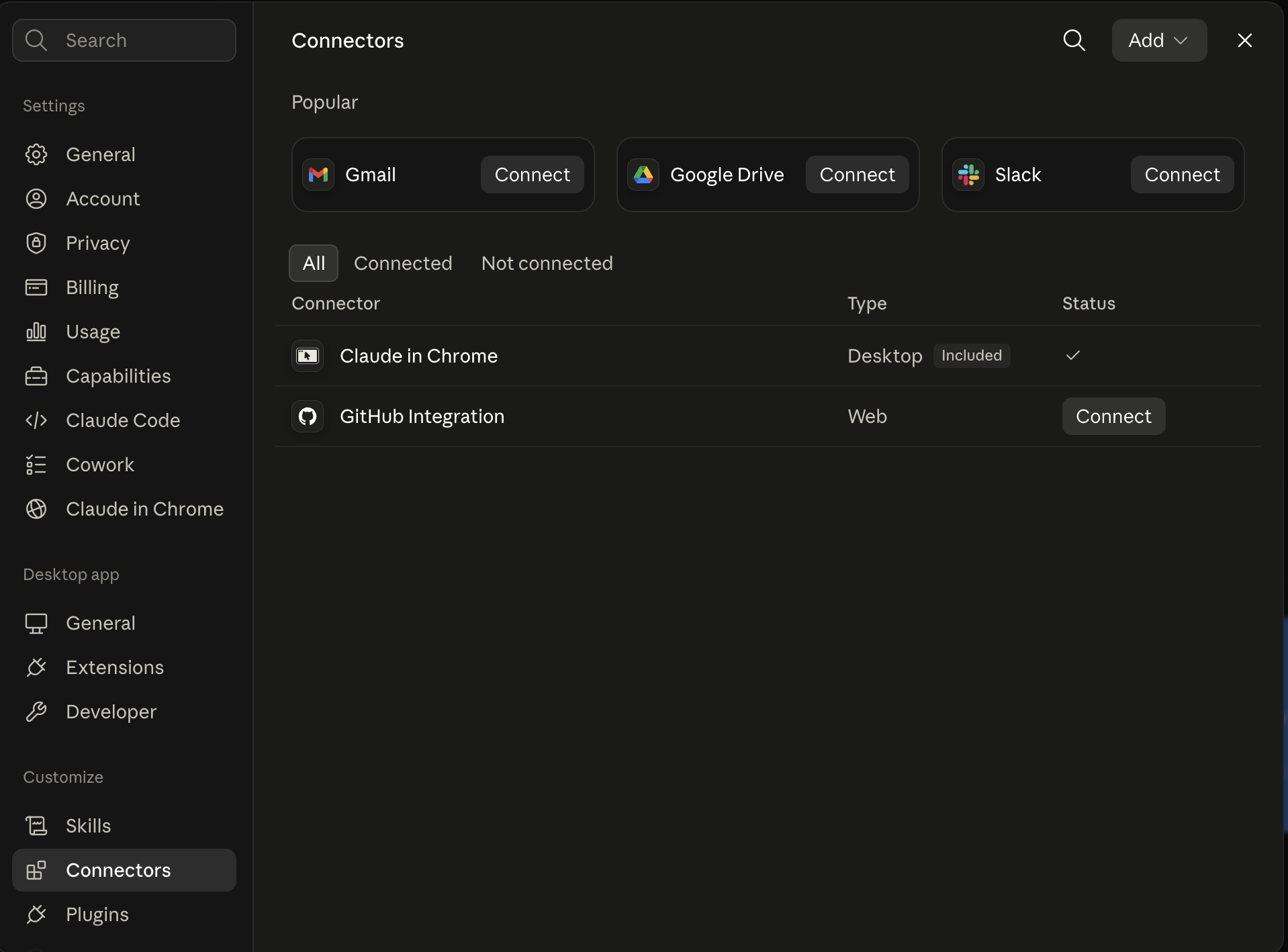
Claude shows the connector
The connector lands in Claude's Connectors settings, confirming Ootto is wired.
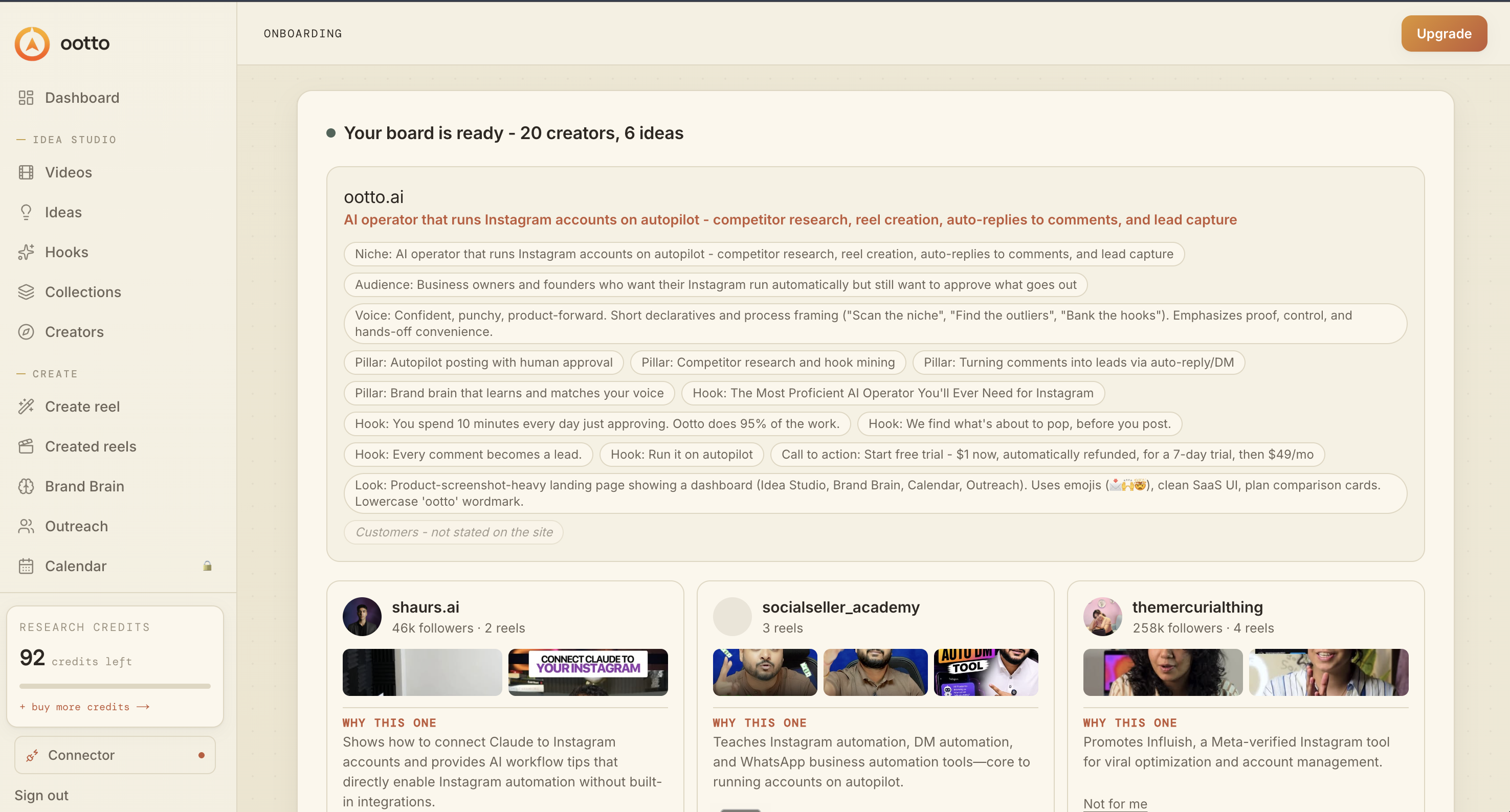
Board reads back your context
Your audience, pillars, voice, and creator signals are filled from account context.
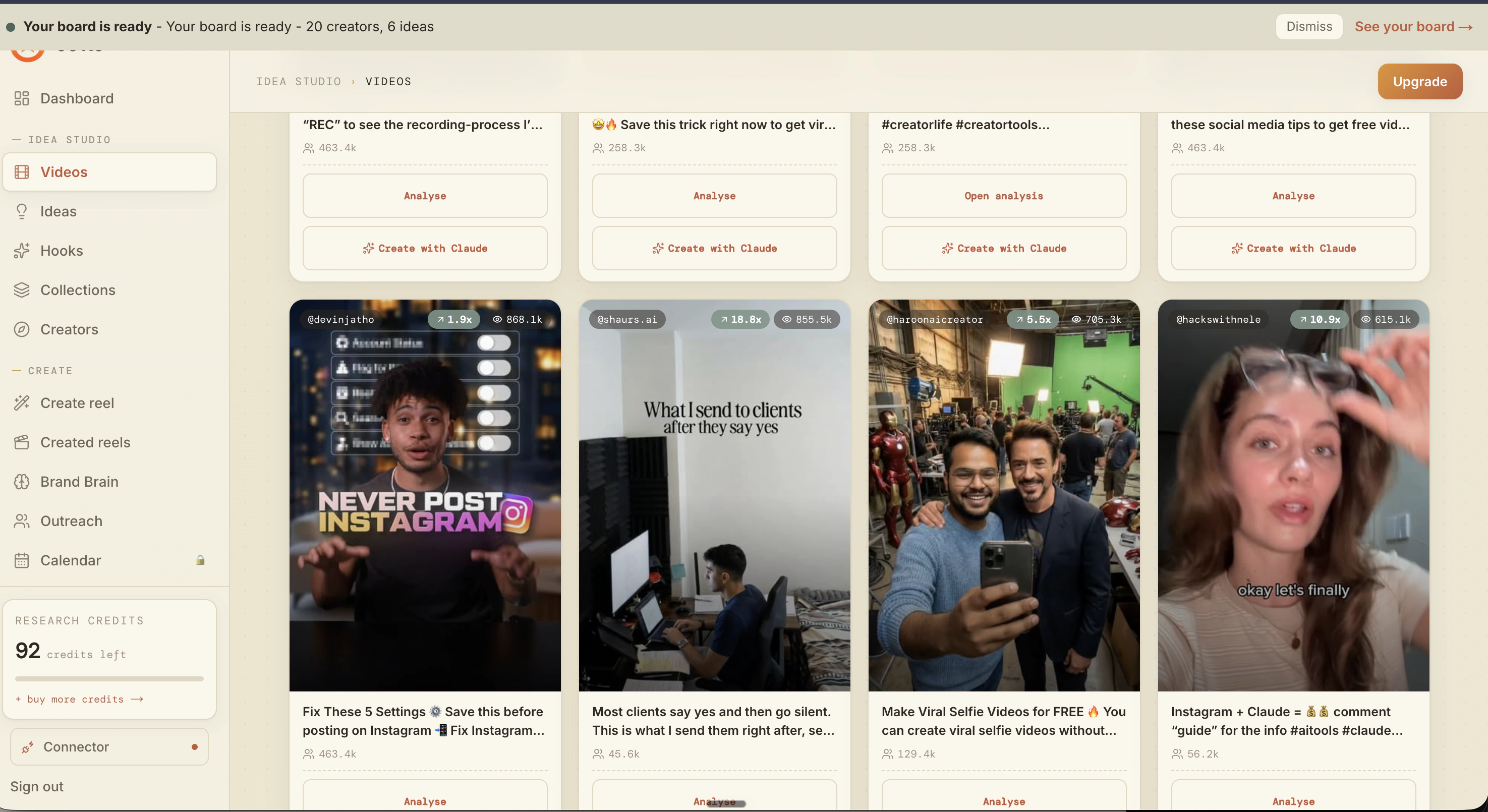
What is actually working now
Ootto pulls what is moving in your niche and loads ranked examples in board.
Reels post, comments get answered
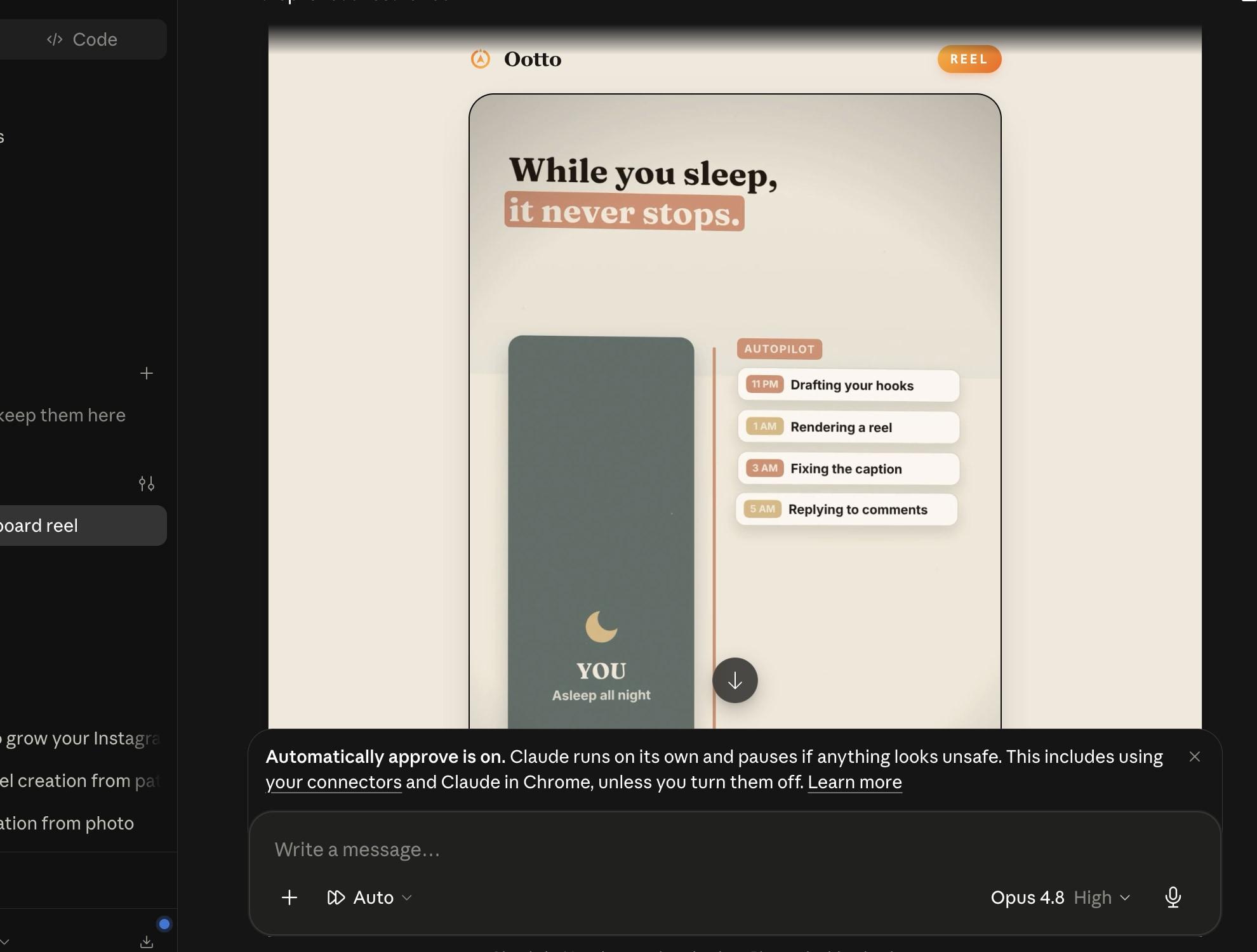
Finished reels publish to Instagram and comments are answered with public replies plus DM follow-ups.
Ootto
Run Ootto in your Claude
Skip the manual setup
- Finds winning content opportunities
- Creates on-brand Reels and captions
- Replies to comments instantly
- Starts personalized DM conversations
- Qualifies leads automatically
- Helps book calls and drive sales
- Learns and improves with every interaction
One AI. Every Post. Every Comment. More Leads. More Sales.
Get started$1 today, non-refundable. Starts your 7-day trial, then $48/mo. Cancel anytime.
Get started