
Comparisons
Ootto vs Lindy: Which AI Autopilot Fits Your Business?
The Ootto Team · 4 min read · June 12, 2026
How to use this
1Connect Claude to Instagram
Connect Claude to your Instagram account
One click opens Claude with the connector already filled in - sign in, authorize, and it's live. No key to copy, no setup outside your browser.
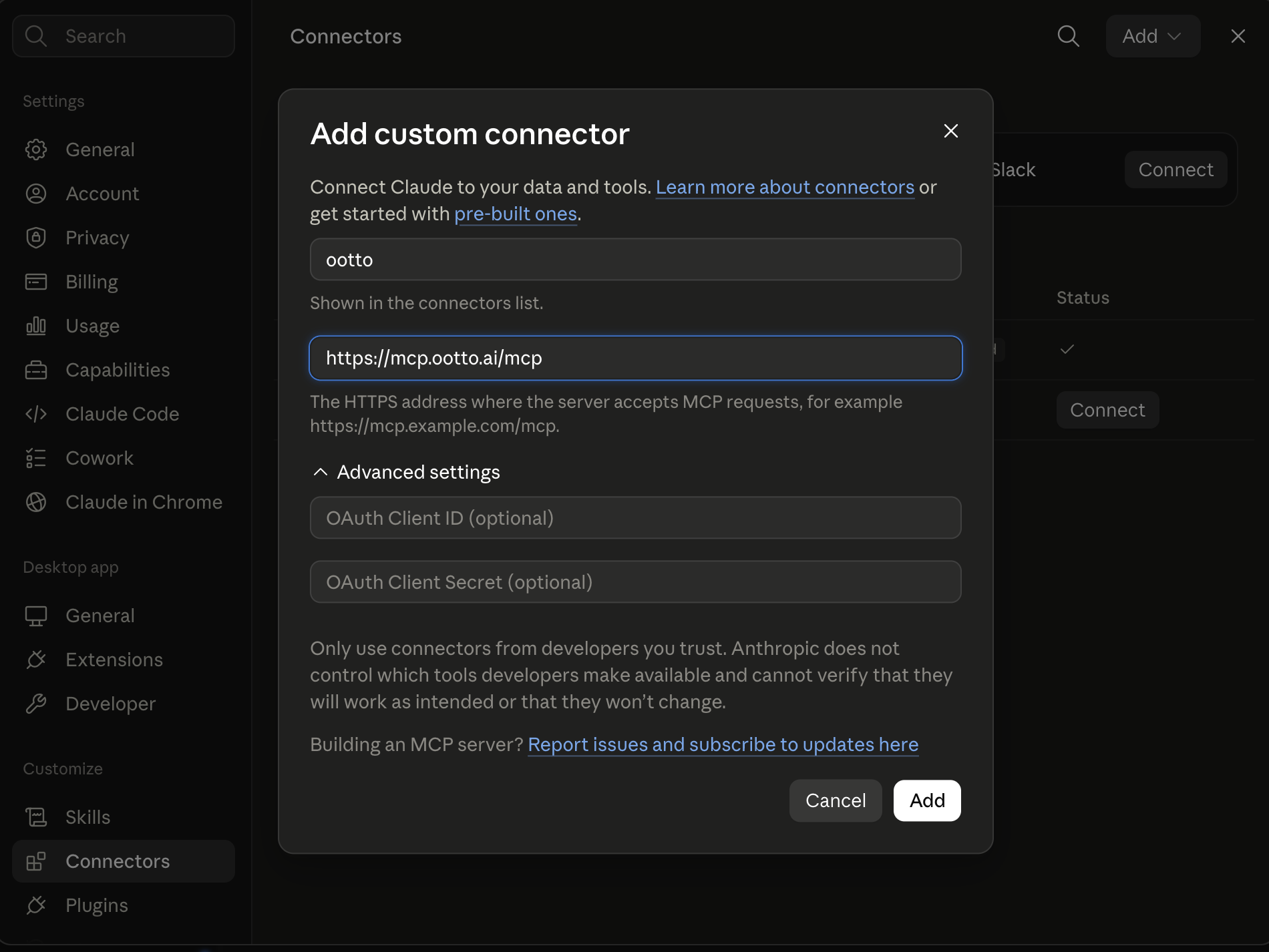
https://mcp.ootto.ai/mcpConnect2Add the skills
Once Claude can reach your account, give it the methods to work with. Clone the free repository and Claude discovers the skills automatically.
git clone --depth 1 https://github.com/Ootto-AI/claude-content-skills.git && bash claude-content-skills/install.shBrowse all 30 skills on GitHubInstructions: how to connect your Instagram account to Claude
Connect above does this for you. If Claude ever opens the dialog empty, here's exactly what goes where:
Ootto
Your 24/7 Instagram Growth Operator
Skip the manual setup
- Posts finished Reels straight to your Instagram
- Real motion-graphic Reels, not slideshows
- Built around your own photos and footage
- Finds winning content opportunities in your niche
- Writes on-brand scripts and captions
- Answers every comment by your own keyword rules
- DMs qualified leads and starts the conversation
- Runs up to 50 Instagram accounts
One AI. Every Post. Every Comment. More Leads. More Sales.
If you run a small business and you're shopping for AI to take work off your plate, you've probably hit both Ootto and Lindy. They aim at the same outcome — less manual busywork — but they get there in very different ways. This is a plain-language breakdown of the difference, and how to tell which one fits how you actually work.
Features and pricing on both products change quickly. Treat this as a framing guide, then verify the current specifics on each vendor's site before you buy.
The core difference in one line
Lindy is a builder. Ootto is an autopilot.
With Lindy, you assemble AI "employees" — you pick a use case, configure triggers and steps, connect the apps, and tune the agent until it behaves the way you want. It's powerful and flexible, and it rewards people who enjoy setting up workflows.
With Ootto, there's nothing to assemble. You connect your tools once, Ootto reads how your business already works, builds a Company Brain, and starts handling the repetitive work — overnight email, lead follow-up, invoice chasing, weekly reporting — on its own. The setup effort lives with the software, not with you.
When Lindy is the better choice
Pick Lindy if:
- You like building automations and want fine-grained control over every step.
- You have unusual, highly specific workflows that need custom logic.
- You have someone on the team who enjoys configuring and maintaining agents.
- You want a single assistant you chat with to spin up new automations on demand.
Lindy's flexibility is its strength. If your business runs on bespoke processes and you want a tool you can shape precisely, that flexibility is worth the setup time.
When Ootto is the better choice
Pick Ootto if:
- You're the owner/operator and you do not want to become an automation builder.
- You want the tool to learn your business instead of you teaching it step by step.
- The work you want gone is the everyday grind: replying to email, chasing leads, following up on unpaid invoices, pulling together a weekly summary.
- You'd rather wake up to work already done than open a builder.
Ootto's bet is that most small business owners don't want another tool to configure — they want the outcome. So it optimizes for "connect and let it run," not "build and maintain."
Where the two diverge most
This is where the two diverge most.
- Lindy: the value scales with the effort you put into configuration. Great agents come from good setup.
- Ootto: setup is connecting your accounts. Ootto learns from your history (past emails, deals, invoices) instead of asking you to define rules. It gets sharper every week on its own.
If your honest answer to "do I have time to build and maintain workflows?" is no, that answer matters more than any feature checklist.
Same categories, different bet
Both can touch email, leads, and operations. The framing differs:
- Lindy positions around AI employees and assistants you direct — connect hundreds of apps and tell it what to do.
- Ootto is opinionated about a specific set of high-value jobs for small businesses: overnight inbox handling, lead follow-up, invoice reminders, and a weekly business report — done automatically, with a brand and tone learned from your business.
If you want a general-purpose assistant you steer, Lindy leans that way. If you want a handful of business-critical jobs handled without your involvement, Ootto leans that way.
So which should you choose?
A simple test:
- You enjoy building and want control → Lindy.
- You want the work done without becoming the builder → Ootto.
Neither is "better" in the abstract — they're built for different people. The question isn't which has more features; it's whether you want to operate an automation platform or just want the busywork to disappear.
If you're still comparing options, our roundup of the best Zapier alternatives for small business covers the wider field, including where each tool fits.
Route A: do it yourself
Start with the exact free skill for this outcome
MIT, no account, no email. Install first, then run the command for your account.
For this outcome: Content Factory
git clone --depth 1 https://github.com/Ootto-AI/claude-content-skills.git && bash claude-content-skills/install.sh
Installs the free MIT Content Skills bundle into ~/.claude/skills in one shot.
/content-factory - my niche is [niche], model this reel: [reel URL], my handle @..., CTA keyword GUIDE
Runs the full pipeline order for the post: research, hook, script, build, caption, and comment-to-DM lead setup.
Route B: let Ootto run it
Ootto replicates this on autopilot
Open the dashboard, connect once, then let the pipeline handle research, production, and lead replies.
Open the connector dashboard
Go to /content/login, sign in, and open your Ootto content dashboard.
Add Ootto to Claude
Use the one-button Add flow so Ootto appears in Claude's Connectors panel.
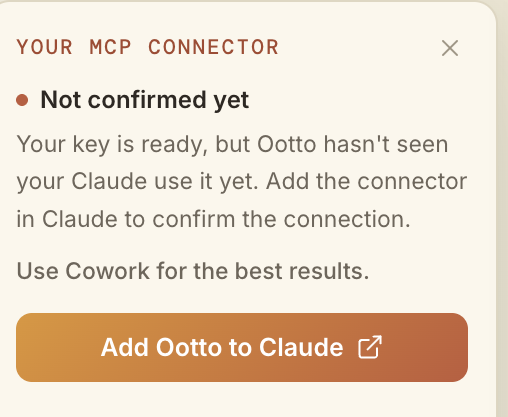
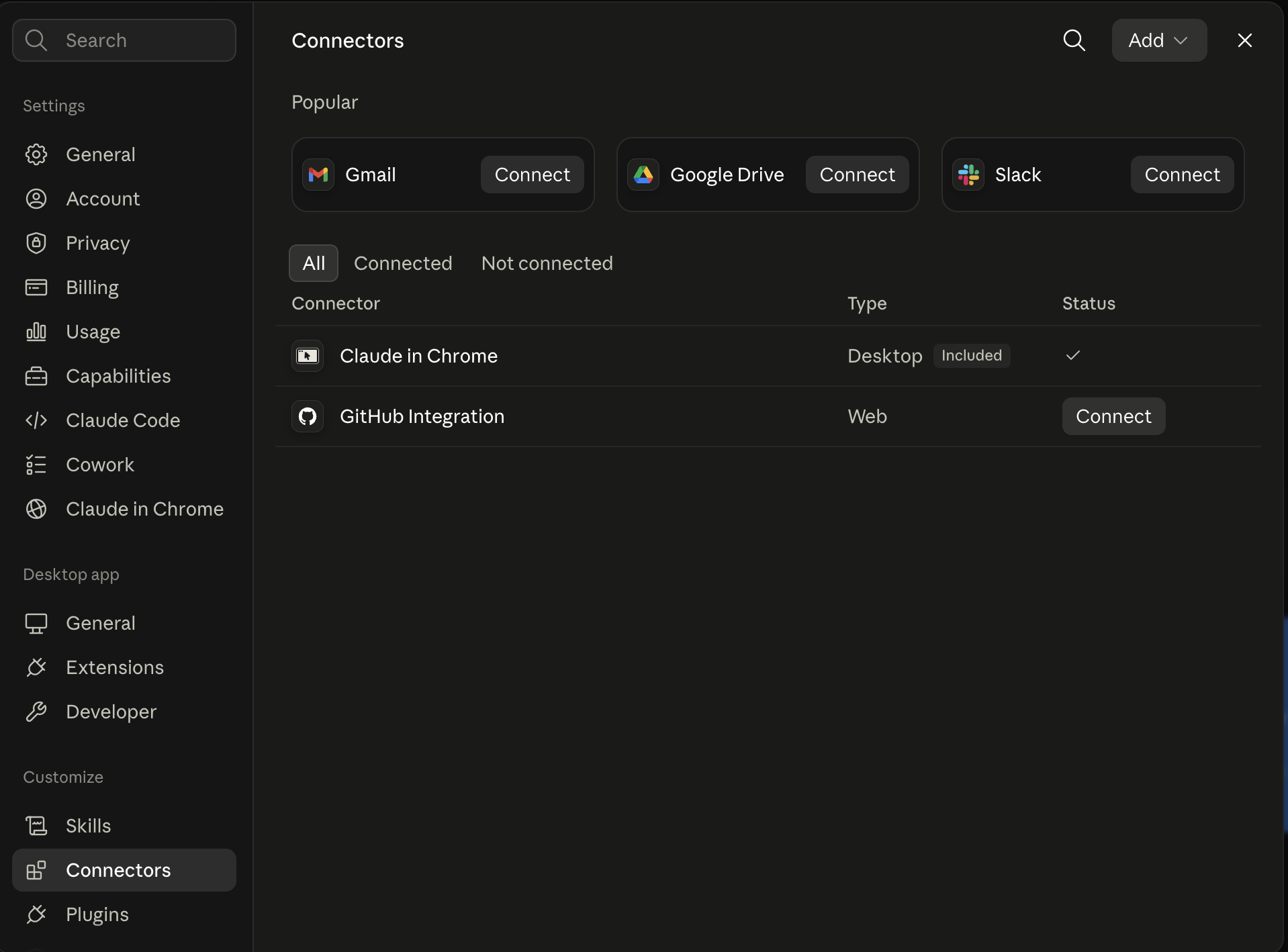
Claude shows the connector
The connector lands in Claude's Connectors settings, confirming Ootto is wired.
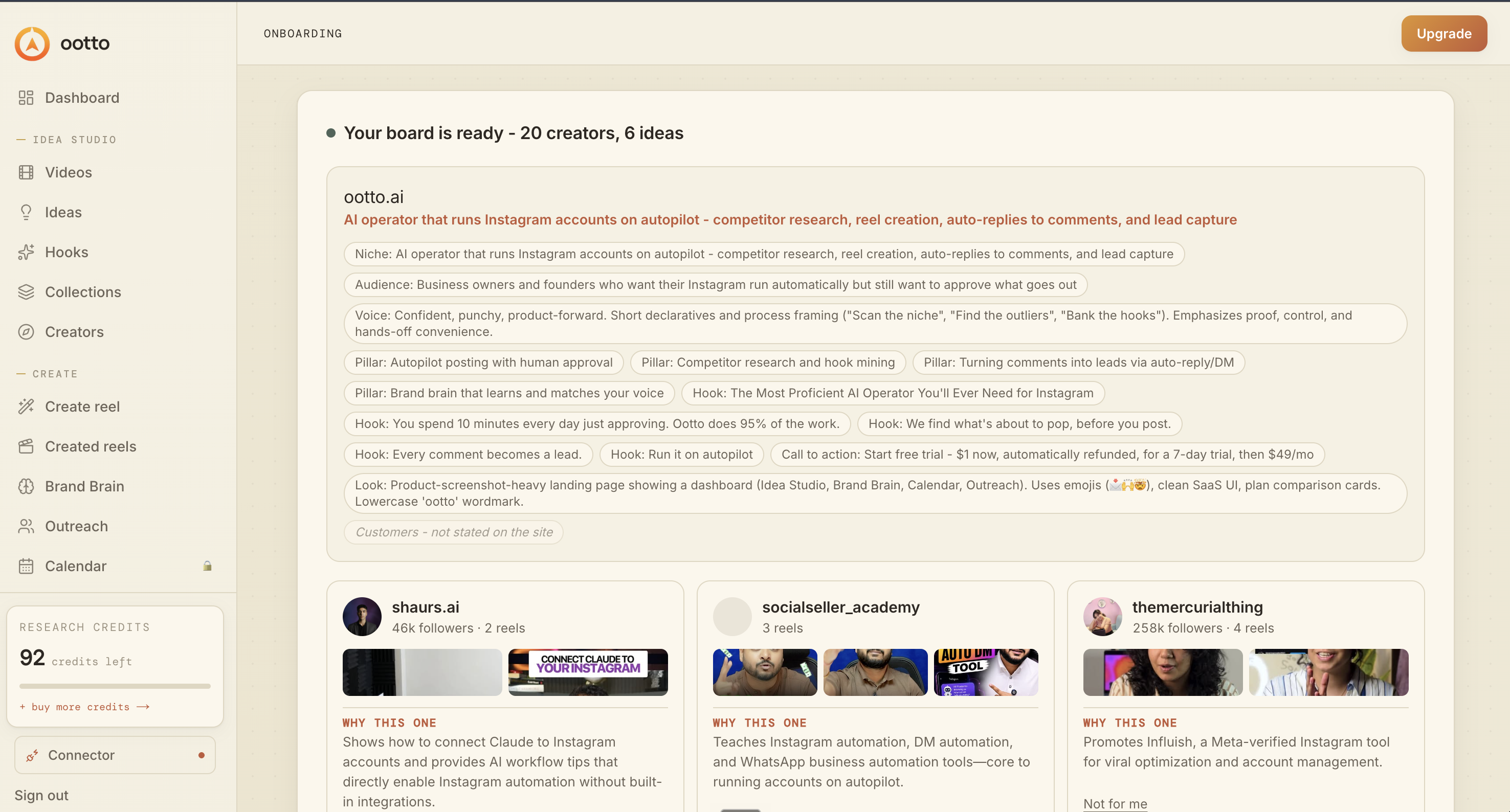
Board reads back your context
Your audience, pillars, voice, and creator signals are filled from account context.
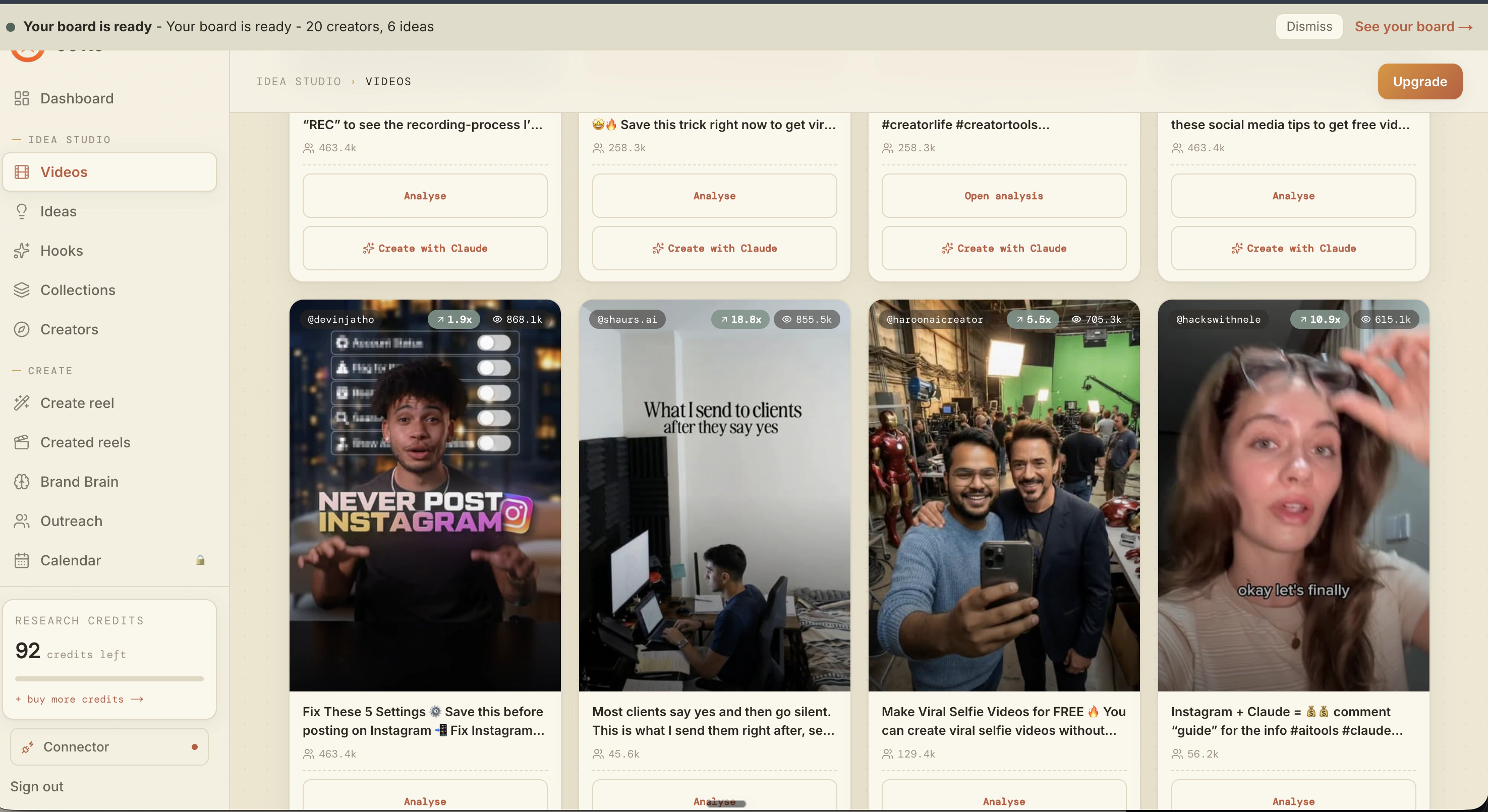
What is actually working now
Ootto pulls what is moving in your niche and loads ranked examples in board.
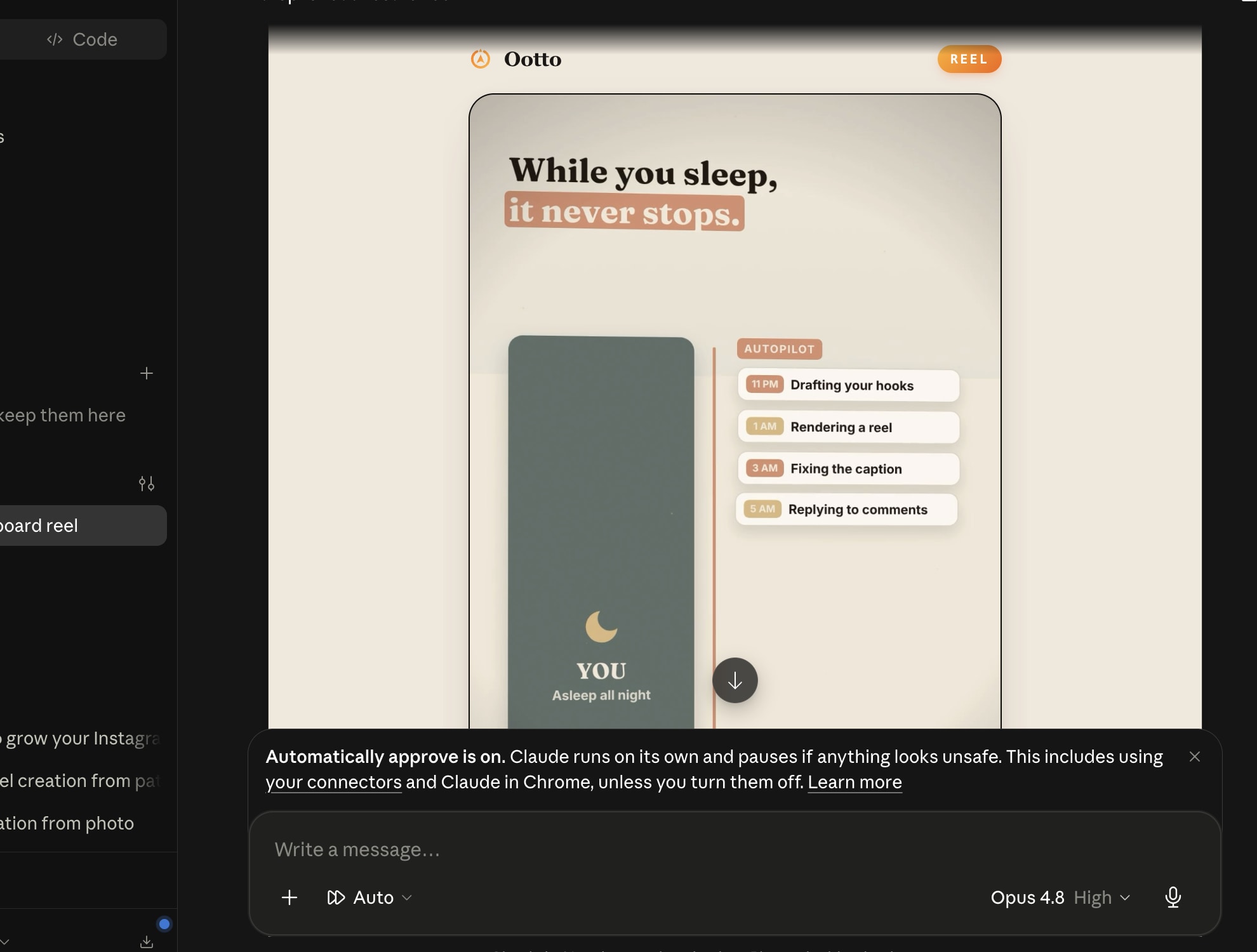
Reels post, comments get answered
Finished reels publish to Instagram and comments are answered with public replies plus DM follow-ups.
Ootto
Run Ootto in your Claude
Skip the manual setup
- Finds winning content opportunities
- Creates on-brand Reels and captions
- Replies to comments instantly
- Starts personalized DM conversations
- Qualifies leads automatically
- Helps book calls and drive sales
- Learns and improves with every interaction
One AI. Every Post. Every Comment. More Leads. More Sales.
Get started$1 today, non-refundable. Starts your 7-day trial, then $48/mo. Cancel anytime.
Get started