
Leads
How to Automate Lead Follow-Up With AI (So No Lead Goes Cold)
The Ootto Team · 8 min read · June 12, 2026
How to use this
1Connect Claude to Instagram
Connect Claude to your Instagram account
One click opens Claude with the connector already filled in - sign in, authorize, and it's live. No key to copy, no setup outside your browser.
https://mcp.ootto.ai/mcpConnect2Add the skills
Once Claude can reach your account, give it the methods to work with. Clone the free repository and Claude discovers the skills automatically.
git clone --depth 1 https://github.com/Ootto-AI/claude-content-skills.git && bash claude-content-skills/install.shBrowse all 30 skills on GitHubInstructions: how to connect your Instagram account to Claude
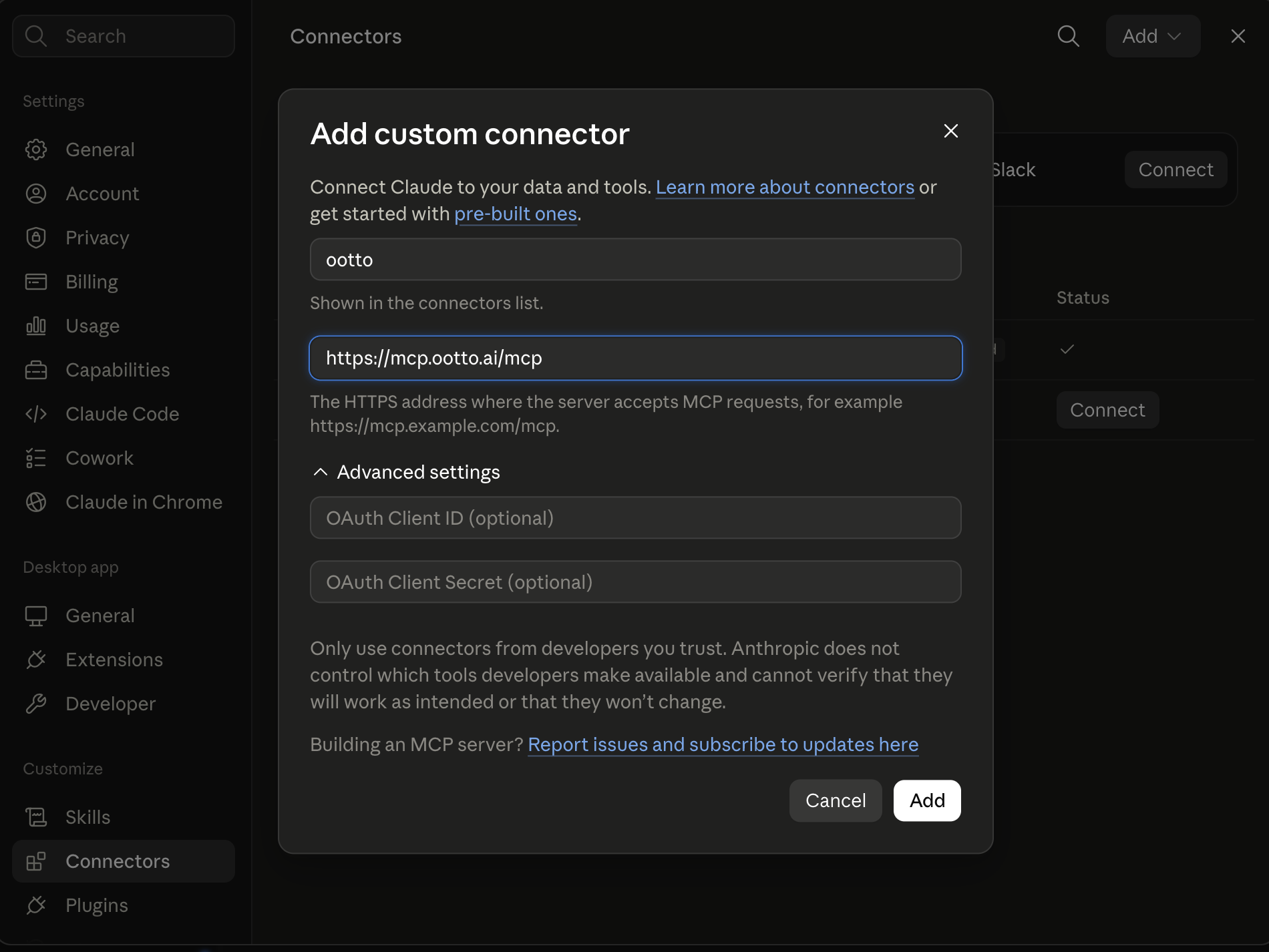
Connect above does this for you. If Claude ever opens the dialog empty, here's exactly what goes where:
Ootto
Your 24/7 Instagram Growth Operator
Skip the manual setup
- Posts finished Reels straight to your Instagram
- Real motion-graphic Reels, not slideshows
- Built around your own photos and footage
- Finds winning content opportunities in your niche
- Writes on-brand scripts and captions
- Answers every comment by your own keyword rules
- DMs qualified leads and starts the conversation
- Runs up to 50 Instagram accounts
One AI. Every Post. Every Comment. More Leads. More Sales.
Most leads aren't lost because they weren't interested. They're lost because nobody followed up fast enough, or because the follow-up quietly stopped after the second try.
If you've ever found a two-week-old "just checking in" reminder still sitting on your to-do list, you already know the problem. The good news: this is one of the most fixable parts of running a small business, and it's exactly the kind of repetitive, time-sensitive work AI handles well.
This guide gives you a concrete cadence you can copy, shows how AI can draft and send follow-ups in your voice, and tells you honestly when you need a tool and when a spreadsheet is fine.
Why leads actually go cold
There are two separate failure modes, and you probably have both.
1. Slow speed-to-lead. A new inquiry comes in while you're on a job, in a meeting, or asleep. By the time you reply, the lead has already messaged three competitors. You don't need a study to know the pattern: most owners find that the faster they reply, the more often they actually connect, and a lot of buyers simply go with whoever responds first. Minutes beat hours, and "today" beats "tomorrow." Treat speed as the lever it is.
2. Abandoned follow-up. Even when you reply, you stop too soon. The common wisdom in sales is that most deals take several follow-ups to land, yet most people give up after one or two. Not because they're lazy, but because manual follow-up is genuinely hard to track across dozens of leads, each at a different stage.
Fixing one without the other doesn't work. Fast first reply plus no persistence still loses. Persistence with a two-day-late first reply also loses. You need both.
Speed-to-lead: win the first few minutes
This is the single highest-leverage change you can make, so do it first.
The goal isn't to write a perfect, personalized essay in five minutes. It's to do three things fast:
- Acknowledge instantly. A short, human auto-reply ("Thanks for reaching out, I'll have a real answer for you shortly") buys you time and signals you're responsive.
- Route it. Make sure the lead lands in front of the right person (or just one inbox you actually watch), not a form-submission black hole.
- Draft the real reply quickly. Within minutes, not hours, send a genuine first response that answers their question and proposes a next step.
That "next step" matters. Don't end with "let me know." End with a booking link or two concrete time options, so the lead can move forward without waiting on you again. (Our guide on automating appointment scheduling with AI covers how to make that booking step self-serve.)
The multi-touch cadence (copy this)
Here's a concrete sequence for warm inbound leads (someone who filled out a form, replied to an ad, or asked for a quote). Front-load the early touches, then space them out. Vary the channel. Never send two messages the same day.
- Day 0 (within minutes): Instant acknowledgment + real first reply with a clear next step.
- Day 1: Short email follow-up. Add one piece of value (a relevant example, a quick answer to a likely question).
- Day 3: Switch channel. A brief SMS or WhatsApp message: "Still happy to help, want me to hold a time for you?"
- Day 6: Email. Address the most common objection for your business directly (price, timing, fit).
- Day 10: Short, low-pressure check-in. "Has your timing changed? No worries either way."
- Day 14: Channel switch again. One-line nudge.
- Day 18: The breakup message. "I'll stop following up for now, just reply whenever you're ready and I'll pick it right back up."
That's roughly seven touches over about 18 days. For colder leads (a list you bought, an event scan, an old contact) you can stretch to a few more touches over a similar window, with more space between each.
Where a generic autoresponder stops being enough
This is where AI stops being a generic autoresponder and starts being useful.
A good setup learns from your actual past replies, your real emails, the way you phrase things, the offers you make, so drafts sound like you, not like a template. Then it works in stages:
- Draft, you approve. For the first stretch, AI writes each follow-up per lead and queues it for you. You skim, tweak if needed, and hit send. Human-in-the-loop. You stay in control while you build trust.
- Auto-send the routine touches. Once you've approved enough and the drafts are consistently good, you let it auto-send the low-stakes touches (the Day 3 nudge, the Day 10 check-in) and only flag the judgment calls for you.
This is the key difference from a dumb scheduled-email tool: the message is written fresh for each lead based on the conversation so far, not blasted from a fixed template. For more on getting AI to follow up in a way that feels personal, see Claude skills for following up with leads.
The line between a real system and a spam cannon
Sending is only half the job. The follow-up has to stop, or change, the moment a lead replies, otherwise you're the business that sends "just checking in" the day after someone already said yes.
Reply handling is what separates a real system from a spam cannon. A capable setup reads each reply and reacts:
- Interested or asking to book → pause the sequence, send the booking link or times, and (ideally) get the meeting on the calendar.
- "Not right now" → pause the cadence and schedule a single check-back later, instead of nagging weekly.
- Objection or question → draft a real answer addressing it, and escalate to you if it needs a human.
- Hot reply ("can you call me today?") → stop everything and ping you immediately.
- Unsubscribe or "stop" → remove them, no exceptions. This protects your sender reputation and stays on the right side of messaging rules.
Because most of these replies land in your inbox, this overlaps heavily with automating your inbox with AI, the same engine that sorts and drafts inbox replies is the one that should be watching for lead responses.
Manual vs. Ootto: the honest choice
Here's the straight version, because you don't always need a tool.
Manual is genuinely fine when: you get a handful of leads a week, you can reply within minutes most of the time, and a simple CRM or even a spreadsheet with calendar reminders keeps you on top of the cadence. If that's you, set up reminders, write a few good templates, and skip the software. (And no, you don't need to wire up Zapier reminders to fake this, here's why Zapier isn't the answer for this kind of work.)
You've outgrown manual when any of these are true: leads come in faster than you can respond, you're losing track of who's at which step, follow-up stops after touch one or two because you're busy, or leads arrive after hours and sit untouched until morning.
| | Manual (CRM + reminders) | Ootto | |---|---|---| | First reply speed | As fast as you are | Instant acknowledgment, fast real reply | | Running the cadence | You remember each touch | Runs automatically per lead | | Drafting | You write each one | Drafted in your voice | | Reply handling | You read and react | Detects intent, pauses, escalates | | After-hours leads | Wait until morning | Handled around the clock | | Best for | Very low volume | Steady or growing lead flow |
Ootto is the done-for-you version: connect Gmail, your CRM, and your messaging tools once, and it runs the whole cadence, drafts in your voice, reads replies, books meetings, and only pulls you in for the calls that need a human. You're not building automations, you're handing off the follow-up. See pricing for the plan that fits your volume.
Setting it up (and the guardrails that matter)
Whether you build it yourself or use Ootto, the setup is the same shape:
- Connect your inbox and lead sources so new inquiries are captured automatically.
- Set the cadence (start from the sequence above and adjust spacing for your sales cycle).
- Set approval rules — draft-and-approve at first, then auto-send the routine touches once you trust it.
- Define stop conditions — reply received, meeting booked, unsubscribe, or "not now." These are non-negotiable. A follow-up system without hard stop rules becomes a nuisance fast.
Start with approve-everything, watch it for a week, then loosen the reins on the low-risk touches. That's how you get the speed of automation without the embarrassment of a bot messaging someone who already signed.
If you want the bigger picture of how follow-up fits alongside inbox, invoicing, and reporting, our AI business automation guide ties it all together.
The bottom line: slow and forgotten follow-up is a solved problem. Decide on a cadence, reply fast, persist past touch two, and let AI carry the parts you keep dropping.
Route A: do it yourself
Start with the exact free skill for this outcome
MIT, no account, no email. Install first, then run the command for your account.
For the first reply to a lead: First-Touch Follow-Up
git clone --depth 1 https://github.com/Ootto-AI/claude-lead-skills.git && bash claude-lead-skills/install.sh
Installs the free MIT Lead Skills bundle into ~/.claude/skills in one shot.
/first-touch-follow-up [the lead's message + what you offer]
Writes the opening reply to a brand-new lead in a warm, human tone.
Route B: let Ootto run it
Ootto replicates this on autopilot
Open the dashboard, connect once, then let the pipeline handle research, production, and lead replies.
Open the connector dashboard
Go to /content/login, sign in, and open your Ootto content dashboard.
Add Ootto to Claude
Use the one-button Add flow so Ootto appears in Claude's Connectors panel.
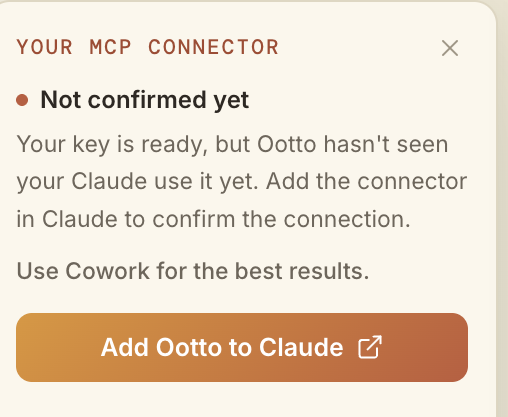
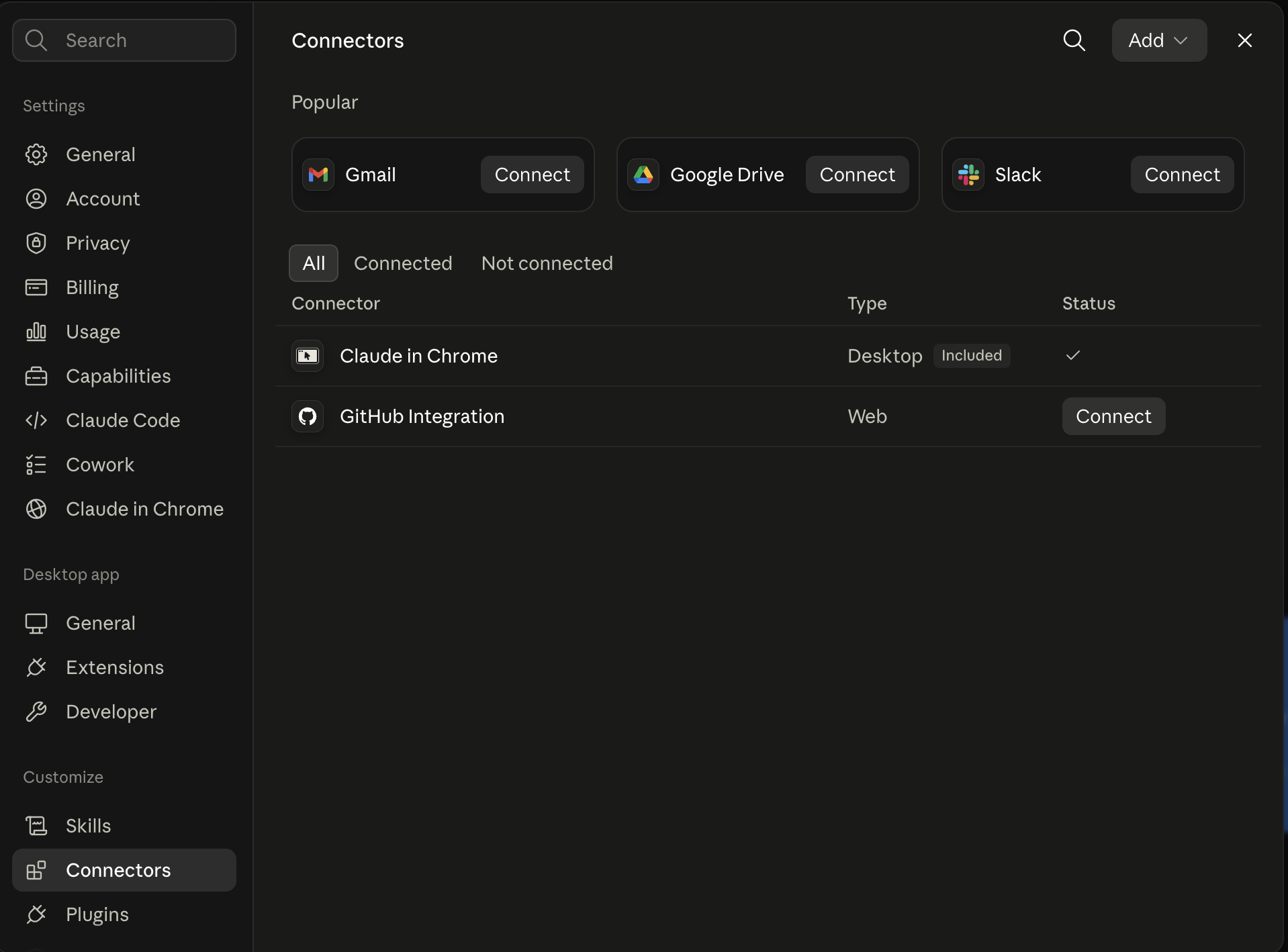
Claude shows the connector
The connector lands in Claude's Connectors settings, confirming Ootto is wired.
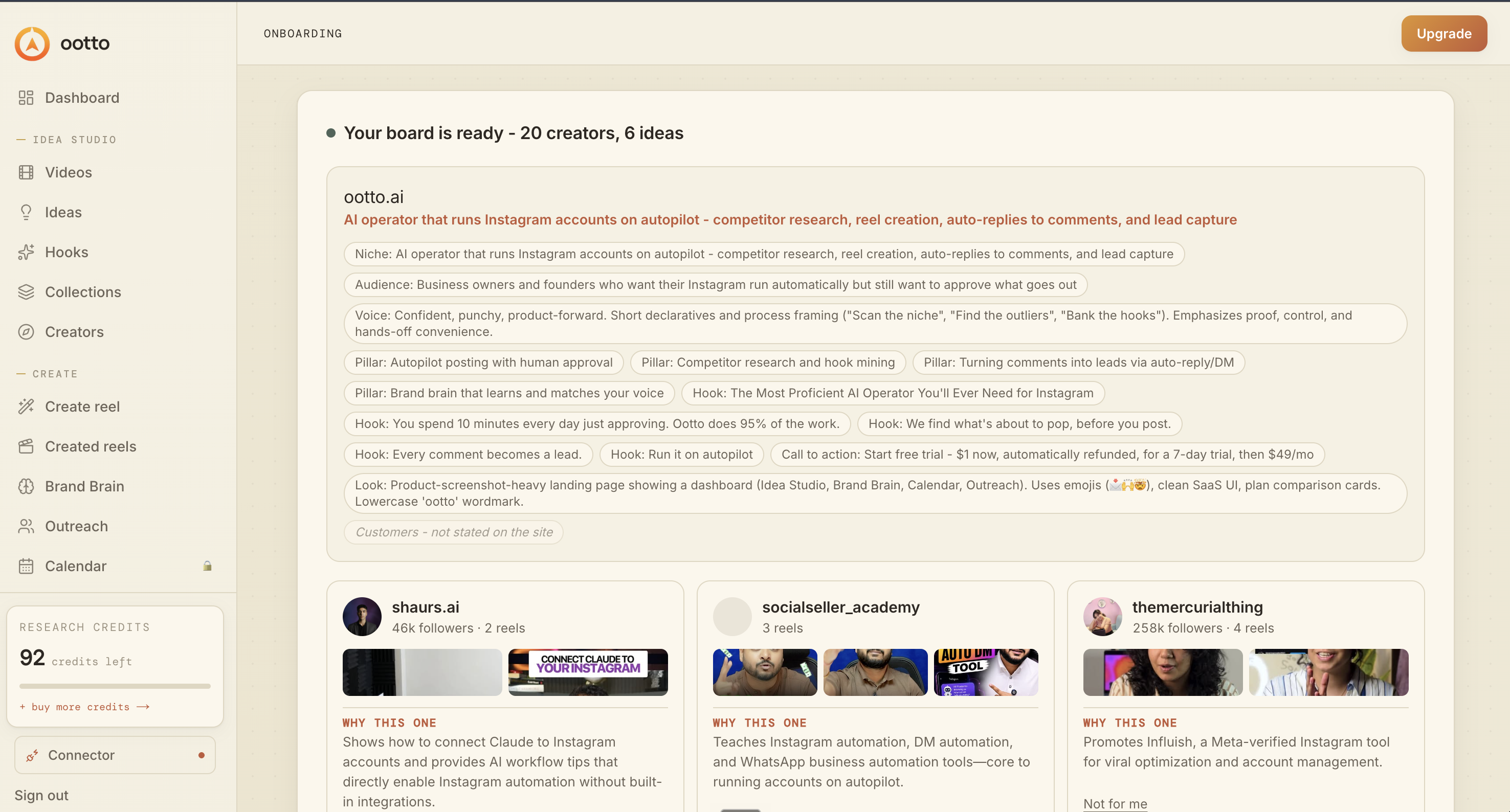
Board reads back your context
Your audience, pillars, voice, and creator signals are filled from account context.
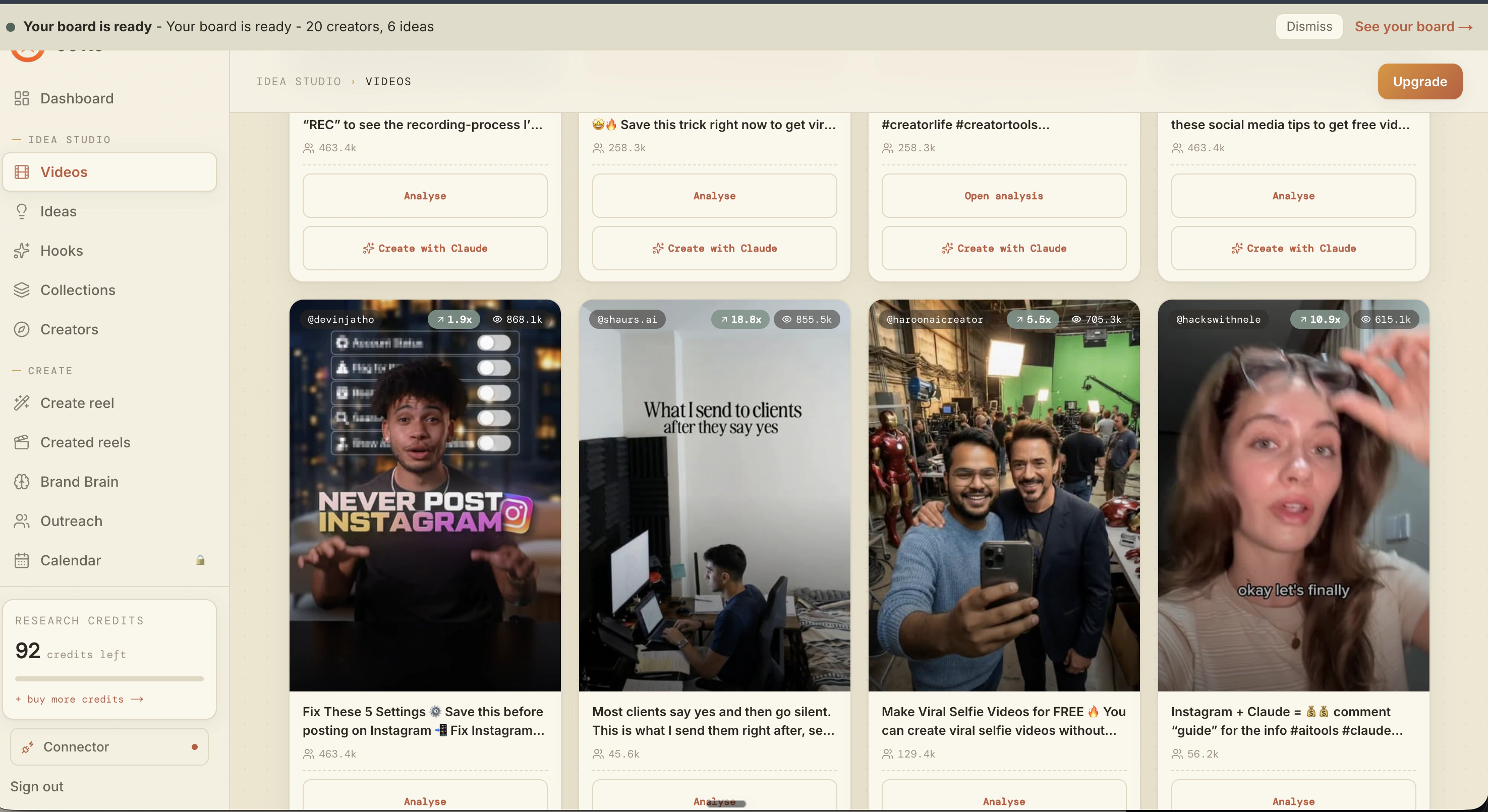
What is actually working now
Ootto pulls what is moving in your niche and loads ranked examples in board.
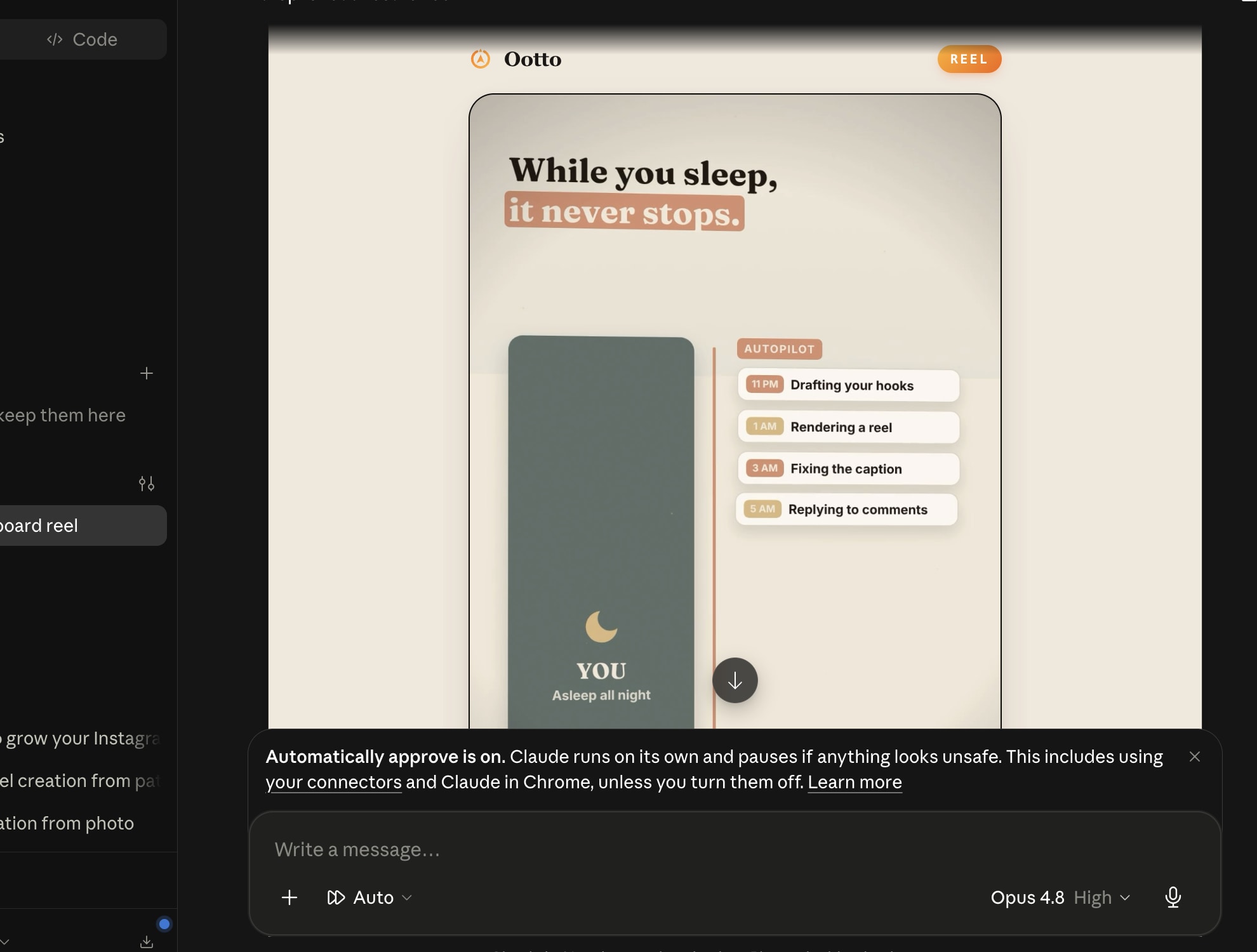
Reels post, comments get answered
Finished reels publish to Instagram and comments are answered with public replies plus DM follow-ups.
Ootto
Run Ootto in your Claude
Skip the manual setup
- Finds winning content opportunities
- Creates on-brand Reels and captions
- Replies to comments instantly
- Starts personalized DM conversations
- Qualifies leads automatically
- Helps book calls and drive sales
- Learns and improves with every interaction
One AI. Every Post. Every Comment. More Leads. More Sales.
Get started$1 today, non-refundable. Starts your 7-day trial, then $48/mo. Cancel anytime.
Get started