
How to Automate Inbox With AI (Without Missing What Matters)
The Ootto Team · 8 min read · June 12, 2026

How to use this
1Connect Claude to Instagram
Connect Claude to your Instagram account
One click opens Claude with the connector already filled in - sign in, authorize, and it's live. No key to copy, no setup outside your browser.
https://mcp.ootto.ai/mcpConnect2Add the skills
Once Claude can reach your account, give it the methods to work with. Clone the free repository and Claude discovers the skills automatically.
git clone --depth 1 https://github.com/Ootto-AI/claude-content-skills.git && bash claude-content-skills/install.shBrowse all 30 skills on GitHubInstructions: how to connect your Instagram account to Claude
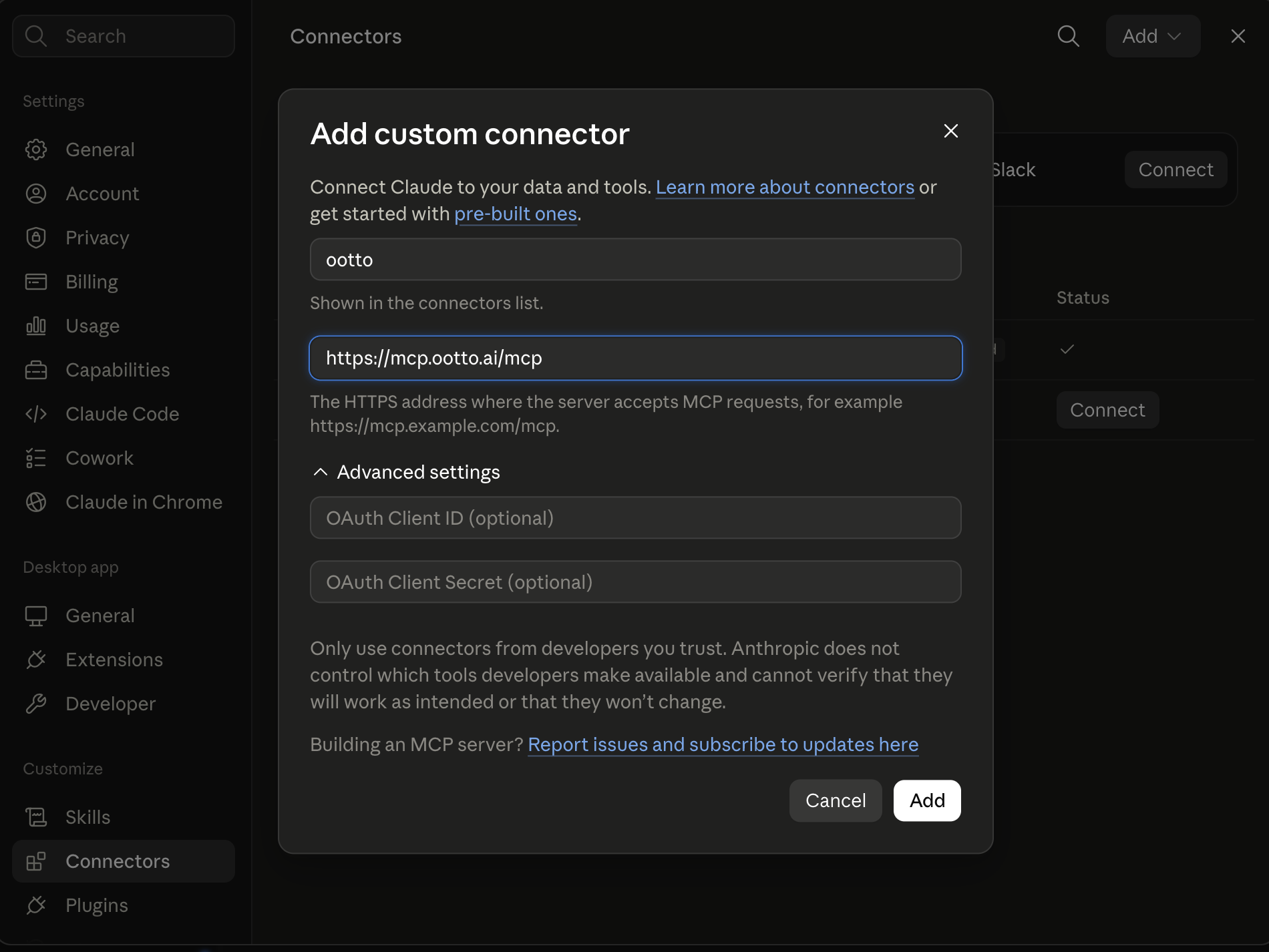
Connect above does this for you. If Claude ever opens the dialog empty, here's exactly what goes where:
Ootto
Your 24/7 Instagram Growth Operator
Skip the manual setup
- Posts finished Reels straight to your Instagram
- Real motion-graphic Reels, not slideshows
- Built around your own photos and footage
- Finds winning content opportunities in your niche
- Writes on-brand scripts and captions
- Answers every comment by your own keyword rules
- DMs qualified leads and starts the conversation
- Runs up to 50 Instagram accounts
One AI. Every Post. Every Comment. More Leads. More Sales.
Email is the job that hides between your real jobs. Most owners lose a chunk of every day to reading, sorting, and replying — time that disappears without ever showing up as "work." The goal of automating your inbox isn't to never touch email again. It's to never touch the parts that don't need you — and to make sure the parts that do never slip through.
That last part is the catch. Done wrong, inbox automation buries the one email that mattered under a tidy pile of "handled." Done right, it surfaces exactly what needs your judgment and quietly clears everything else. Here's the playbook to get there, and the autopilot version if you'd rather not build it.
The four jobs your inbox actually does
"Automate my inbox" sounds like one task. It's really four, and they need different rules:
- Triage — decide what each email is and how urgent it is.
- Drafting — write the reply, in your voice.
- Extraction — pull out the to-dos, dates, and details buried in threads.
- Follow-up — chase the replies you're still waiting on.
Most tools only do the first one, and even then they confuse it with filtering. A filter is dumb: "if from newsletter, archive." Real triage reads the thread history, knows your relationship to the sender, and understands what's still open. It catches the client who emailed "any update?" for the second time this week — the one a static VIP list would miss because they aren't on it. Keep that distinction in mind; it's the difference between an inbox that feels managed and one that feels gambled.
Step 1: Build your triage rules first
Before any AI touches a draft, teach it what to ignore. Sort every incoming email into two buckets.
Auto-archive (you never need to see these live):
- Newsletters and digests
- App and tool notifications
- Receipts and payment confirmations
- Social and calendar updates
- Automated "no-reply" mail
Flag for attention (these surface, ranked):
- Direct client and customer messages
- Anything asking you to do something
- Time-sensitive items (deadlines, today/tomorrow language)
- New opportunities — leads, intros, press, partnerships
The auto-archive bucket is where automation pays off fastest, because it's high volume and near-zero risk. Nothing breaks if a newsletter skips your inbox. Start there. Most owners find this alone reclaims a meaningful slice of the day that used to go to scrolling past noise.
Step 2: Teach the AI to draft in your voice
A reply that sounds like a chatbot is worse than no draft at all — you'll rewrite it from scratch and lose the time you saved. Good drafting is trained, not generic.
Three things make AI sound like you:
- Train on your sent mail. Your outbox is the best style guide you have. It already shows how you open, how blunt you get, whether you sign off "Best" or "Cheers."
- Set recipient-specific tone. You don't write to a new lead the way you write to a vendor you've used for three years. The draft should warm up or tighten up based on who's receiving it.
- Write a short house-style doc. A few lines of guardrails: words you never use, how you talk about pricing and discounts, what you'll never promise over email. This is also where you draw your hard lines — "never quote a custom price without me," "never agree to a deadline."
The voice gets better the more you correct it. Every edit you make before sending is a lesson. Within a week or two, the drafts stop needing edits for most routine mail. For the deeper version of this, see our guide on Claude skills for following up with leads, which goes into voice profiles in detail.
Step 3: Let it handle the inbox overnight
This is where automation stops being a convenience and starts being a quiet superpower.
Email doesn't sleep. You go to bed with a clean inbox and wake up to a fresh pile of new messages — most of them noise, a few of them real. The manual version of your morning is spending the first half hour of your day re-sorting that pile before you've done anything that matters.
The automated version is a Daily Brief. While you slept, the system triaged everything: the routine messages were archived or filed, and the handful that need a human got pulled to the top — each with a draft reply already written, waiting for one tap. You open it with coffee, skim the summaries, approve the good drafts, edit the one or two that need a tweak, and flag the tricky thread for later. A few minutes, inbox cleared, before the day even starts.
That's the whole pitch for inbox automation: you trade an hour of sorting for a few minutes of deciding.
Step 4: Know what to keep human (the hard rule)
Here is the line that "without missing what matters" depends on, and it is not optional:
AI drafts. You approve. Nothing sends without a human.
Every reputable approach to this agrees on the same point — the downside of one bad auto-sent email is far larger than the upside of saving ten seconds. A quality review of a pre-written draft should take well under a minute. Keep it.
Some mail should stay entirely yours to write, not just yours to approve:
- Judgment calls where the right answer is genuinely ambiguous.
- Sensitive or relationship threads — a frustrated client, a delicate intro, anything where tone carries weight.
- Negotiations — pricing, scope, terms. The AI can draft a starting point, but you steer.
- Legal or financial commitments — anything that binds you. Never automate a promise.
The skill isn't automating everything. It's automating the routine so you have full attention for the part that isn't. An inbox autopilot that respects this boundary makes you faster and safer. One that doesn't will eventually send the email that costs you a client.
How to roll it out without breaking anything
Don't flip every switch at once. Layer it in, highest-volume and lowest-risk first:
- Week one — triage only. Turn on auto-archive for newsletters, notifications, and receipts. Watch what gets filed. Adjust the buckets. No drafting yet.
- Week two — add drafts for routine mail. Let the AI pre-write replies for simple, repeatable messages (scheduling, FYIs, simple questions). Approve every one by hand and correct the voice.
- Week three — add follow-up tracking. Turn on reminders for replies you're owed, so threads stop going cold. This overlaps neatly with automating lead follow-up — same engine, applied to your pipeline.
- Ongoing — leave judgment mail to you. The sensitive, ambiguous, and high-stakes threads stay manual on purpose.
By the time you reach the morning-brief stage, the system has earned your trust one safe step at a time. That's the difference between automation you rely on and automation you anxiously double-check.
The faster path: let Ootto run your inbox
You can assemble all four steps yourself — a triage tool here, an AI writer there, reminders in a third app. It works, and if you enjoy wiring tools together, go for it. The competitive options in this space, like Lindy, are worth a look; we break one down in Ootto vs Lindy.
The done-for-you version is simpler. Ootto is an autopilot built for small-business owners who don't want to build anything. You connect your inbox once. Over a few days it learns your brand, your voice, and your patterns — who matters, how you reply, what's routine versus what needs you. Then it runs the whole loop: triages overnight, drafts replies in your tone, tracks the follow-ups you're owed, and hands you a Daily Brief every morning with the handful of decisions only you can make. You review. It never sends without you.
Inbox handling is one of several jobs Ootto runs end-to-end — alongside lead follow-up, invoice chasing, and weekly reports. If you want the whole picture of what an autopilot can take off your plate, the AI business automation guide is the place to start.
The bottom line
Automating your inbox isn't about disappearing from email. It's about building a system that handles the noise, drafts the routine, and surfaces — clearly, every morning — the few things that genuinely need you. Triage first, draft in your voice, clear it overnight, and keep the judgment calls human. Do that, and email stops being the day-long tax it is today.
Route A: do it yourself
Start with the exact free skill for this outcome
MIT, no account, no email. Install first, then run the command for your account.
For clearing the inbox: Inbox Triage
git clone --depth 1 https://github.com/Ootto-AI/claude-inbox-skills.git && bash claude-inbox-skills/install.sh
Installs the free MIT Inbox Skills bundle into ~/.claude/skills in one shot.
/inbox-triage [paste your unread emails, one per block]
Sorts a full inbox into reply-now / later / ignore, with drafts for the urgent ones.
Route B: let Ootto run it
Ootto replicates this on autopilot
Open the dashboard, connect once, then let the pipeline handle research, production, and lead replies.
Open the connector dashboard
Go to /content/login, sign in, and open your Ootto content dashboard.

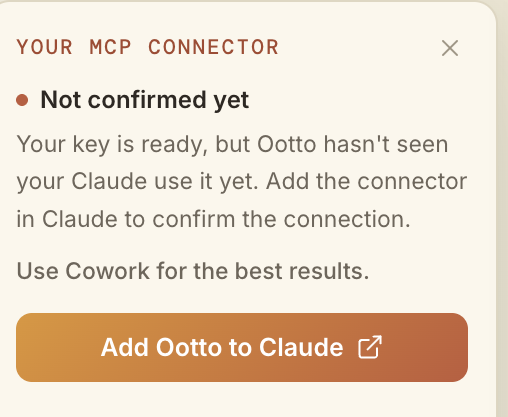
Add Ootto to Claude
Use the one-button Add flow so Ootto appears in Claude's Connectors panel.
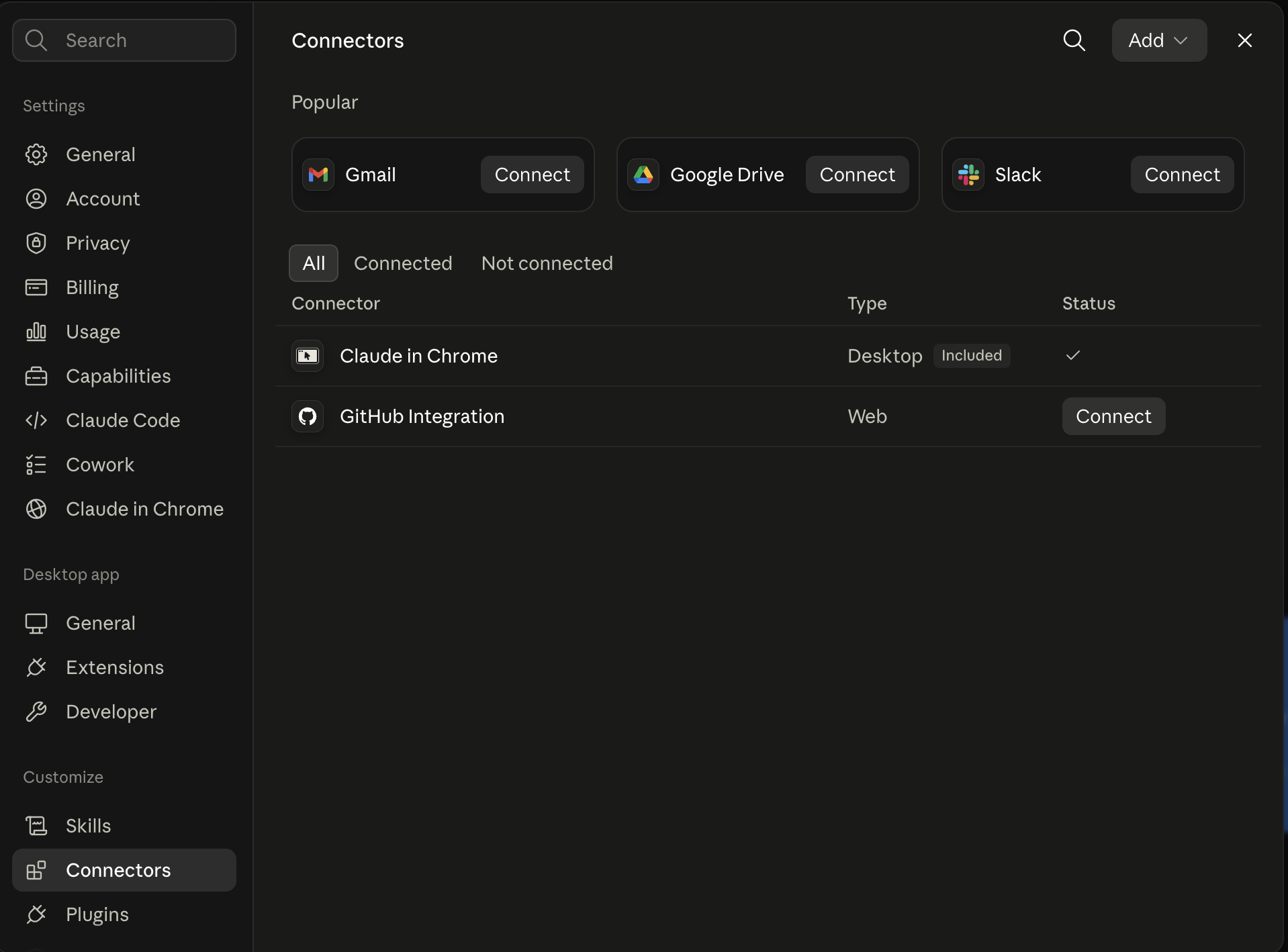
Claude shows the connector
The connector lands in Claude's Connectors settings, confirming Ootto is wired.
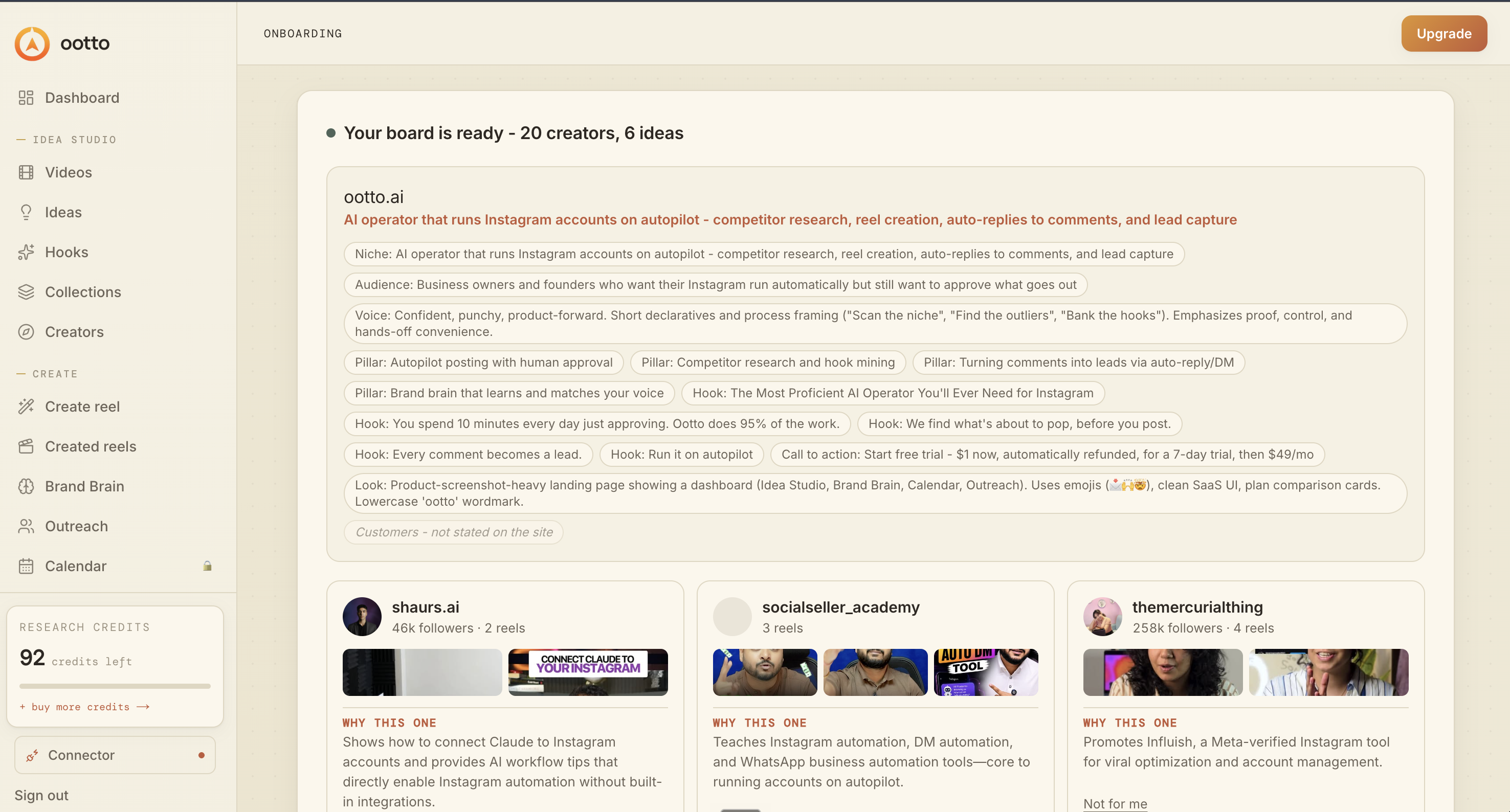
Board reads back your context
Your audience, pillars, voice, and creator signals are filled from account context.
What is actually working now
Ootto pulls what is moving in your niche and loads ranked examples in board.
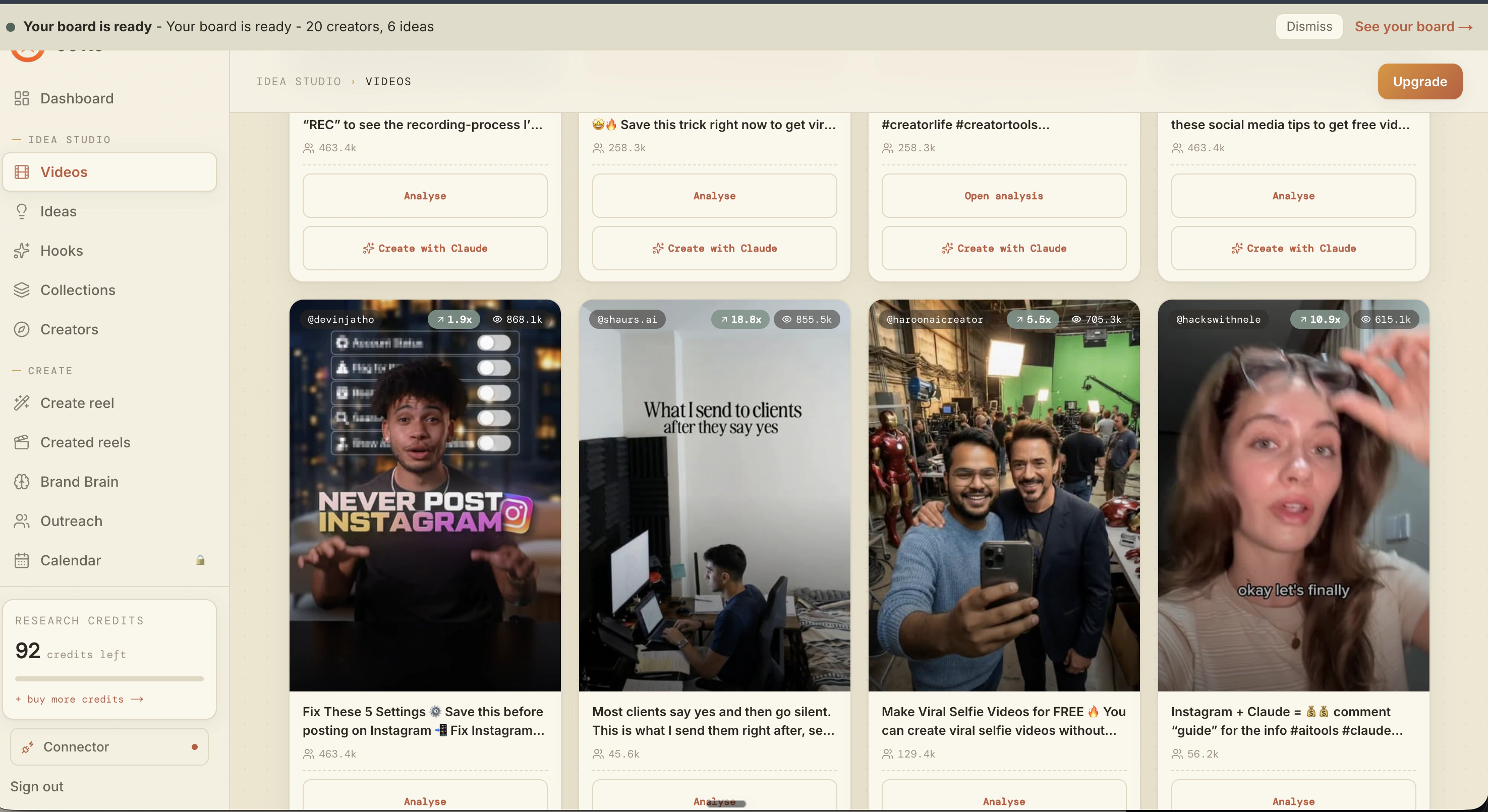
Reels post, comments get answered
Finished reels publish to Instagram and comments are answered with public replies plus DM follow-ups.
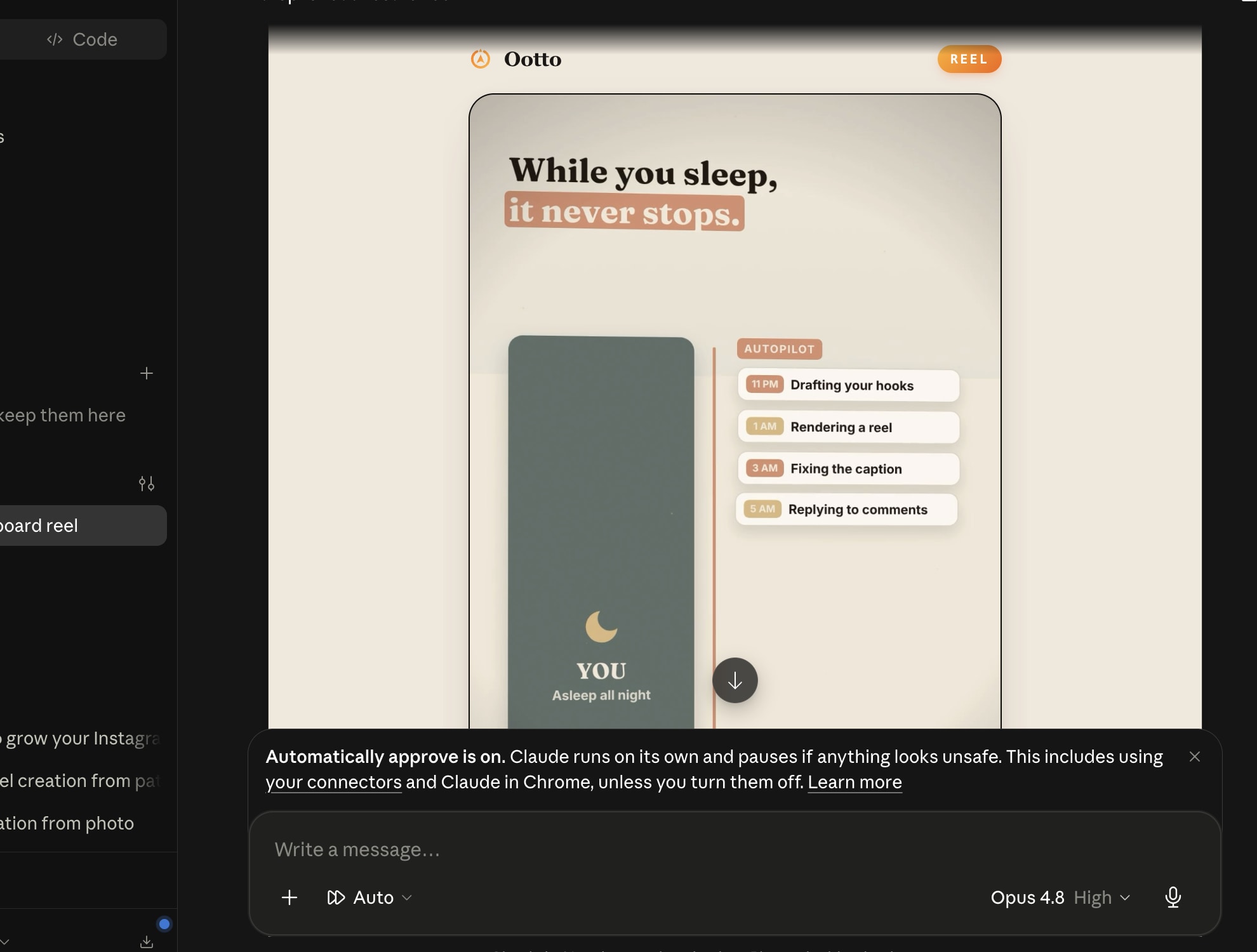
Ootto
Run Ootto in your Claude
Skip the manual setup
- Finds winning content opportunities
- Creates on-brand Reels and captions
- Replies to comments instantly
- Starts personalized DM conversations
- Qualifies leads automatically
- Helps book calls and drive sales
- Learns and improves with every interaction
One AI. Every Post. Every Comment. More Leads. More Sales.
Get started$1 today, non-refundable. Starts your 7-day trial, then $48/mo. Cancel anytime.
Get started