
Skills
15 Claude Skills to Automate Your Reporting
The Ootto Team · 8 min read · June 12, 2026
How to use this
1Connect Claude to Instagram
Connect Claude to your Instagram account
One click opens Claude with the connector already filled in - sign in, authorize, and it's live. No key to copy, no setup outside your browser.
https://mcp.ootto.ai/mcpConnect2Add the skills
Once Claude can reach your account, give it the methods to work with. Clone the free repository and Claude discovers the skills automatically.
git clone --depth 1 https://github.com/Ootto-AI/claude-content-skills.git && bash claude-content-skills/install.shBrowse all 30 skills on GitHubInstructions: how to connect your Instagram account to Claude
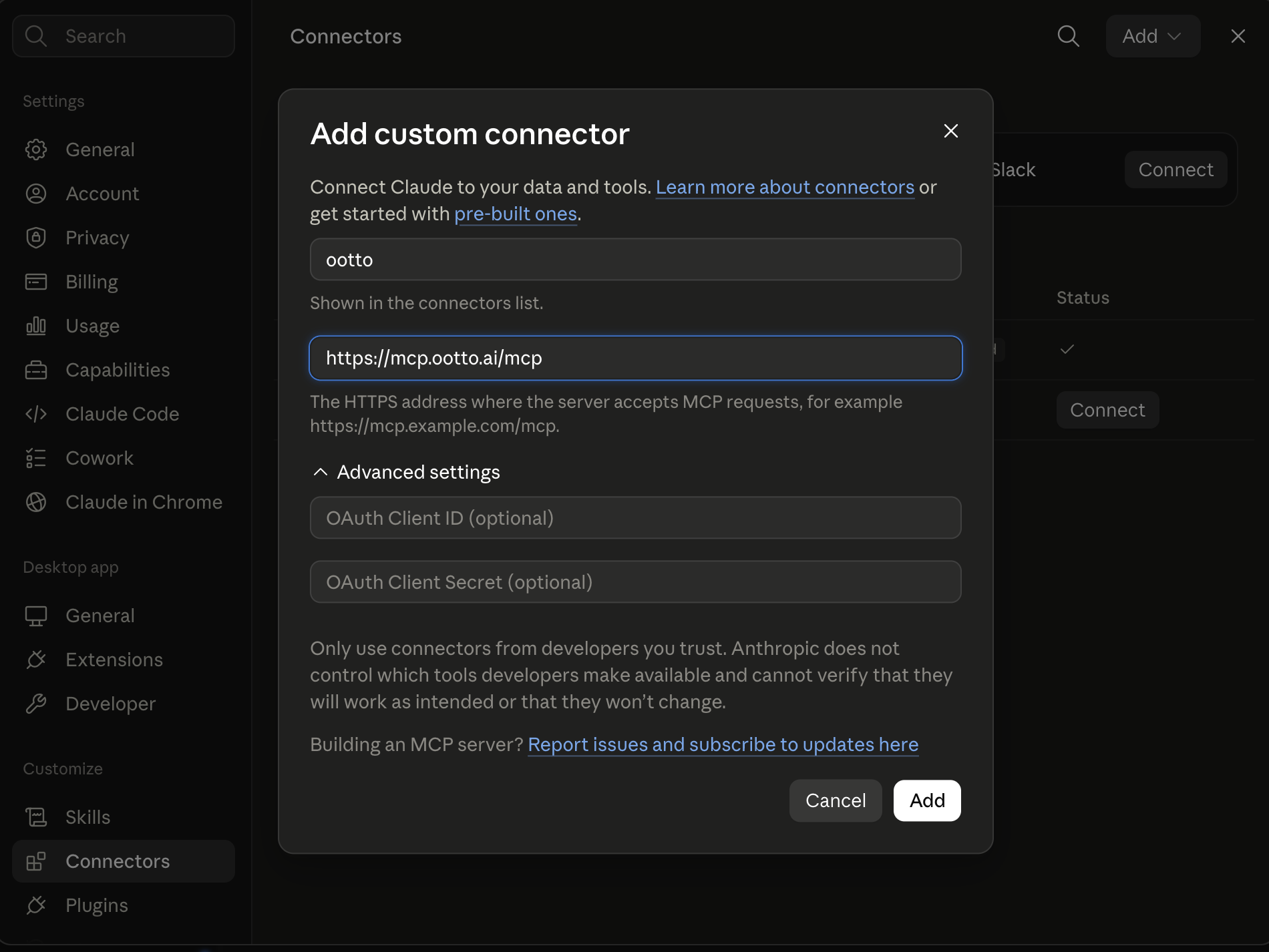
Connect above does this for you. If Claude ever opens the dialog empty, here's exactly what goes where:
Ootto
Your 24/7 Instagram Growth Operator
Skip the manual setup
- Posts finished Reels straight to your Instagram
- Real motion-graphic Reels, not slideshows
- Built around your own photos and footage
- Finds winning content opportunities in your niche
- Writes on-brand scripts and captions
- Answers every comment by your own keyword rules
- DMs qualified leads and starts the conversation
- Runs up to 50 Instagram accounts
One AI. Every Post. Every Comment. More Leads. More Sales.
Every week you pull the same numbers from the same tabs — sales, cash, leads, support — and try to turn them into something you can actually act on. Then month-end lands and you do it again, bigger. The pull-and-stare is the tax of running a business: hours spent assembling a picture instead of deciding what to do with it. Each skill below takes your raw numbers and hands back a plain-English answer — what happened, what changed, and what to do next.
They're markdown. Add them to Claude as a Project, or paste them as prompts.
Get all of these as files: the whole set is free on GitHub → Claude Reporting Skills. Install it as a Claude Code plugin, or copy any prompt below.
What these are
A skill is a reusable prompt that does one reporting job well. No dashboards to build, no spreadsheet formulas to maintain. Instead of staring at a row of numbers wondering "is that good or bad," you paste the numbers into a skill and Claude tells you — in sentences, with the drivers and the so-what called out.
You can paste a skill straight into Claude with this week's figures, or save it inside a Claude Project so Claude keeps your business context (your targets, your fiscal calendar, your tone) and you reuse it in one click.
What it replaces: the manual half of reporting. Your tools store the data; you still have to assemble it, interpret it, and write the summary your team or board actually reads. These skills do that part — the assembling and the interpreting — so you're left with the deciding.
Setup: adding skills to Claude Projects
- Open Claude (claude.ai or the desktop app) and create a Project.
- Add your business context as project knowledge — your business name, your key metrics and their targets, your fiscal calendar (when months and quarters close), who reads each report, and the tone you want (blunt internal note vs. polished board update).
- Paste any skill below into the chat, add your data (this week's numbers, a P&L export, a metrics CSV, last month's figures next to this month's), and run it.
- Reuse it whenever the report is due. The Project remembers your targets and tone, so you don't re-explain "good is above $40k" every single week.
Setup: connecting live data (MCP)
For skills that need live numbers — your Stripe revenue, your accounting ledger, your CRM pipeline, your analytics — an MCP connector lets Claude read directly from your tools instead of you exporting and pasting each time. It's optional and more technical to set up, but it's what turns a weekly copy-paste ritual into a report that builds itself.
No MCP? Still works. Every skill below runs fine on pasted data — a CSV export, a screenshot of a dashboard, a copy of your P&L, two columns of numbers (this period vs. last). The connector just removes the export step.
The 5 most used
1. Weekly business summary
Turns this week's raw numbers across the business into a short, plain-English readout your team can scan in a minute.
Here are this week's numbers: [revenue, new customers, leads, support tickets, cash, anything else — paste with last week's figures next to them]. Write a weekly summary: lead with the one thing that matters most, then a short line on each area (sales, marketing, ops, cash), each with the number, the change vs. last week, and whether that's on track. End with the top 3 things to watch or do next week. Keep it tight — no filler.
2. KPI snapshot
Takes a pile of raw metrics and produces a clean, labelled snapshot with each number judged against its target.
Here are my current metrics with their targets: [metric, this period's value, target — paste the list]. Build a KPI snapshot. For each one, show the value, the target, the gap, and a clear on-track / behind / ahead flag. Sort so the ones furthest behind target are at the top. Add a two-line summary of overall health.
3. Month-end review
Closes the month with a structured review: how each area did vs. plan and vs. last month, and what it means going into next month.
Here's the full month: [revenue, expenses, new vs. churned customers, pipeline, key metrics — paste this month vs. last month vs. target]. Write a month-end review. Cover the headline result, then each function (sales, finance, marketing, ops) with what landed vs. plan and the why behind the biggest move. Finish with the 3 priorities for next month based on what this month showed.
4. Variance explainer
Explains why a number moved — the drivers behind the change, not just the change itself.
This metric moved from [last value] to [this value]. Here's the underlying detail that feeds it: [paste the breakdown — by customer, channel, product, region, whatever you have]. Explain the variance: what specifically drove the change, ranked by how much each factor contributed, and whether it's a one-off or a trend. Tell me in one line whether I should be worried.
5. Board update drafter
Drafts the monthly board or stakeholder update from your numbers, in the tone investors expect.
Here are the numbers and notes for this month's board update: [revenue, growth, cash / runway, key wins, key risks, asks — paste]. Draft the update: a short opening on overall trajectory, then sections for metrics, highlights, lowlights, and asks. Be honest about what's not working. Keep it to a page and lead with the numbers that matter most to investors.
All 15 skills
Recurring rollups
- Weekly business summary — this week's numbers across the business → a one-minute readout (see above).
- Month-end review — close the month vs. plan and vs. last month, with next month's priorities (see above).
- Daily flash report — a three-line morning snapshot of yesterday's most important numbers, for the days you can't wait a week.
KPIs & metrics from raw data
- KPI snapshot — raw metrics → a labelled snapshot judged against target (see above).
- Metric vs. target tracker — track one or more metrics against target or budget across the period, with the running gap and projected end-of-period result.
- Cohort & trend summary — turn a time series or cohort table into a plain-English read on whether the trend is improving, flattening, or slipping.
Functional one-pagers
- Sales one-pager — pipeline, bookings, win rate, and top deals on a single page anyone can read.
- Finance one-pager — your P&L translated into plain English: what you earned, what you spent, what's left, and the lines that moved.
- Ops one-pager — throughput, backlog, SLAs, and capacity summarized so you can see where the business is straining.
Variance & what changed
- Variance explainer — why a number moved, drivers ranked by contribution (see above).
- Anomaly flagger — scan a batch of metrics and surface only the ones that broke pattern (spiked, dropped, or stalled), so you're not reading rows that are fine.
Decisions & exec narrative
- Decision brief — frame a choice as 2–3 options with the trade-offs, the numbers behind each, and a clear recommendation.
- Board update drafter — the monthly board / stakeholder update, drafted from your numbers (see above).
Distribution-ready output
- Dashboard narrator — paste a chart, a screenshot, or the numbers behind one, and get the plain-English story it's telling, ready to drop under the visual.
- Investor update drafter — the recurring investor email: metrics, progress against last update's goals, wins, lowlights, and the specific asks, in the format investors actually read.
Every one of these is genuinely useful on its own. The catch is the same for all 15: you still have to remember to run them, pull the numbers, paste them in, and send the output. Fine when reporting is a Friday-afternoon ritual — less fine when the board update is due, three metrics moved, and you're trying to explain why before the call.
The faster path: let Ootto run them for you
The 15 skills above are free and they work. But they're still manual — you open Claude, export the numbers, paste them in, copy the summary into an email, do it again next week.
Ootto is the done-for-you version. Connect your tools once (Gmail, Stripe, HubSpot, Slack, and the rest), Ootto learns which numbers matter to your business, and it runs these same jobs automatically — pulling the data, judging it against your targets, explaining what changed, and delivering your weekly summary, KPI snapshot, and month-end review without you exporting anything. The reports land in your inbox or Slack, and they get sharper every week as Ootto learns your business.
Because Ootto's reporting is just part of how it already runs your inbox, leads, and invoicing, the weekly summary writes itself from work that's already happening — no brittle Zaps to schedule and babysit (here's why that breaks). The skills are manual mode. Ootto is autopilot. See what that runs at on the pricing page.
Want the wider set? See Claude skills to automate your small business, or the finance-side companion, Claude skills to automate your invoicing.
Route A: do it yourself
Start with the exact free skill for this outcome
MIT, no account, no email. Install first, then run the command for your account.
For the weekly numbers: Weekly Business Summary
git clone --depth 1 https://github.com/Ootto-AI/claude-reporting-skills.git && bash claude-reporting-skills/install.sh
Installs the free MIT Reporting Skills bundle into ~/.claude/skills in one shot.
/weekly-business-summary [this week's numbers]
Turns this week's numbers into a plain-English 3-minute read: up, down, and what needs attention.
Route B: let Ootto run it
Ootto replicates this on autopilot
Open the dashboard, connect once, then let the pipeline handle research, production, and lead replies.
Open the connector dashboard
Go to /content/login, sign in, and open your Ootto content dashboard.

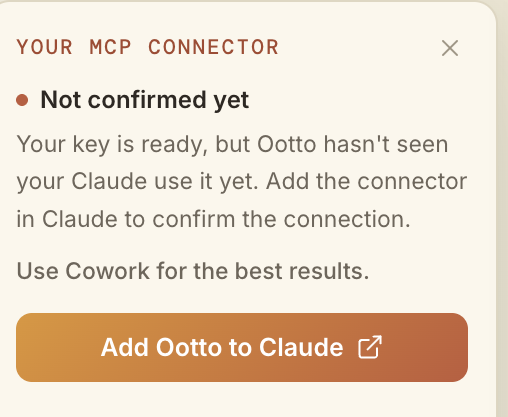
Add Ootto to Claude
Use the one-button Add flow so Ootto appears in Claude's Connectors panel.
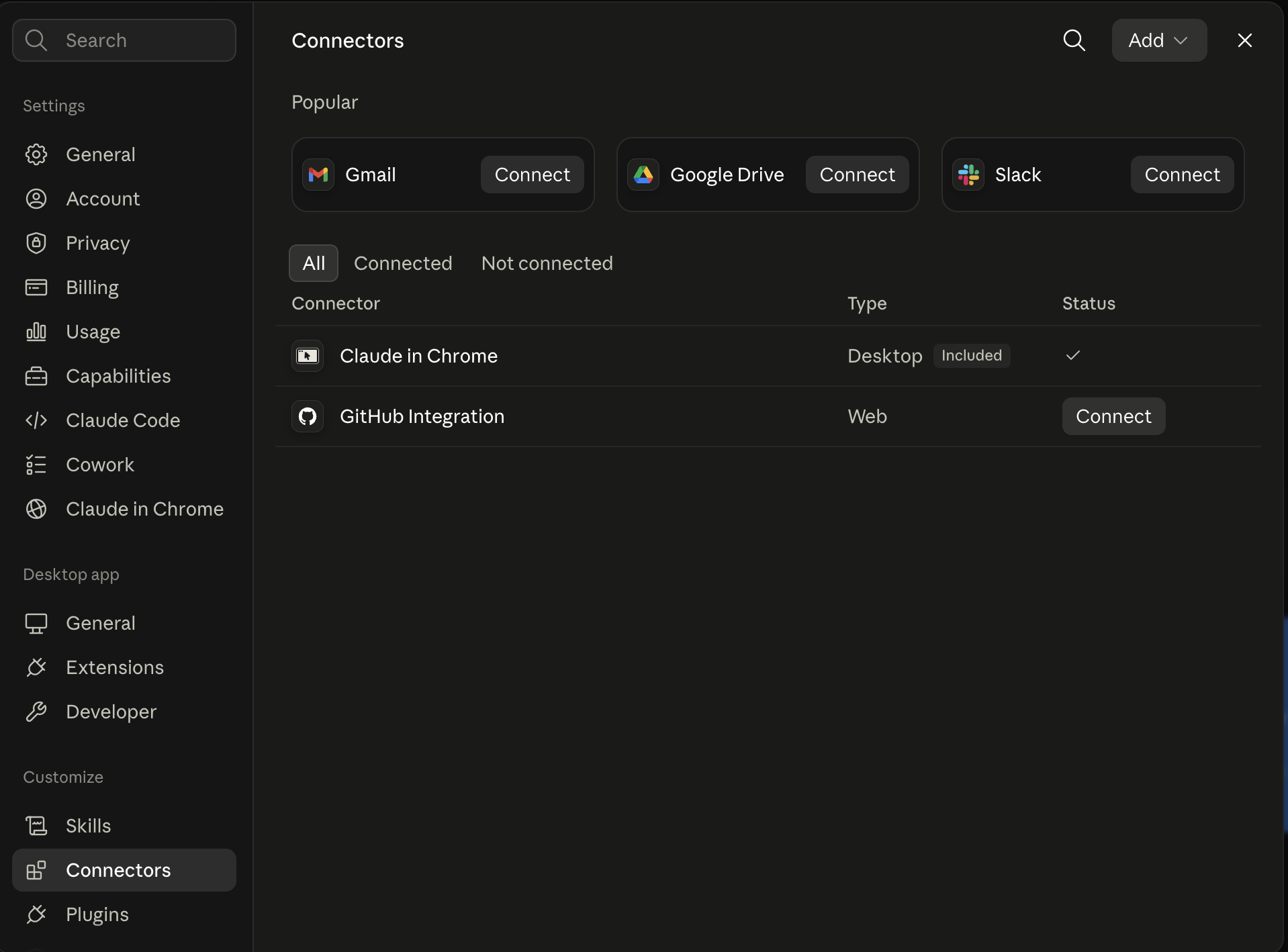
Claude shows the connector
The connector lands in Claude's Connectors settings, confirming Ootto is wired.
Board reads back your context
Your audience, pillars, voice, and creator signals are filled from account context.
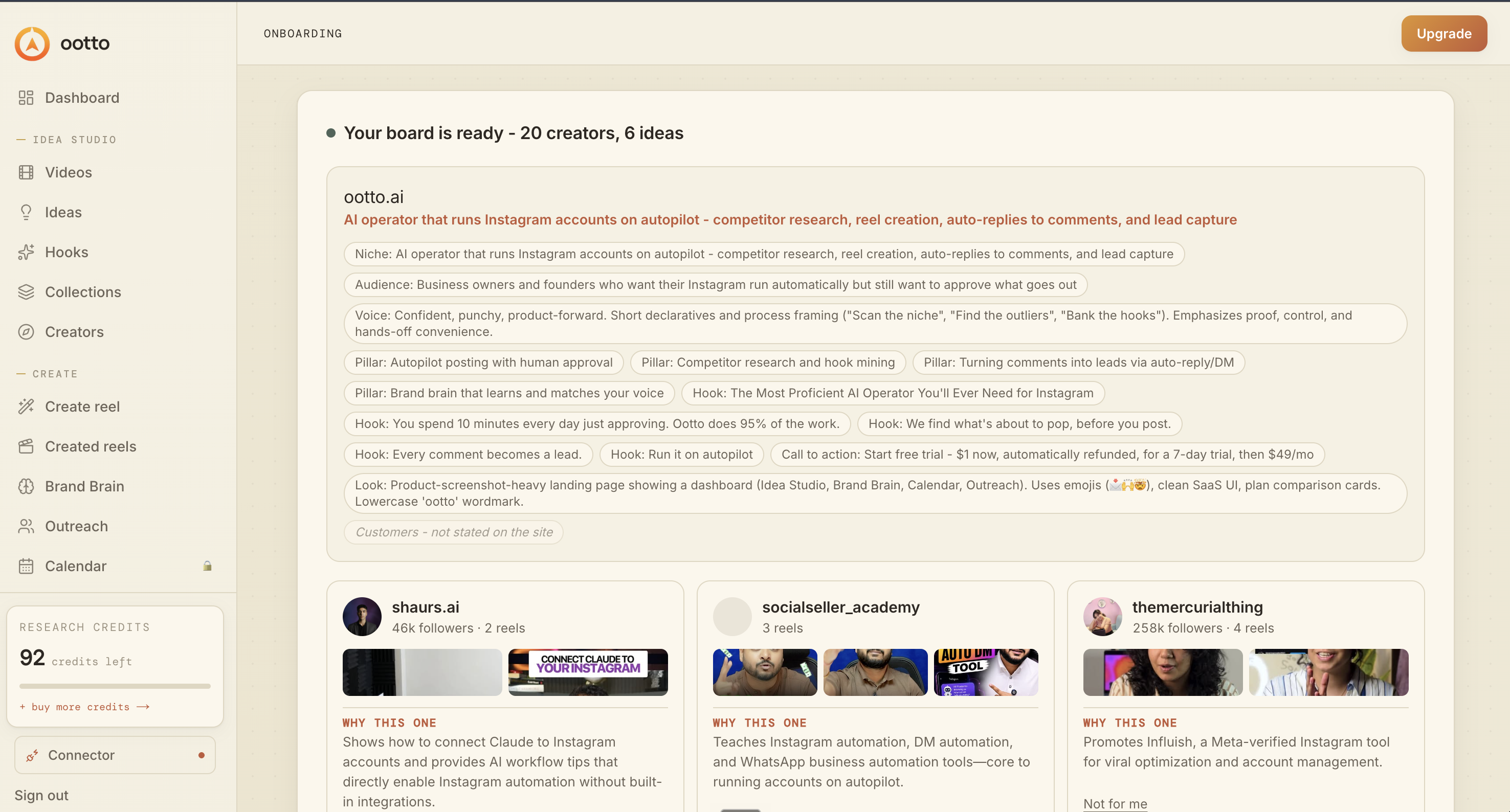
What is actually working now
Ootto pulls what is moving in your niche and loads ranked examples in board.

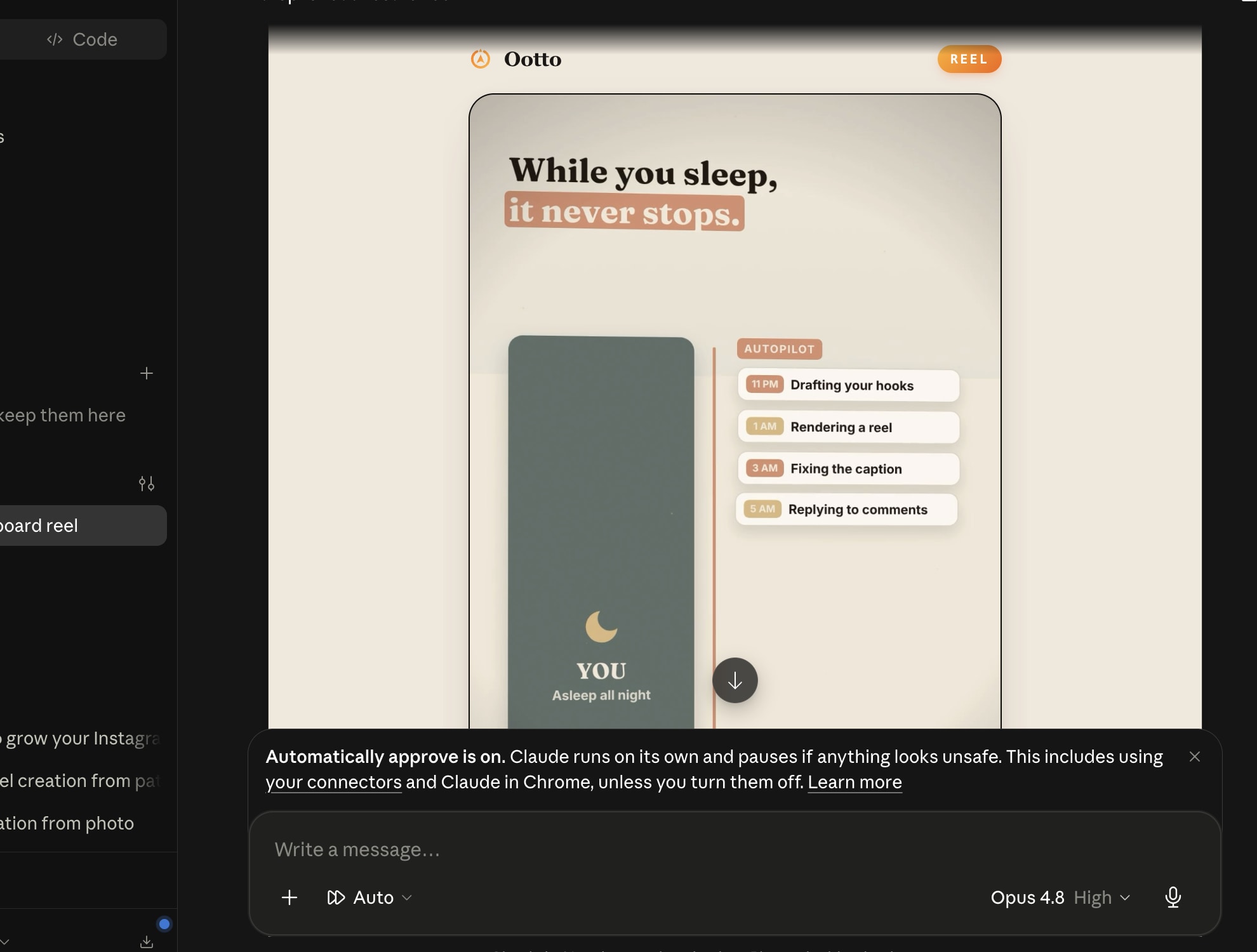
Reels post, comments get answered
Finished reels publish to Instagram and comments are answered with public replies plus DM follow-ups.
Ootto
Run Ootto in your Claude
Skip the manual setup
- Finds winning content opportunities
- Creates on-brand Reels and captions
- Replies to comments instantly
- Starts personalized DM conversations
- Qualifies leads automatically
- Helps book calls and drive sales
- Learns and improves with every interaction
One AI. Every Post. Every Comment. More Leads. More Sales.
Get started$1 today, non-refundable. Starts your 7-day trial, then $48/mo. Cancel anytime.
Get started