
Content
The First Connector That Makes Your Instagram Reels With Claude
Jayant Joshi · 10 min read · August 12, 2026
Built Ootto and runs its Instagram on it
How to use this
1Connect Claude to Instagram
Connect Claude to your Instagram account
One click opens Claude with the connector already filled in - sign in, authorize, and it's live. No key to copy, no setup outside your browser.
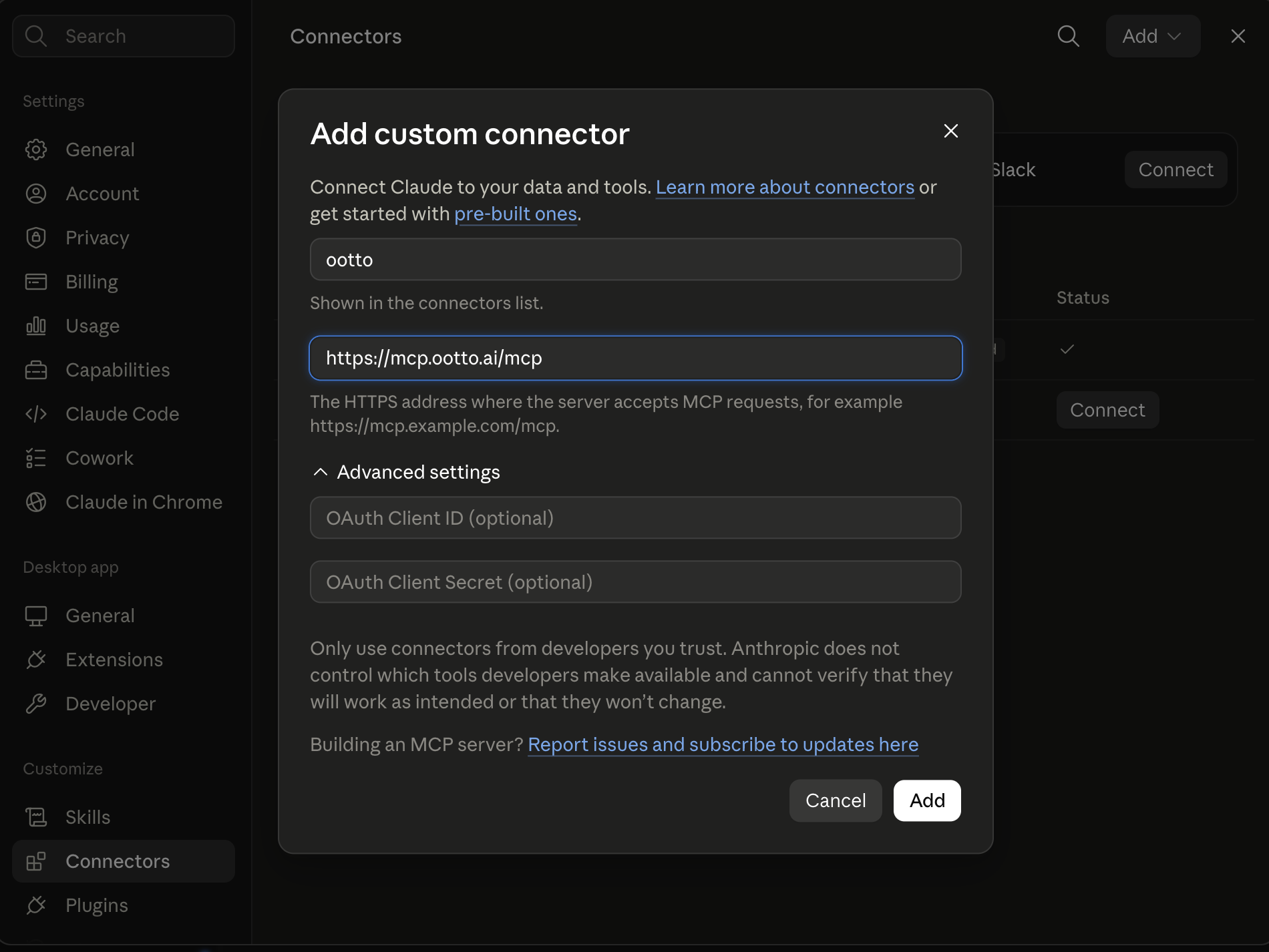
https://mcp.ootto.ai/mcpConnect2Add the skills
Once Claude can reach your account, give it the methods to work with. Clone the free repository and Claude discovers the skills automatically.
git clone --depth 1 https://github.com/Ootto-AI/claude-content-skills.git && bash claude-content-skills/install.shBrowse all 30 skills on GitHubInstructions: how to connect your Instagram account to Claude
Connect above does this for you. If Claude ever opens the dialog empty, here's exactly what goes where:
Claude can write your captions. It cannot watch a reel, read your real numbers, or render a video. One connector gives it all three - and everything below is the setup, start to finish.
This is the whole thing in forty-six seconds. Every screen in it is real:
Loading reel…
The rest of this post is that reel, slowed down, plus the prompts I ran against the connector before publishing this - and what each one gave back.
Four steps, and a fifth that proves it worked
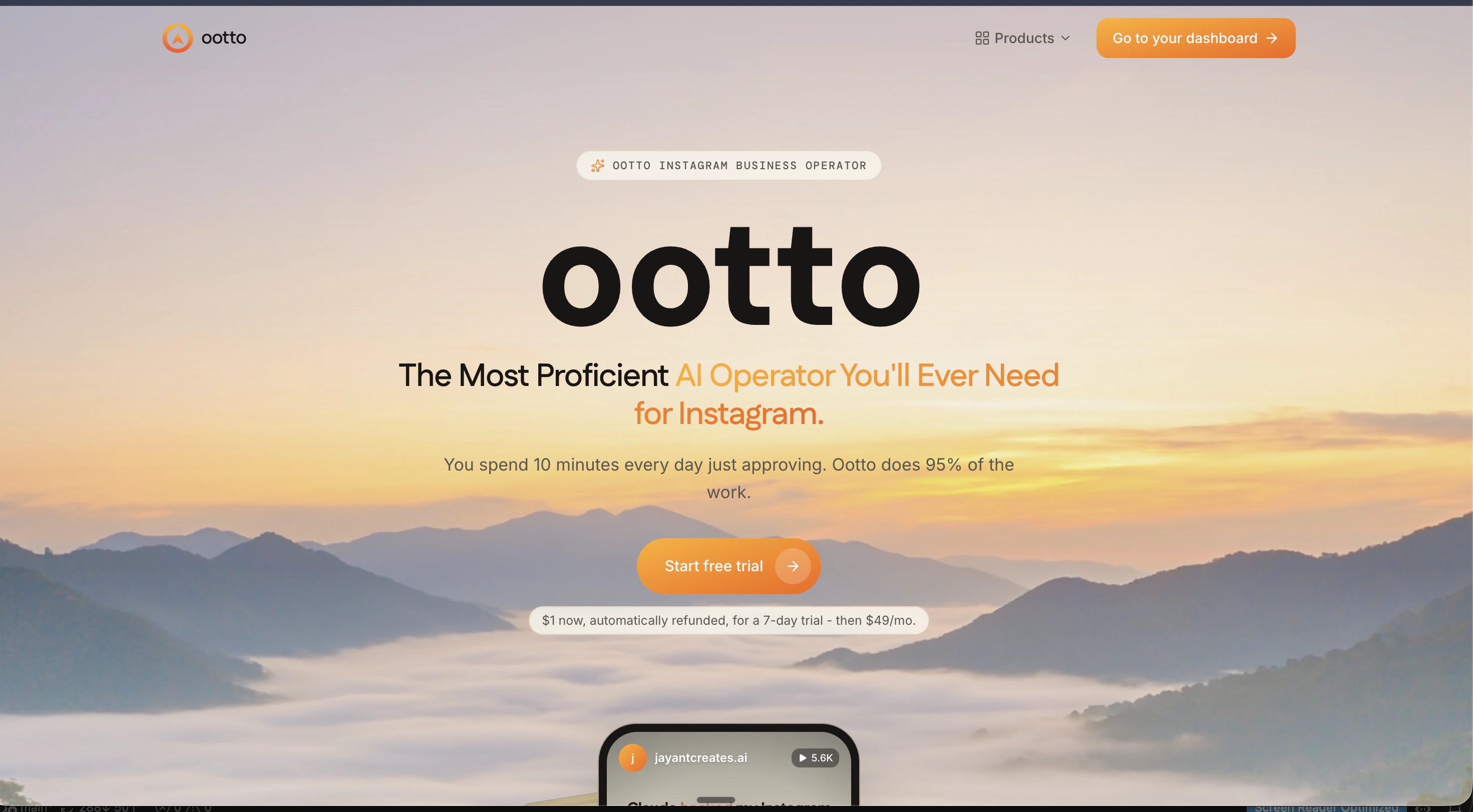
ootto.ai/content
Sign in, or make the account. Everything after this happens on your own dashboard.
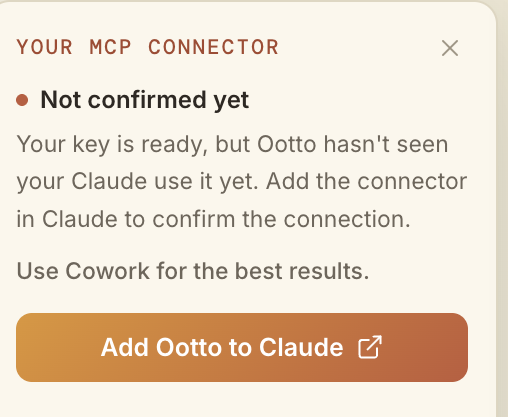
One button
The connector card is on the dashboard. Until Claude has actually called us it says Not confirmed yet, rather than a green tick it has not earned.
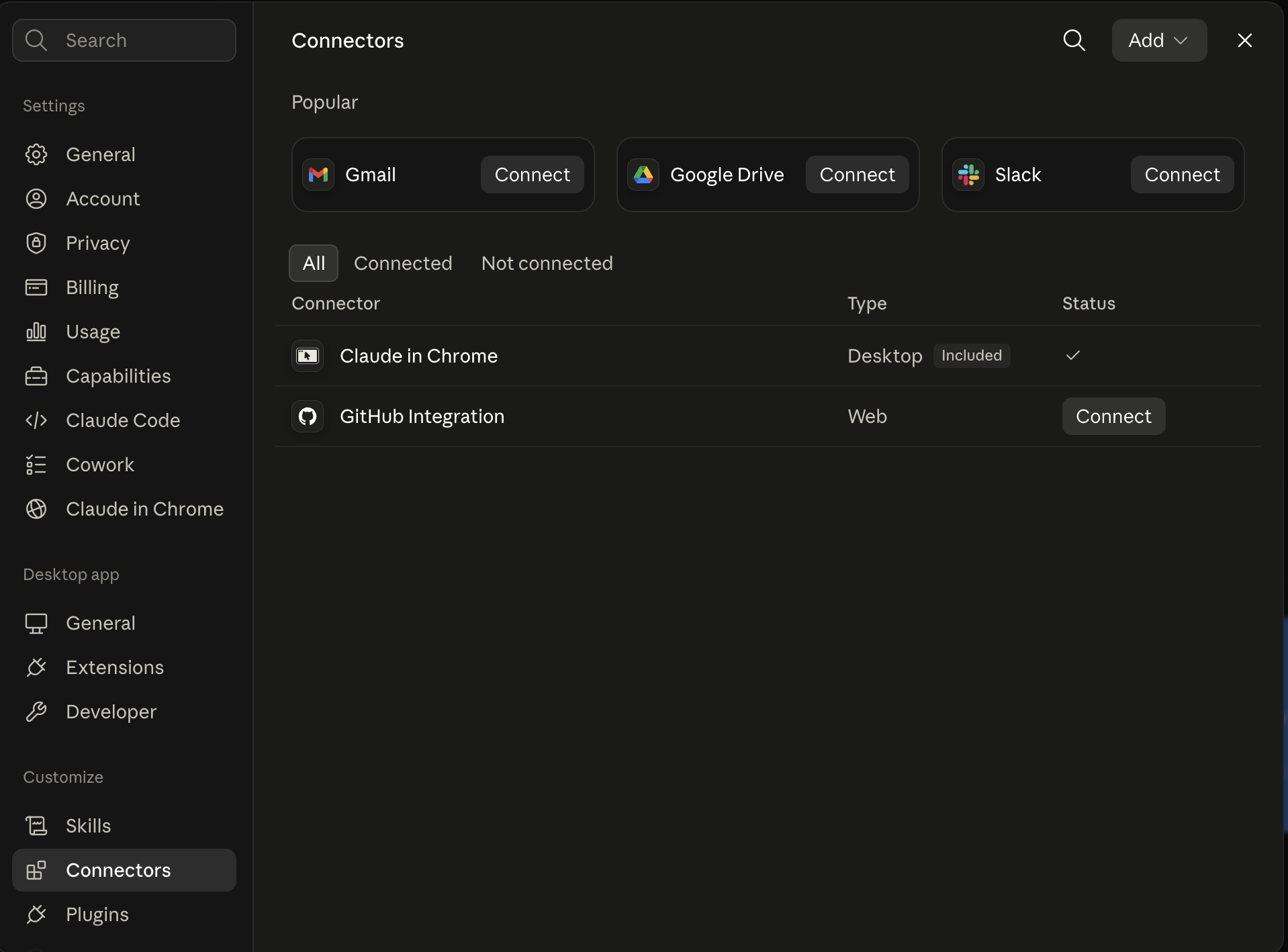
Where it lands
Claude's own Connectors panel. Nothing to configure once that button has run.
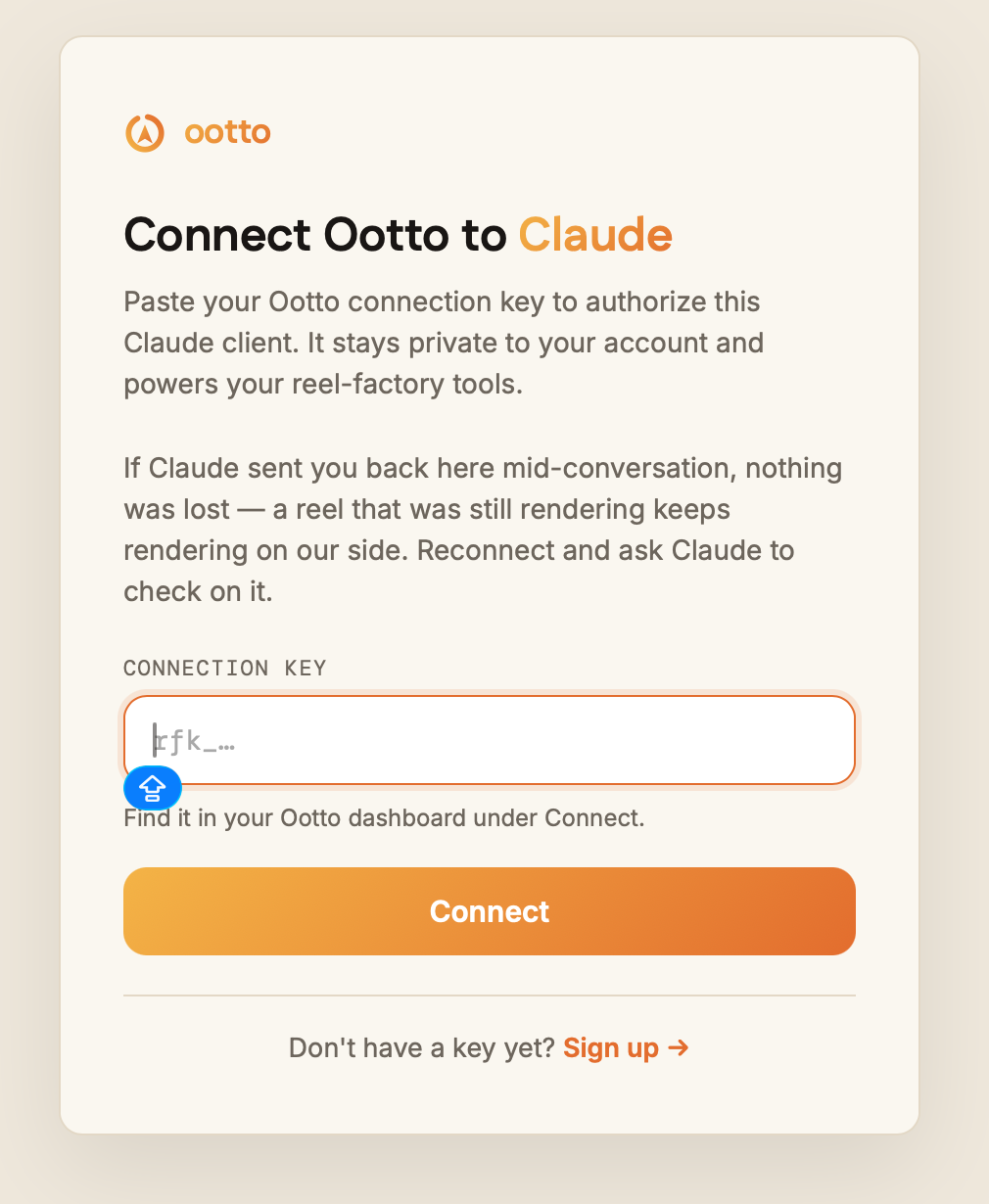
Paste the key
Copy the connection key, or the MCP URL, and add it as a custom connector. A reel that was still rendering keeps rendering on our side.
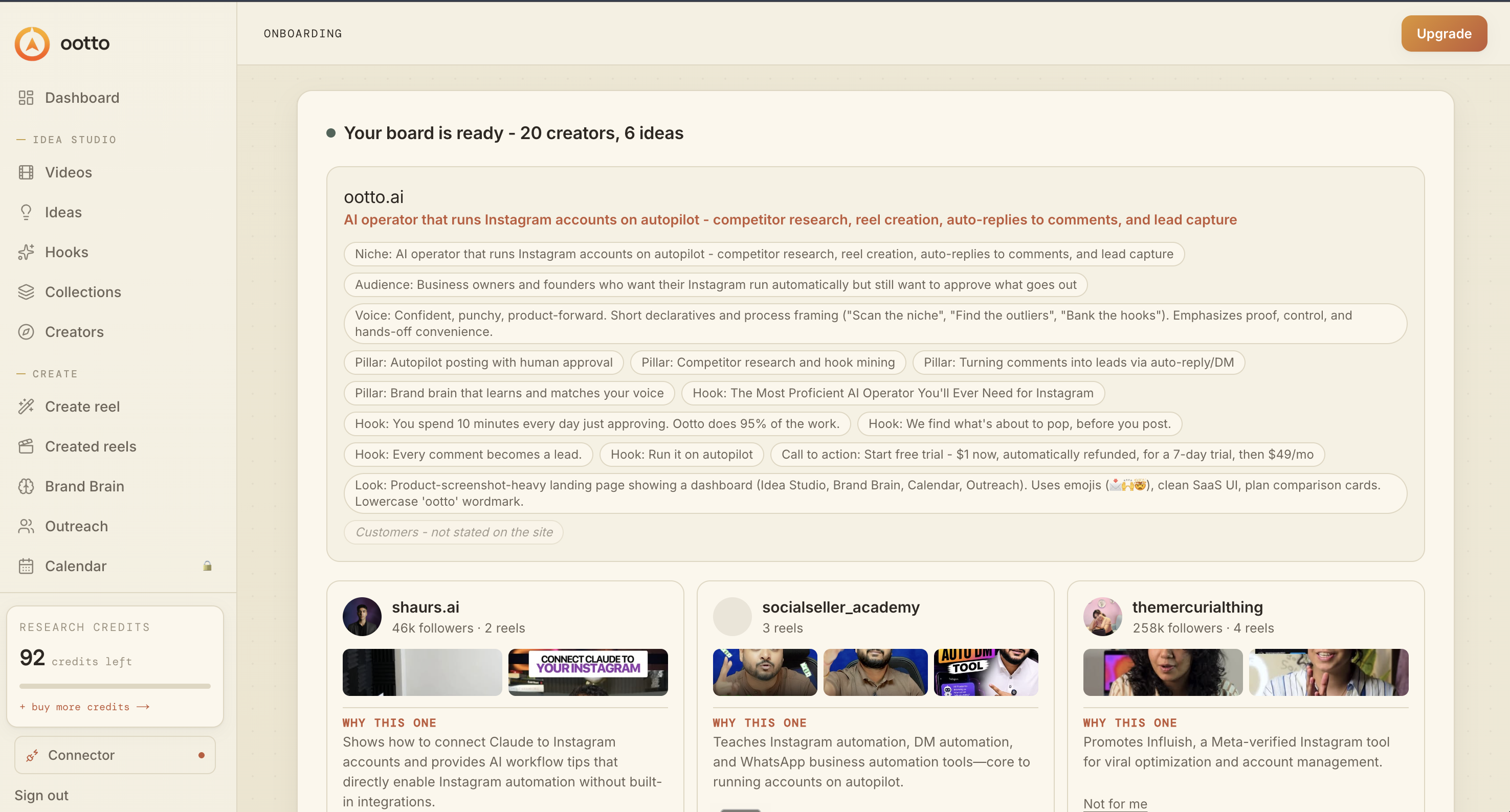
Your board is ready
Your handle, and your site if you have one. Niche, audience, voice, pillars, hooks and look, all read back - then creators to judge, each with a reason.
Ootto is in Claude
Listed under Context, Connectors - with a real reel prompt in the composer beneath it, auto-approve on.
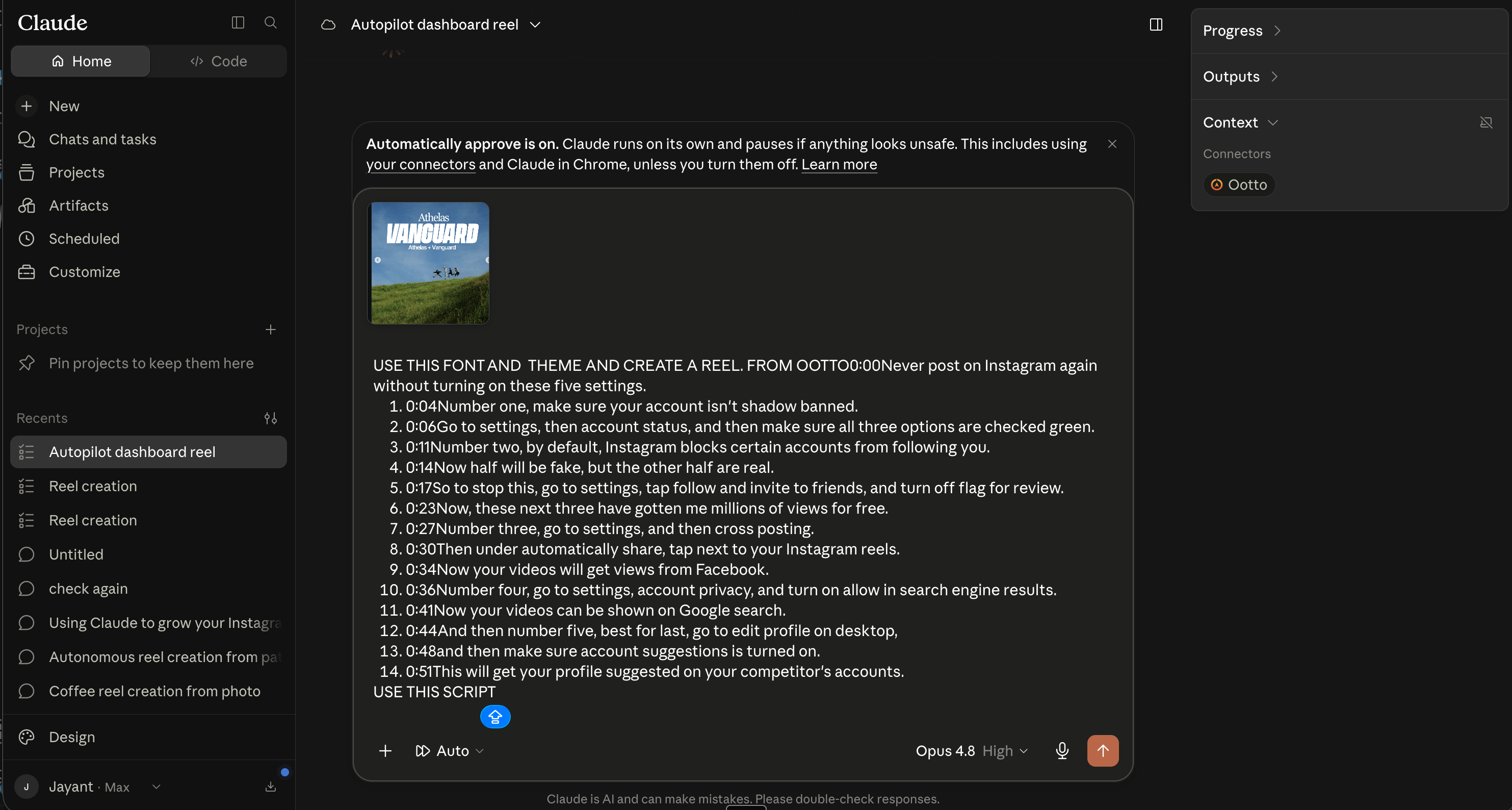
The MCP URL is https://mcp.ootto.ai/mcp if you are adding it by hand. Onboarding came back with twenty creators and six ideas on this account, each creator carrying a line saying why that one. And step 6 is the whole point of the walkthrough: Ootto listed in Claude's own Context panel is the confirmation that the click worked.
What it does once it can see
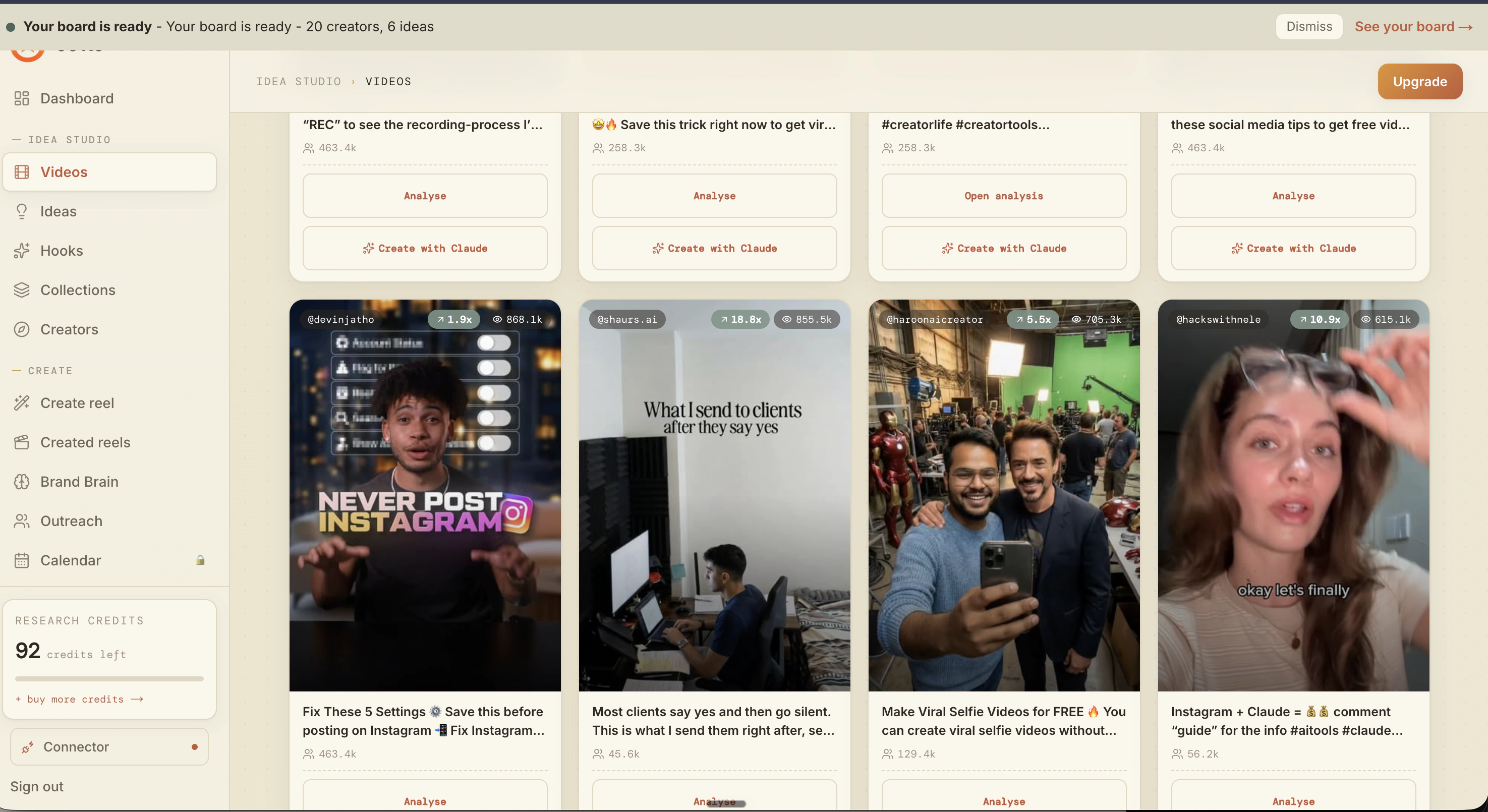
The reels winning in your niche
Real creators, real view counts. Every tile carries Analyse and Create with Claude, so studying a reel and building your own are one click apart.
A surface, not a paragraph
Summary, Transcript, Hook, Caption, Visual, Idea Analysis, Storytelling Format, Positioning, Contrast, Hook Alignment, How to Personalize - plus why it worked.
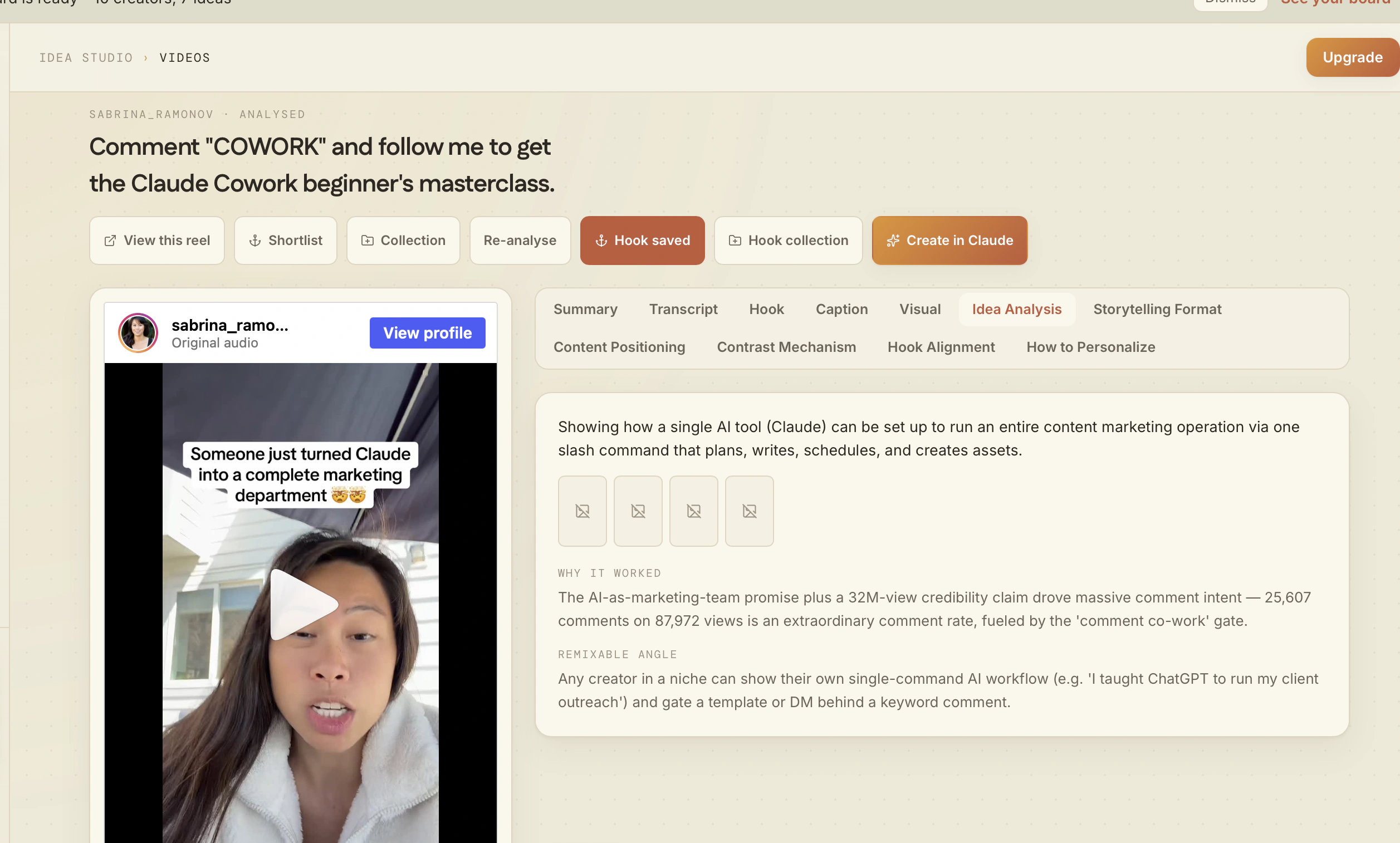
Named beat by beat
Not good pacing - promise, numbered tips with exact paths, reach escalation, save CTA, each one pinned to the frame it happens in.
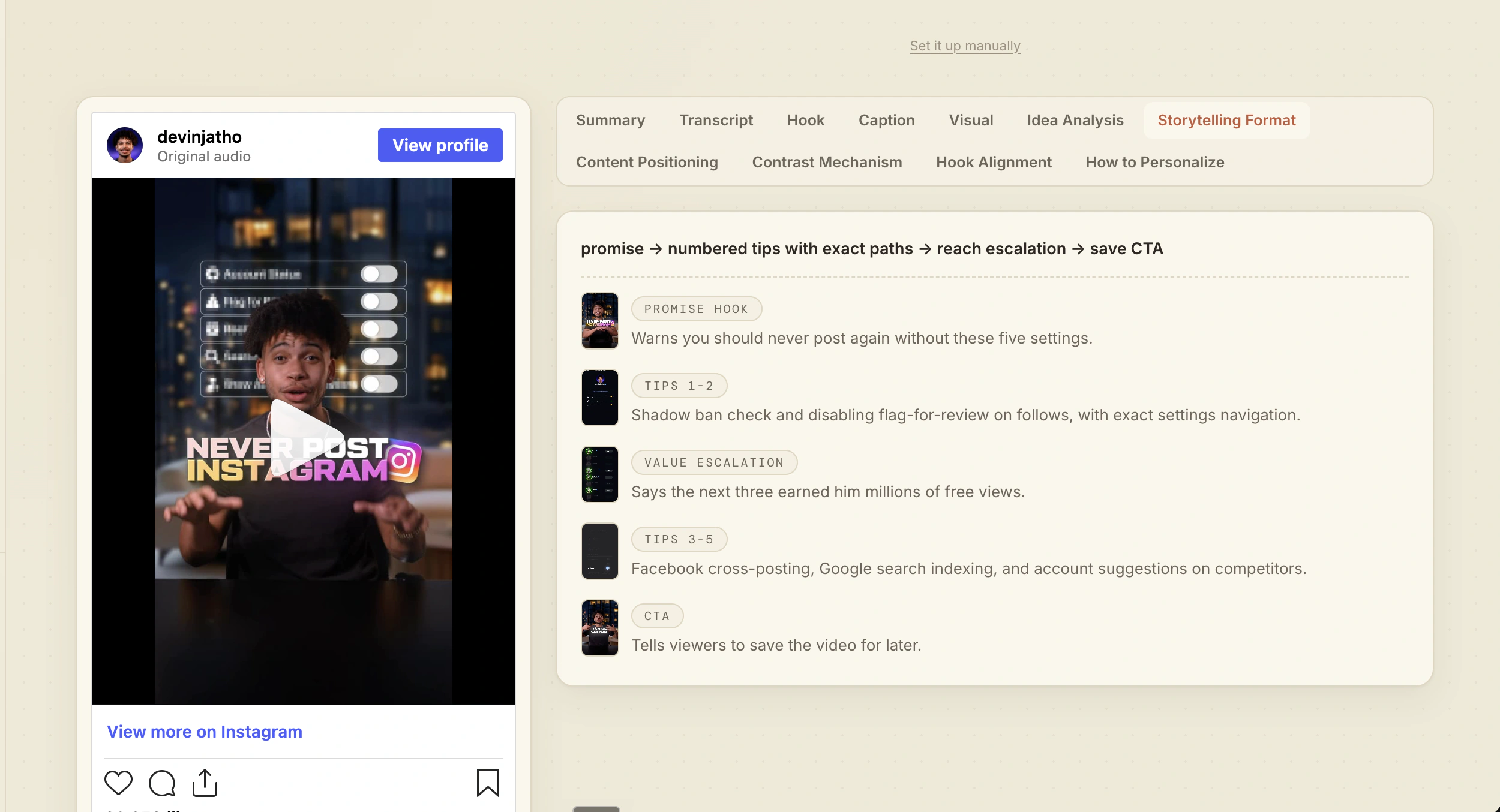
It keeps score
Reels made and leads captured, week by week, with the day Ootto started marked on the line.
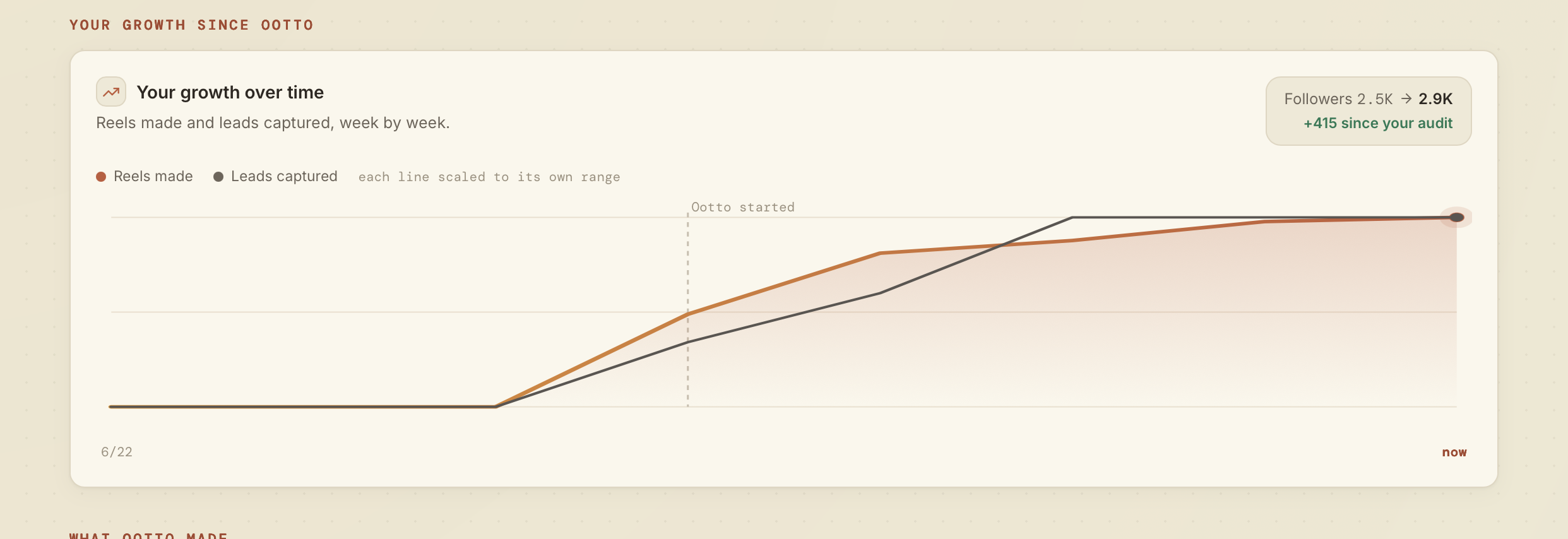
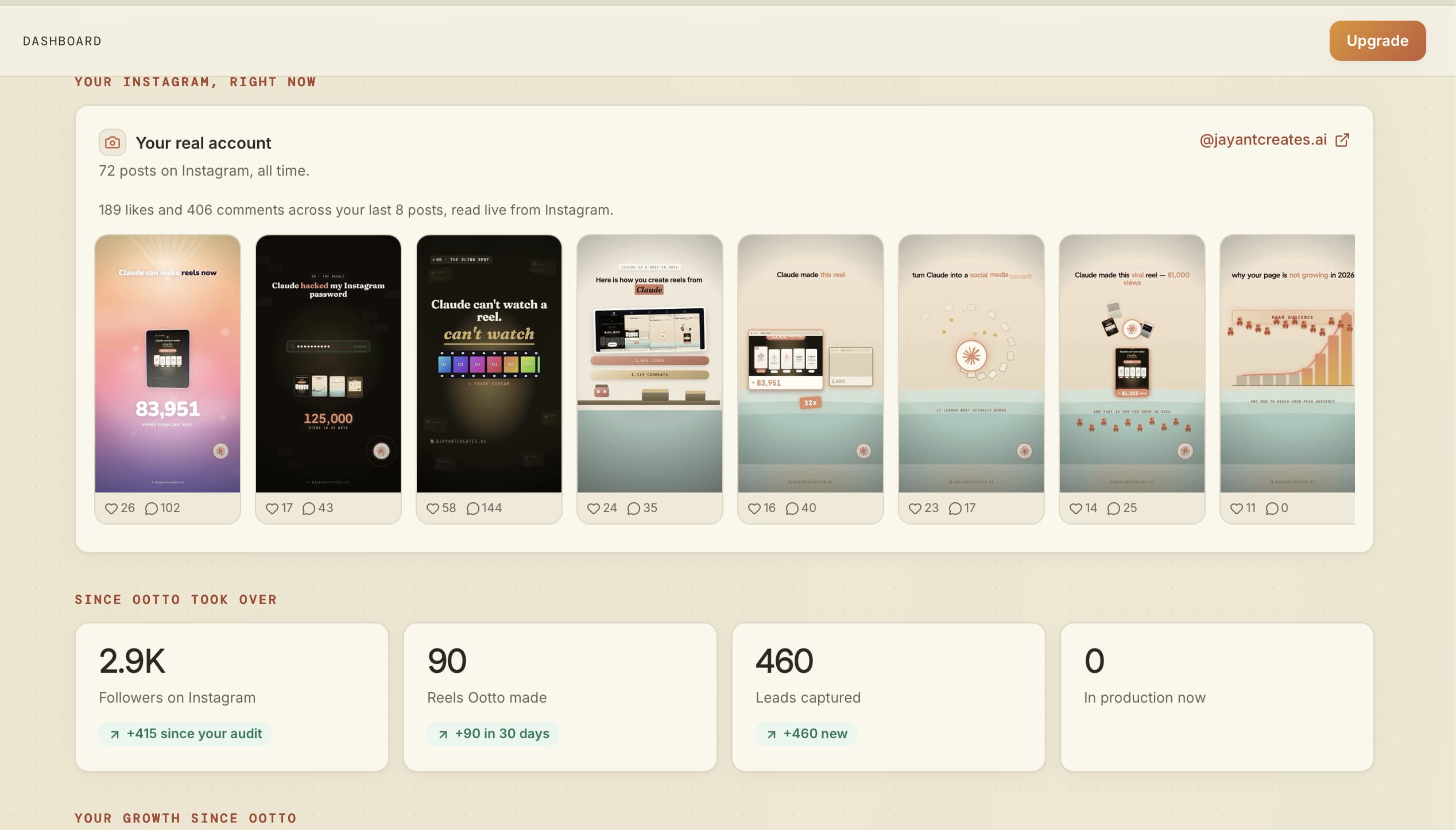
The teardown panel above is on a reel that pulled 25,607 comments on 87,972 views, and it says which part of it did that. On this account the dashboard reads 2.9K followers, +415 since the audit; 90 reels made in 30 days; 460 leads captured. Every reel in the strip at the end of this post came out of the same button.
Only the prompts that actually worked made the cut
I ran every prompt below against the live connector before publishing this. Where a prompt did not do what I expected, it is not here.
Study a competitor properly
Start with the account, not one reel. This pulls their recent reels into your board with their real view counts, so "their best" is a number rather than a hunch.
Pull @competitor's last 30 reels and rank them by what actually travelled.
Ran it on @devinjatho: added, 463,411 followers, with his reels ranked by real views - 3,793,450, then 1,295,883, then 868,142.
Then take the top one apart. This is the piece Claude cannot do alone: it downloads the video, pulls the frames, transcribes the audio, and hands the whole thing back timestamped.
Tear down this reel and tell me what made it work, second by second: <paste the reel URL>
Returned the caption, real stats, a section-by-section visual read, an 11-line timestamped transcript, the hook named as result-first, the five beats, and three ways to run it in another niche.
Hooks are the part worth borrowing. You get the pattern with the specifics stripped out, so you keep the technique and leave the words.
Which hooks in my niche could I run without copying anyone?
Returned eight mined hooks as fill-in templates - "For [skill/field], this is bad, this is good, this one's great." - each with the pattern named, how often it has been seen, and the reel it came from.
And to see the field rather than one account:
What is working in my niche this week?
Returned 20 creators and 40 reels across six niches it derived from this brand, with real follower counts and real view counts - the top reel at 12,669,162 views.
Ask for a page, not a wall of chat
Once the teardown data is in the conversation, Claude can lay it out instead of listing it. This is a real report it built from the teardown above - not a mockup:
Build me a report on @competitor as a page I can scroll.
One page: the shape, every beat with its timestamp, what actually drove the comments, and the flaw in the proof.
Make it, and put it out
Plan my week - seven reels from what is working in my niche.
Returned seven dated items, each with its own hook, sitting on the calendar as ideas.
Make a reel from this script, cream editorial - one designed beat per line.
Every reel in the strip below came from a prompt this shape. The four middle ones are the same script rendered four ways.
Make every beat a motion graphic. No type on a flat ground.
A bar collapsing, a filmstrip advancing, a curve drawing - the line is performed rather than captioned.
Use Playfair Display for the hero words and Inter underneath.
Pins the typeface on the brand record, not just on this reel, so the type stops drifting back to the house default on the next one.
Set up comment-to-DM on the keyword AUDIT.
Live on this account: the public reply carries no link, the resource goes in the DM.
Nothing publishes on its own. The reel is rendered and staged; posting is a thing you say yes to.
Take it home for free, before you sign up for anything
Everything above runs on Ootto's connector. Two of the things behind it are just Claude skills, MIT, free, no account - drop them in and run the same moves by hand.
Claude Content Skills is fourteen skills that work like a whole content team in one install - find a format, study it, hook, script, build, caption, post, then turn the comments into leads. One skill, Content Factory, runs all the others in order, so a single command hands you a finished reel and the lead loop. Agent Reach scouts Reddit and finds trending reels to model. Reel Analyzer does the frame-by-frame teardown. AI Brain gives Claude a permanent memory in your own Obsidian vault, so the next reel starts from what already worked instead of a blank slate. The rest of the fourteen - hooks, scripts, captions, a posting calendar, comment-to-lead - are in the repo.
git clone --depth 1 https://github.com/Ootto-AI/claude-content-skills.git && bash claude-content-skills/install.sh
Copies all fourteen into ~/.claude/skills. Then say /content-factory with your niche, your handle, and a reel to model, and it drives the whole pipeline.
ootto-watch is the one that gave Claude eyes for the teardowns above. In its own words: most tools only read the transcript and miss everything visual - this hands Claude the frames and the words, aligned on one timeline.
git clone https://github.com/Ootto-AI/ootto-watch ~/.claude/skills/watch-video
Then just say "watch this video: <url>" and Claude reads the frames alongside the timestamped transcript, the same way it read the reel at the top of this post.
The skills are the do-it-yourself version - you still open Claude, paste the idea, and post it yourself. The connector is the same moves running on autopilot, 24/7, on your own account. Both are real; pick the one you need today.
One teardown, shown in full
Here is the whole of one, so you can judge the quality rather than take my word for it. The reel: 12,354 views, 3,057 likes, and 8,820 comments - a comment rate most reels never get near.
It came back with the beats named and timed:
- 0:00 result hook - "Claude created a video for me that got 300k views and 14k leads."
- 0:04 to 0:14 setup - the menu, the connector search, the permissions screen
- 0:15 payoff - what the pasted prompt returns
- 0:22 proof - "It told me what to change so my video went from this to this."
- 0:25 gated CTA - "Comment 55 and I'll send you the prompt and a step-by-step tutorial."
Then the part I did not ask for. It flagged that her spoken numbers and her on-screen numbers disagree - she says 300k views and 14k leads while the cards read 292K and 28.6K - and said to make them match before running the format yourself. That is the difference between a teardown and a compliment.
Four rules the teardowns keep landing on
Short, because a long list is a formula, and formulas age.
- No paid ask inside the reel. A price, a code or a community pitch on screen turns up again and again in the reels that went nowhere, and almost never in the ones that travelled.
- Never promise what the account cannot deliver. The gap is what the comments find.
- Show a result, not the tool's output. A screen recording of software running is not proof. A number, or a before and after, is.
- Something moving and legible at frame zero. Not a title card. The thing already happening.
The teardown above is rule 3 failing in public: the proof beat is the strongest in the reel, and the numbers on it disagree with the numbers being spoken over it.
It keeps going when you stop
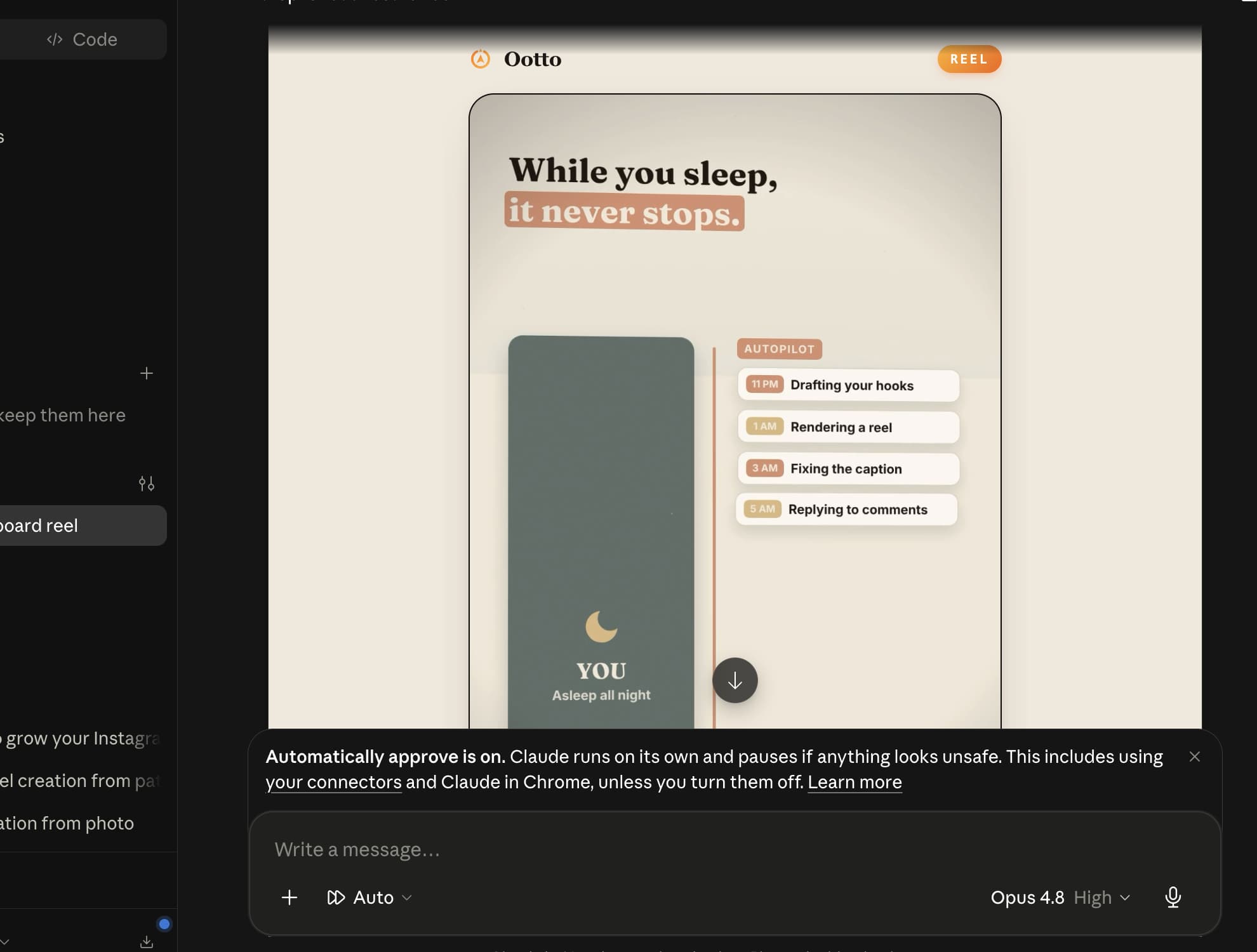
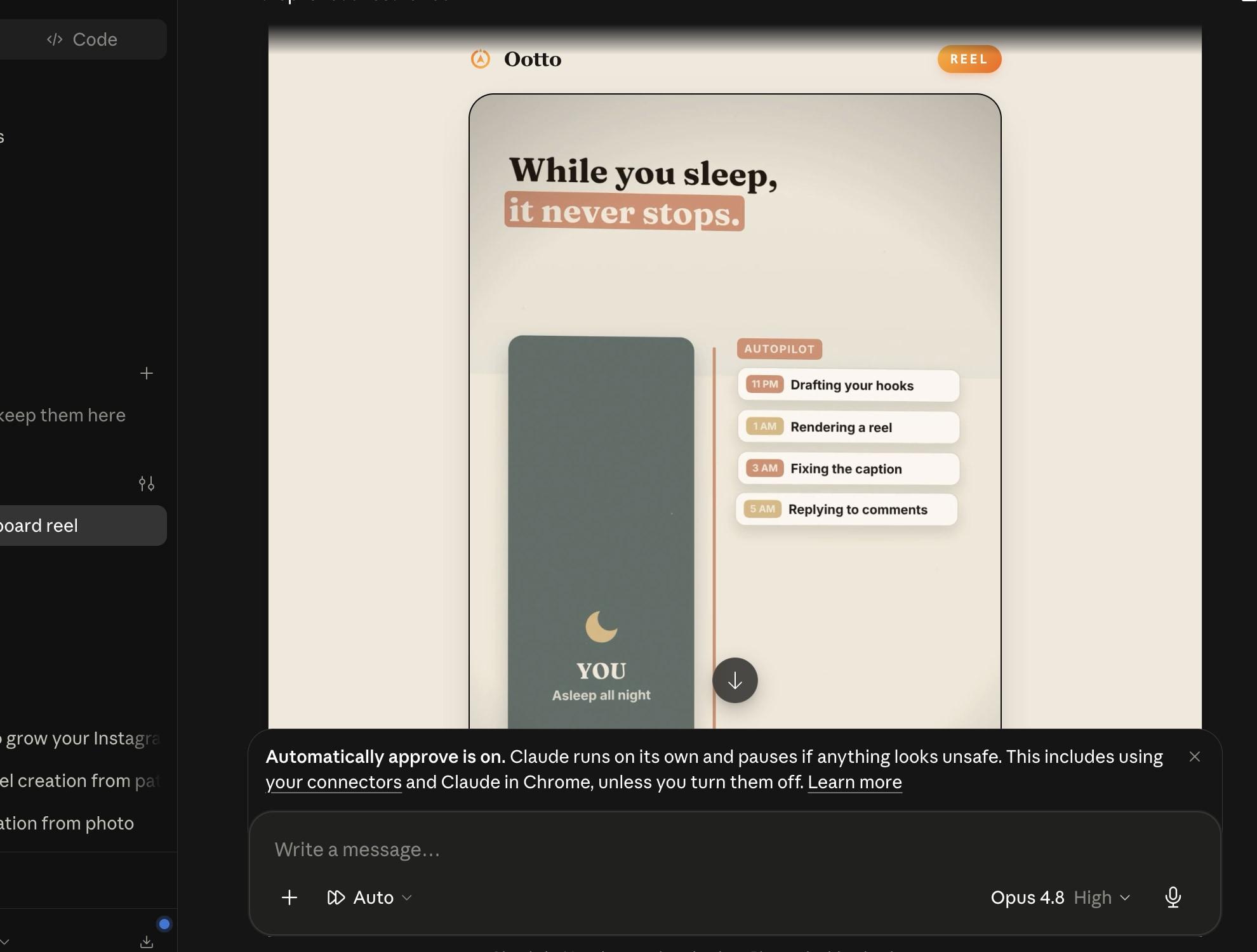
Auto-approve on, Claude working through the night: drafting hooks at 11pm, rendering at 1am, fixing a caption at 3am, replying to comments at 5am. You approve in the morning.
Route A: do it yourself
Start with the exact free skill for this outcome
MIT, no account, no email. Install first, then run the command for your account.
For this outcome: Content Factory
git clone --depth 1 https://github.com/Ootto-AI/claude-content-skills.git && bash claude-content-skills/install.sh
Installs the free MIT Content Skills bundle into ~/.claude/skills in one shot.
/content-factory - my niche is [niche], model this reel: [reel URL], my handle @..., CTA keyword GUIDE
Runs the full pipeline order for the post: research, hook, script, build, caption, and comment-to-DM lead setup.
Route B: let Ootto run it
Ootto replicates this on autopilot
Open the dashboard, connect once, then let the pipeline handle research, production, and lead replies.
Open the connector dashboard
Go to /content/login, sign in, and open your Ootto content dashboard.
Add Ootto to Claude
Use the one-button Add flow so Ootto appears in Claude's Connectors panel.
Claude shows the connector
The connector lands in Claude's Connectors settings, confirming Ootto is wired.
Board reads back your context
Your audience, pillars, voice, and creator signals are filled from account context.
What is actually working now
Ootto pulls what is moving in your niche and loads ranked examples in board.
Reels post, comments get answered
Finished reels publish to Instagram and comments are answered with public replies plus DM follow-ups.
Get started